

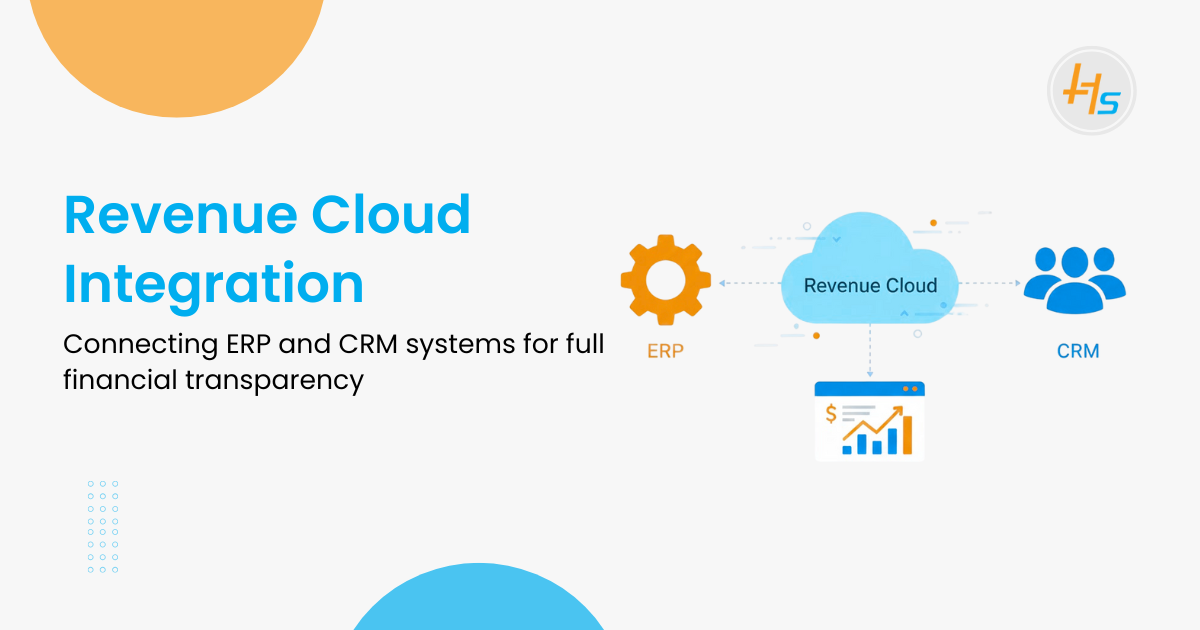
Growing businesses need a clear and accurate view of revenue, but sales and finance often work in disconnected systems like Salesforce and ERP platforms such as SAP, Oracle, NetSuite, or Tally. This leads to slow updates, manual entry, and inconsistent revenue data.
Salesforce Revenue Cloud helps organise quoting, pricing, and orders. To get complete financial transparency, it must be connected with ERP and CRM systems so that data moves automatically from quote to order to invoice to payment. This gives leadership a single, real-time financial picture and helps teams work with the same accurate information.
Key stats that highlight the importance of integration:
- Companies can lose 20 to 30 percent of potential revenue because of data silos.
- About 70 percent of organisations already rely on ERP systems for core operations.
- Integrated CRM and ERP systems improve collaboration and reporting accuracy.
With tools like MuleSoft and implementation support from HashStudioz, businesses can achieve a fully unified revenue process.
Table of Contents
Why Revenue Cloud Alone Is Not Enough
Salesforce Revenue Cloud is strong on the sales side. It helps create quotes, manage pricing, and generate orders. But it cannot complete the full revenue cycle on its own. Many key financial activities still depend on ERP and accounting systems. This creates gaps that slow down the business.
Below are the main reasons why Revenue Cloud needs ERP and CRM integration:
1. Important Financial Tasks Live in ERP
- ERP systems handle inventory, taxes, billing, and payments.
- These tasks cannot be done inside Revenue Cloud.
- Finance teams often re-enter sales data manually, which wastes time and leads to mistakes.
2. Data Becomes Inconsistent
- Sales and finance maintain their own customer and product data.
- Without integration, details do not match across systems.
- This creates confusion during audits, reviews, and monthly closings.
3. Reporting Is Not Complete
- Revenue Cloud shows quotes, deals, and expected income.
- ERP systems show real revenue, outstanding payments, and cash flow.
- When these systems are not connected, leadership does not get the full picture.
4. Manual Work Slows Down Operations
- Teams copy information between Salesforce and ERP.
- This slows down billing, payments, and customer updates.
- Small mistakes can lead to delays and customer dissatisfaction.
5. Teams Work in Silos
- Sales work in one system.
- Finance works in another way.
- Operations work in a third system.
- Because systems are not connected, collaboration becomes difficult.
6. Leadership Lacks Real-Time Visibility
- Without integration, reports come from different tools and are often outdated.
- Leaders cannot see the real revenue status instantly.
- This affects planning, forecasting, and decision-making.
In simple words, Revenue Cloud is great for managing sales. But without ERP and CRM integration, it cannot support the complete quote-to-cash process. Integration is the only way to create a smooth and accurate revenue flow.
Also Read: Top 7 Benefits of Implementing Salesforce Revenue Cloud in 2025
What Happens When You Connect Revenue Cloud with ERP & CRM
Integrating Salesforce Revenue Cloud with ERP and CRM systems creates one connected revenue process. This removes manual work, reduces errors, and gives teams clear visibility of every customer transaction.
Here is what actually happens when these systems work together:
1. Quotes and Orders Move Automatically
- A quote created in Salesforce becomes an order in the ERP system without manual typing.
- Finance teams get the order instantly and can start billing on time.
- No duplicate entries. No copy-paste mistakes.
2. Invoices and Payments Stay Updated in Salesforce
ERP systems are responsible for generating invoices and managing payments.
When integrated with Salesforce Revenue Cloud, every invoice update automatically syncs back to Salesforce.
This gives sales teams full visibility into:
- Paid invoices
- Pending invoices
- Overdue payments
- Refunds
As a result, coordination between sales and finance becomes faster and more accurate.
3. Product and Pricing Data Stay Consistent
Many businesses maintain their product catalog and pricing inside their ERP system.
With integration, any update made in the ERP automatically reflects in Revenue Cloud.
Sales teams always access:
- Correct pricing
- Updated discounts
- Accurate product availability
This prevents pricing errors and eliminates conflicts during customer conversations.
4. Customer Service Becomes Faster
- Support teams can see both sales and finance information in one place.
- They can answer questions about orders, invoices, or payments without switching systems.
- This leads to faster resolutions and better customer satisfaction.
5. Leadership Gains a Complete Financial View
Leaders can track the entire revenue journey in one dashboard:
- Deals won
- Orders created
- Invoices generated
- Payments received
- Renewals and cancellations
This helps in faster decision-making and better forecasting.
6. Teams Work With the Same Data
- Sales, finance, and operations no longer work in silos.
- All teams see the same real-time information.
- This reduces confusion and improves accuracy across departments.
Connecting Revenue Cloud with ERP and CRM systems creates a seamless revenue ecosystem where every team works in sync, and every number remains accurate.
Key Areas That Must Be Integrated
To build a smooth revenue process, Salesforce Revenue Cloud must connect with the right parts of your ERP and CRM systems. These areas act as the main points where data should move without delay. When they work well, the quote-to-cash cycle becomes fast, accurate, and easy to manage.
A. Quotes and Orders
- Quotes created in Salesforce should turn into ERP orders automatically.
- No manual typing, no second checks.
- Order status updates from ERP should return to Salesforce so sales teams always know the latest progress.
B. Product and Pricing Data
- ERP usually stores the official product list and pricing rules.
- If Salesforce and ERP show different prices, sales teams lose trust.
- Syncing both systems keeps pricing accurate and prevents errors during quoting.
C. Billing and Invoice Information
- ERP handles invoice creation, taxes, and payment posting.
- Revenue Cloud needs these updates to keep the deal status correct.
- When billing information flows between systems, both sales and finance stay aligned.
D. Payment Status
- If a customer pays or delays a payment, ERP captures it first.
- This change must appear in Salesforce instantly.
- It helps sales teams follow up properly and supports healthy cash flow.
E. Customer Details
- Customer records should be the same in ERP, Salesforce, and any other CRM.
- Updates like address changes or contact details must sync both ways.
- This reduces invoice issues and delivery mistakes.
F. Contracts and Subscriptions
- Renewals, upgrades, and cancellations start in Revenue Cloud.
- ERP uses this data for correct billing and forecasting.
- Syncing both systems ensures accurate recurring revenue.
- Strong integration across these areas builds a clear and reliable revenue system.
All teams work with the same information, and the business gets complete control over its financial flow.
Must Read: Revenue Cloud vs Traditional CRM: Why Businesses Are Making the Shift
How Integration Improves Financial Transparency
Integrating Salesforce Revenue Cloud with ERP and CRM systems gives businesses a unified and accurate view of all revenue activities. Data moves between teams instantly, ensuring everyone works with the same up-to-date information. This eliminates confusion and helps companies monitor their financial health in real time.
A key advantage is improved accuracy.
When quotes, orders, invoices, and payments stay connected across systems, there are no mismatched numbers. Leadership gains real-time revenue insights instead of relying on delayed, manual reports.
Integration also reduces manual work.
Teams no longer need to enter the same information into multiple systems, which lowers the risk of errors and speeds up the entire billing and payment cycle.
Direct improvements companies experience include:
- Real-time visibility of deals, invoices, and payments
- Faster month-end and quarter-end closing
- More accurate revenue forecasts based on complete data
- Fewer customer disputes because information stays consistent
- Better coordination between sales, finance, and operations
Overall, integration creates a smooth revenue process where every number is clear, every update is accurate, and every team stays aligned.
Where MuleSoft Fits In
MuleSoft is the integration layer that makes seamless connectivity between Salesforce, ERP, CRM, and other systems possible. It uses ready-made connectors to link platforms without heavy custom coding, ensuring faster and more reliable integrations.
MuleSoft securely moves data between systems, transforming and organising it into the correct format. It also manages key operational tasks such as error handling, retries, and system monitoring.
In simple terms, MuleSoft acts as a dependable bridge that ensures data flows smoothly across all systems without delays or failures.
How HashStudioz Enables These Integrations
HashStudioz brings deep expertise in Salesforce, ERP, and MuleSoft integrations. Our team follows a structured approach to build stable, scalable, and future-ready connections between systems.
We start by analysing the client’s existing applications and data flow. Based on this assessment, we design an integration architecture that aligns with their business process. Using MuleSoft connectors and proven integration patterns, we reduce complexity and accelerate project delivery.
Our approach ensures:
- Clean and accurate data mapping
- Secure and compliant API connections
- Reliable and real-time synchronisation between systems
- Easy maintenance and long-term scalability
- Fast issue identification and resolution
At HashStudioz, we focus on practical, results-driven solutions that give companies complete financial transparency and a unified revenue process.
Real Use Cases
Here are simple examples of how integration works in real life:
- A manufacturing company connects Salesforce with SAP. Quotes move to SAP instantly, and invoice updates come back to Salesforce. This reduces billing delays and improves forecasting.
- A subscription business links Revenue Cloud with NetSuite. Renewals and cancellations sync automatically. Finance gets accurate revenue schedules without manual correction.
- A retail company connects Salesforce with Tally. Payments and stock updates move both ways. Sales teams always know product availability and payment status. These use cases show how integration removes friction and improves daily operations.
Final Thoughts
Integrating Salesforce Revenue Cloud with ERP and CRM systems transforms how a business manages revenue. It removes silos, reduces manual work, and gives leaders a clear financial picture. With the right integration approach and tools like MuleSoft, companies can build a transparent and reliable revenue process. For businesses looking to simplify operations and improve visibility, this integration is not optional—it is essential.
 Shivam Rathore