

Business-to-business sales cycles continue to lengthen across industries. Research shows that 74.6% of B2B sales to new customers take at least four months to close. Nearly half require seven months or more. Manufacturing sectors face even longer cycles, averaging 130 days from first contact.
Disconnected systems create significant operational challenges. Organizations in the US and UK lost $140 billion to disconnected data, according to recent industry research. Manual processes between CRM and ERP systems continue causing delays and errors throughout the revenue cycle.
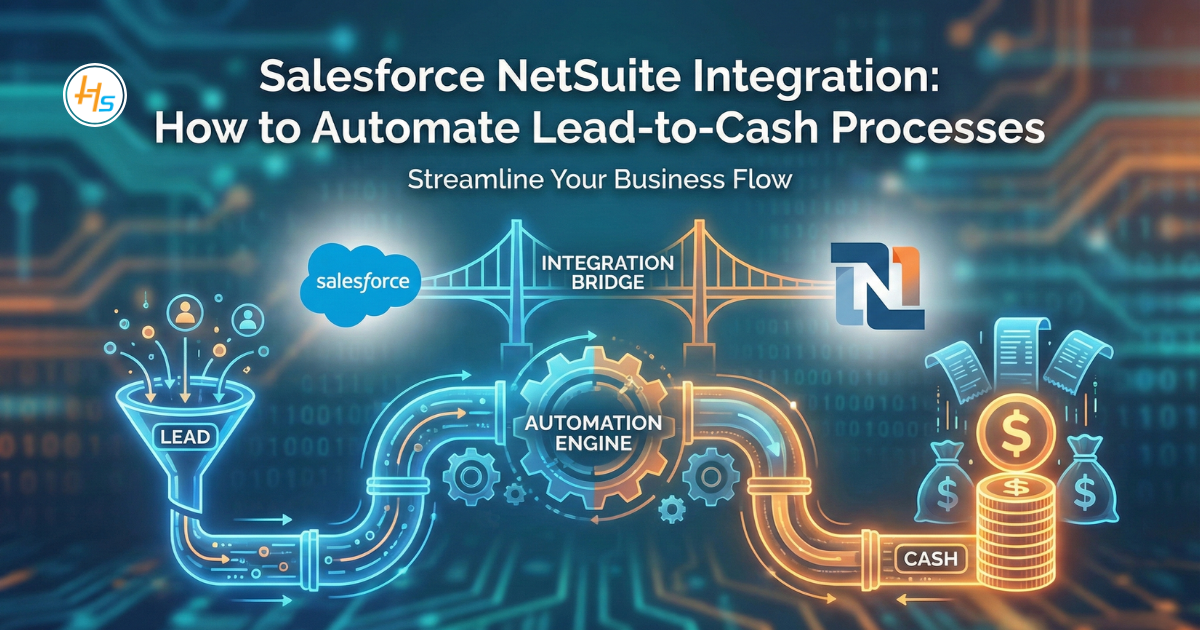
Salesforce NetSuite Integration addresses this gap by connecting two powerful platforms. Salesforce manages customer relationships and sales pipelines. NetSuite handles financial operations and order fulfillment. When these systems work together, organizations automate their entire lead-to-cash process.
This integration eliminates manual data transfer between departments. Sales teams gain real-time visibility into inventory and pricing. Finance departments receive accurate order information instantly. The result is faster quote-to-cash cycles and improved customer satisfaction.
Table of Contents
Understanding Lead-to-Cash Processes
Lead-to-cash represents the backbone of revenue generation in modern businesses. This process connects marketing, sales, and finance operations into one cohesive workflow. Understanding each component helps organizations identify where integration delivers maximum value.
What Is Lead-to-Cash?
Lead-to-cash represents the complete business cycle from initial prospect contact to final payment receipt. This process includes several critical stages:
- Lead generation and qualification
- Opportunity management and proposal creation
- Quote configuration and pricing
- Contract negotiation and approval
- Order processing and fulfillment
- Invoicing and payment collection
- Revenue recognition and reporting
Each stage requires data flow between different departments and systems. Sales uses CRM tools. Finance relies on ERP platforms. Disconnected systems create bottlenecks and errors.
Common Challenges Without Integration
Organizations operating without Salesforce NetSuite Integration face multiple obstacles. Sales representatives manually enter customer data into multiple systems. This duplication wastes time and introduces errors.
Finance teams wait for sales to provide order details. The delay extends order processing time. Customers receive invoices late, affecting cash flow.
Inventory visibility remains limited across departments. Sales teams cannot access real-time stock levels. They promise delivery dates without confirming product availability.
Reporting becomes fragmented and unreliable. Executives cannot get unified views of business performance. Decision-making suffers from incomplete information.
Benefits of Salesforce NetSuite Integration
Integration between Salesforce and NetSuite delivers measurable improvements across multiple business functions. Organizations experience faster processes, better accuracy, and improved collaboration between departments.
Real-Time Data Synchronization
Salesforce NetSuite Integration creates a bidirectional data flow between systems. Customer information updates automatically across both platforms. Sales teams see current account balances and payment history.
Finance departments receive order details instantly when deals close. They can process orders without waiting for manual handoffs. This automation reduces order-to-cash time by 30-40% based on industry implementations.
Improved Quote Accuracy
Integration connects Salesforce CPQ (Configure, Price, Quote) with NetSuite pricing and inventory data. Sales representatives generate quotes using real-time pricing rules. They access current product availability before making commitments.
The system automatically applies discounts and promotional pricing. Complex pricing scenarios get calculated correctly. Quote errors decrease significantly, reducing revenue leakage.
Enhanced Customer Experience
Customers benefit from faster response times and accurate information. Sales representatives answer pricing and availability questions immediately. Order status updates flow automatically from NetSuite to Salesforce.
Customer service teams access complete order history and financial data. They resolve issues faster without switching between systems. This unified view improves customer satisfaction scores.
Better Financial Visibility
Finance teams gain visibility into the entire sales pipeline. They forecast revenue more accurately using real-time opportunity data. Cash flow projections improve with better insight into pending orders.
Revenue recognition becomes automated and compliant. The integration ensures proper accounting treatment for different order types. Audit trails remain complete and accessible.
Technical Architecture of Salesforce NetSuite Integration
Understanding the technical foundation helps organizations make informed integration decisions. The architecture determines system performance, scalability, and maintenance requirements.
Integration Approaches
Organizations can implement Salesforce NetSuite Integration using several methods. Each approach has specific advantages depending on business requirements.
- Native Connectors: Pre-built connectors offer quick deployment. They handle common integration scenarios with minimal customization. However, they may lack flexibility for unique requirements.
- Middleware Platforms: Integration platforms like MuleSoft, Dell Boomi, or Jitterbit provide robust connectivity. They support complex data transformations and business logic. These solutions scale well for enterprise requirements.
- Custom API Integration: Direct API connections offer maximum flexibility. Developers build tailored solutions for specific business processes. At HashStudioz, our expert development team ensures proper implementation of API-based integrations.
Key Integration Points
Successful Salesforce NetSuite Integration synchronizes critical business objects:
- Customer and Account Data: Contact information, billing addresses, and account hierarchies flow between systems. Changes in either platform update automatically.
- Opportunity and Quote Data: Sales opportunities in Salesforce connect to sales orders in NetSuite. Quote details transfer accurately, including line items and pricing.
- Product and Inventory Information: Product catalogs synchronize between platforms. Real-time inventory levels become visible in Salesforce.
- Order and Fulfillment Data: Closed opportunities generate sales orders in NetSuite automatically. Fulfillment status updates return to Salesforce.
- Invoice and Payment Information: NetSuite invoices link to Salesforce accounts. Payment status synchronizes for sales team visibility.
Data Mapping and Transformation
Integration requires careful field mapping between Salesforce and NetSuite objects. Systems use different data models and naming conventions. Transformation logic ensures data compatibility.
Custom fields often require special handling. Business rules determine how data is converted between platforms. As a leading Salesforce Development Company, HashStudioz designs mapping strategies that preserve data integrity while meeting business requirements.
Implementation Best Practices
Successful Salesforce NetSuite Integration requires methodical planning and execution. Following proven best practices reduces risks and ensures optimal results from day one.
Planning and Discovery Phase
Successful integration starts with thorough planning. Document current lead-to-cash processes in detail. Identify pain points and manual handoffs that need automation.
Define clear integration objectives and success metrics. Determine which data objects require synchronization. Establish data governance policies and ownership rules.
Involve stakeholders from sales, finance, operations, and IT. Their input ensures the solution addresses real business needs. Create a detailed requirements document before development begins.
Choosing the Right Integration Method
Evaluate integration approaches based on several factors:
- Complexity of business processes
- Volume of data transactions
- Need for real-time versus batch synchronization
- Budget constraints and timeline requirements
- Internal technical capabilities and resources
- Long-term scalability needs
Organizations with complex requirements benefit from our Custom Salesforce Solutions at HashStudioz. Our experienced developers build tailored approaches that handle unique business logic that standard connectors cannot support.
Development and Testing
Build integrations incrementally, starting with core objects. Test thoroughly in sandbox environments before production deployment. Validate data accuracy and transformation logic.
Create comprehensive error handling mechanisms. Integration failures should trigger alerts and maintain data integrity. Build logging capabilities for troubleshooting.
Perform user acceptance testing with actual business users. Verify that workflows meet operational needs. Gather feedback and refine before full rollout.
Change Management and Training
Integration changes how teams work. Provide comprehensive training on new processes. Document workflows clearly for reference.
Communicate benefits to drive adoption. Show users how integration saves time and reduces errors. Address concerns proactively.
Monitor usage patterns after deployment. Identify areas where users struggle. Provide additional support as needed.
Automation Opportunities in Lead-to-Cash
Salesforce NetSuite Integration creates numerous opportunities to automate manual tasks throughout the revenue cycle. These automation capabilities significantly reduce processing time and human error.
Automated Lead Assignment and Routing
Integration enables sophisticated lead routing based on territory, product interest, or account value. NetSuite customer data enriches lead scoring models. High-value accounts get prioritized automatically.
Opportunity Creation from Marketing Campaigns
Marketing automation platforms connect to both Salesforce and NetSuite. Campaign responses trigger opportunity creation with complete context. Budget and forecast data flows into NetSuite for financial planning.
Automatic Quote Generation
Sales representatives create quotes in Salesforce using NetSuite pricing and product data. The system applies appropriate discounts and terms automatically. Approval workflows route complex deals properly.
Order Processing Automation
When opportunities close, integration creates sales orders in NetSuite instantly. Credit checks run automatically using financial data. Order fulfillment begins without manual intervention.
Invoice Generation and Delivery
NetSuite generates invoices based on fulfillment status. Invoices attach to Salesforce accounts automatically. Customers receive invoices through preferred delivery methods.
Payment Tracking and Collections
Payment receipts in NetSuite update the account status in Salesforce. Sales teams see current AR balances before making additional sales. Collections workflows trigger automatically for overdue accounts.
Measuring Integration Success
Tracking the right metrics demonstrates integration ROI and identifies areas for improvement. Quantifiable measurements help justify investment and guide optimization efforts.
Key Performance Indicators
Track specific metrics to evaluate integration effectiveness:
- Order-to-cash cycle time reduction
- Data entry error rates
- Quote approval time
- Invoice generation speed
- Days sales outstanding (DSO)
- Sales team productivity improvements
- Customer satisfaction scores
Set baseline measurements before integration. Monitor improvements monthly. Adjust processes based on performance data.
Continuous Improvement
Integration is not a one-time project. Business requirements evolve continuously. Regular reviews identify new automation opportunities.
Gather feedback from users regularly. They discover pain points that need addressing. Prioritize enhancements based on business impact.
Monitor integration performance and reliability. Optimize slow processes. Update mapping rules as business rules change.
Working with Integration Experts
Complex integration projects benefit significantly from experienced professional guidance. Choosing the right partner can mean the difference between smooth implementation and costly project delays.
Why Professional Services Matter
Salesforce NetSuite Integration requires specialized expertise. Integration specialists understand both platforms deeply. They know common pitfalls and best practices.
Professional implementation reduces project risk and timeline. Experts configure solutions correctly from the start. This prevents costly fixes later.
HashStudioz provides comprehensive Salesforce NetSuite Integration services that help businesses automate their lead-to-cash processes effectively. Their team of certified experts designs and implements Custom Salesforce Solutions tailored to your specific business requirements. Contact HashStudioz to discuss how integration can transform your operations.
Why Choose HashStudioz for Your Integration
At HashStudioz, we bring proven experience in both Salesforce and NetSuite platforms. Our portfolio includes successful implementations across various industries. We hold relevant certifications and maintain deep technical expertise in both systems.
Our team understands industry-specific requirements and challenges. This vertical expertise helps us anticipate your unique needs. We recommend best practices tailored to your specific business model and operational requirements.
We provide comprehensive support and maintenance services post-implementation. Integration requires ongoing attention and optimization. Our reliable support team prevents business disruptions and ensures continuous system performance.
Future Trends in CRM-ERP Integration
The integration landscape continues to evolve with emerging technologies and changing business requirements. Staying informed about these trends helps organizations plan for future capabilities.
Artificial Intelligence and Machine Learning
AI capabilities are transforming integrated systems. Predictive analytics forecasts customer behavior and revenue. Machine learning optimizes pricing recommendations automatically.
Natural language processing enables conversational interfaces. Sales teams query data using plain language. Complex reports are generated through simple questions.
Advanced Analytics and Reporting
Integration creates unified data repositories. Advanced analytics tools provide deeper insights. Real-time dashboards show complete business performance.
Predictive forecasting becomes more accurate with integrated data. Organizations anticipate market changes proactively. Strategic planning improves significantly.
Mobile and IoT Integration
Mobile access to integrated systems becomes essential. Sales representatives need real-time data anywhere. Mobile apps provide seamless access to Salesforce and NetSuite data.
IoT devices generate transaction data automatically. Connected products trigger service orders and renewals. Integration extends beyond traditional business systems.
Conclusion
Salesforce NetSuite Integration transforms lead-to-cash processes through automation and real-time data synchronization. Organizations reduce cycle times, improve accuracy, and enhance customer experiences. The investment in proper integration delivers measurable returns through increased efficiency and revenue.
Success requires careful planning, appropriate technology choices, and experienced implementation. Working with a qualified Salesforce Development Company ensures robust, scalable solutions. Custom Salesforce Solutions address unique business requirements that standard connectors cannot handle.
Start by documenting current processes and identifying automation opportunities. Evaluate integration approaches based on your specific needs. At HashStudioz, we specialize in both Salesforce and NetSuite platforms. Our expert team delivers seamless lead-to-cash integration solutions that drive measurable business growth.
Must Read: From Enquiry to Alumni: How Salesforce Education Cloud Manages the Entire Student Lifecycle
Frequently Asked Questions
Q1. What is Salesforce NetSuite Integration?
It connects Salesforce CRM with NetSuite ERP to automate data flow between sales and finance departments.
Q2. How long does implementation take?
Simple integrations take 4-8 weeks. Complex implementations require 12-16 weeks, depending on customization needs.
Q3. What are the integration costs?
Pre-built connectors cost $500-$2,000 monthly. Middleware platforms range from $1,000-$5,000 monthly. A Salesforce Development Company provides accurate estimates.
Q4. Can it handle complex pricing configurations?
Yes, it supports multi-tier pricing, volume discounts, and configurable products through Custom Salesforce Solutions.
Q5. What happens if integration encounters errors?
Integrations include error handling and logging. Failed transactions trigger alerts. Professional partners provide quick resolution support.