


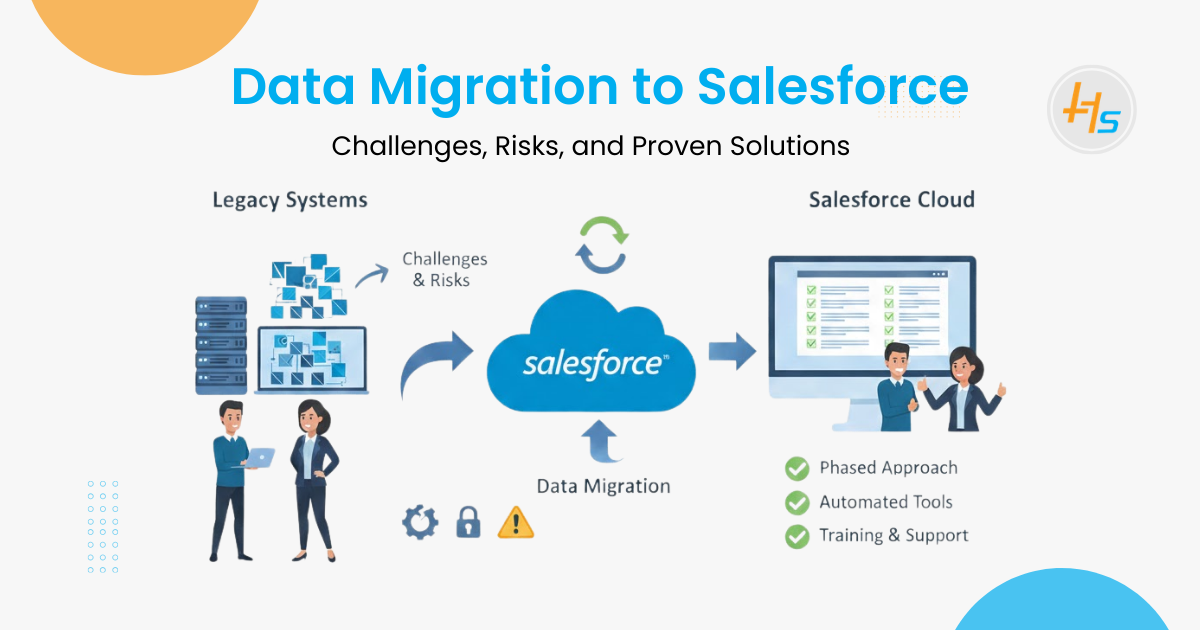
Data migration to Salesforce is no longer just a technical task. It’s a strategic shift driven by AI-powered CRM, real-time data connectivity, and stronger security requirements. Organizations must cleanse, map, and govern legacy data carefully to support seamless CRM migration and modern integration needs. With the right Salesforce development Partner, businesses can ensure secure data transfer, reliable integrations, and a scalable foundation for long-term growth.
Moving data into Salesforce is more than a technical transfer—it changes how teams track performance and manage customers. Done right, it enables long-term growth; done poorly, it creates confusion and mistrust.
The risk is significant: 97% of organizations collect large volumes of data, but only 24% use it to improve customer experience. Poor data quality can affect 15–25% of revenue, and nearly 70% of migration projects face challenges due to weak planning and unclean data.
That’s why working with an experienced Salesforce development Company and using professional Salesforce Development Services is critical to protect data integrity and ensure a successful transition.
Table of Contents
2026 Trends Reshaping Data Migration to Salesforce
Recent Winter ’26 and Spring ’26 updates are changing how organizations approach migration projects. Instead of simply moving data, businesses must now plan for connected, secure, and continuously accessible data environments.
- From Data Transfer to Data Connectivity: New zero-copy capabilities allow companies to access external warehouse data without physically migrating it, reducing ETL complexity and storage overhead. Migration strategies now focus on deciding what should remain external.
- Rise of Hybrid Migration Models: Data Cloud enhancements enable federated access to documents and cloud repositories, encouraging selective migration combined with real-time integration rather than full system replication.
- Modern Authentication Is Now Mandatory: Updated security frameworks require transitioning to External Client Apps and newer authentication models, forcing teams to modernize integrations during migration.
- Standardized API and Domain Requirements: API calls must use organization-specific domains, meaning legacy hard-coded integrations often fail unless redesigned as part of the migration lifecycle.
- Platform Data Model Changes Require Transformation Planning: Features like Einstein Activity Capture are being aligned to standard activity objects, requiring historical data restructuring before import.
- Legacy Operational Fields Are Being Phased Out: Some older service and maintenance data structures are replaced with rule-based models, introducing schema-mapping considerations during migration.
- Greater Emphasis on Governance and Recovery: Built-in safeguards, including short-term recovery for deleted records, highlight Salesforce’s shift toward compliance, auditability, and resilient data management.
Common Technical Challenges in Salesforce Migration
Migrating records from legacy systems into a multi-tenant cloud environment introduces specific obstacles. You must manage data integrity while respecting platform constraints. Each step in the migration pipeline requires a distinct logic to handle the nuances of the Salesforce architecture.
1. Complex Data Mapping and Relationships
Salesforce relies on a strict relational model. Objects like Accounts, Contacts, and Opportunities link together through lookups and master-detail relationships.
- Legacy Incompatibility: Most old systems do not match the Salesforce schema. This leads to “orphaned” records where a Contact exists without a parent Account.
- Relationship Preservation: You must maintain the original hierarchy. If you load data out of order, the child records will fail to find their parents.
- Polymorphic Fields: Handling fields that can link to multiple object types requires advanced logic during the extraction phase.
- External IDs: You need to use unique external IDs from the source system. This ensures you can upsert records without creating duplicates during the migration process.
2. Large Data Volumes and API Limits
Handling millions of records is a different task from moving a few thousand. Salesforce enforces API request limits to ensure platform stability.
- Throttling Issues: Standard APIs can be slow for massive datasets. You might hit your daily limit before the migration finishes.
- Bulk API Usage: Experts use the Bulk API to process data in large batches. This method is faster but requires specific record-level error handling.
- Processing Time: Long-running migrations can cause system downtime. You must plan for off-peak hours to avoid disrupting the business.
- Storage Limits: Organizations must monitor both data and file storage limits. Large migrations can unexpectedly exceed allocated capacity, causing record creation to fail.
3. Data Cleansing and Deduplication
Old databases often contain “dirty” data. Migrating these errors into Salesforce ruins the value of the new CRM.
- Inconsistent Formatting: Phone numbers and addresses often lack a standard structure. This makes search and automation difficult.
- Duplicate Records: Multiple entries for the same client lead to “split” histories. This confuses sales reps and creates bad reports.
- Obsolete Data: Moving ten-year-old inactive leads slows down the system. It is better to archive this data rather than migrate it.
- Null Values: Identifying mandatory fields in Salesforce that are empty in legacy systems is vital. You must decide whether to fill these with default values or omit the records.
Critical Risks of Poor Migration Execution
Failing to address the challenges above leads to severe business consequences. A technical failure often translates into a financial loss. Managers must understand these risks to justify the cost of professional Salesforce Development Services.
1. Reduced User Adoption
If sales reps find duplicate or incorrect data, they lose trust in the system. They may go back to using spreadsheets. Low adoption is the primary reason why CRM investments fail. When the interface is cluttered with “garbage” data, productivity drops immediately. Users spend more time verifying information than selling products.
2. Compliance and Security Breaches
Migration involves moving sensitive customer information. If you do not encrypt data during the move, you risk exposure. This can lead to heavy fines under GDPR or HIPAA regulations.
- Data Residency: Some industries require data to stay in specific regions. Moving data to a cloud server without checking these rules causes legal issues.
- Access Control: Migration often requires high-level permissions. If these permissions remain active after the move, unauthorized users might access private data.
3. Financial Impact and Wasted ROI
The “1-10-100 rule” applies here. It costs $1 to prevent a bad record, $10 to clean it later, and $100 if you do nothing. Poor migration results in a system that costs more to maintain than the value it provides. Business intelligence tools will produce incorrect charts. This leads to bad executive decisions based on false metrics.
Proven Solutions for a Seamless Transition
A professional Salesforce development Company follows a strict lifecycle to mitigate risks. Here are the steps and tools used by top technical teams.
1. Metadata-First Strategy
You must build the target environment before moving a single record.
- Environment Setup: Create all custom objects, fields, and validation rules in a Sandbox.
- Audit Field Activation: Enable “Create Audit Fields” to preserve original “Created Date” and “Created By” values.
- Dependency Mapping: Document the order of operations. Always load Users first, then Accounts, then Contacts.
- Custom Settings and Metadata: Migrate configurations that the data depends on, such as price books or custom settings, before the main load.
2. Advanced ETL Tooling
Manual CSV uploads via the Data Loader are risky for large projects. Professional teams use ETL (Extract, Transform, Load) tools to automate the flow.
- MuleSoft: This tool offers deep integration for real-time and batch migrations. It handles complex transformations automatically.
- Talend or Informatica: These platforms provide visual pipelines. They help in cleaning data while it moves between systems.
- Custom Scripts: For unique requirements, developers write Python or SQL scripts. These scripts handle deduplication before the data hits the Salesforce API.
- Jitterbit: This is another popular choice for connecting legacy on-premise databases with the Salesforce cloud.
3. Rigorous Testing in Sandbox
Never migrate directly into production. Use a Full Copy Sandbox to mirror the live environment.
- Pilot Migration: Run a test with a small subset of data. This catches mapping errors early.
- Validation Rules: Check if active triggers or validation rules block the import. You may need to disable these temporarily during the load.
- Reconciliation: Compare the record counts in the source system against the counts in Salesforce. Ensure every field matches the original value.
- User Acceptance Testing (UAT): Let the end users check the migrated data in the sandbox. Their feedback helps find logical errors that developers might miss.
4. Technical Optimization of the Data Load
To speed up the process, developers use specific platform features.
- Parallel Processing: Breaking data into smaller chunks allows the Bulk API to process multiple batches at once.
- Deferring Sharing Calculations: For very large loads, you can suspend sharing rule calculations. This prevents the system from recalculating permissions for every single record inserted.
- Disabling Automation: Temporarily turning off Flow, Workflow Rules, and Apex Triggers prevents unnecessary background processing during the import.
Real-World Use Cases of Successful Salesforce Migration
These real-world examples show how organizations approach migration as a structured transformation.
Example 1: Large-Scale Financial Data Consolidation
A major U.S. banking institution consolidated CRM environments after acquiring a brokerage firm, migrating millions of customer records into a unified Salesforce instance. The project required validating mappings, preserving relationships, and reconciling data across Salesforce, SQL archives, Hadoop-based data lakes, and Snowflake environments to maintain compliance and business continuity.
Insight: Modern Salesforce migrations extend beyond ETL—they require cross-platform validation and audit-ready reconciliation frameworks.
Example 2: Global CRM Transformation and Data Unification
A global financial association modernized its CRM ecosystem by migrating and unifying more than one million contacts and tens of thousands of company records while restructuring automation, workflows, and CMS infrastructure to eliminate fragmented systems and enable scalable operations.
Insight: Enterprise migrations increasingly involve data model redesign and operational transformation, not just platform transfer.
Post-Migration Data Governance
The work does not end once the records are in Salesforce. You must maintain the health of the system.
- Regular Audits: Schedule monthly checks to identify new duplicates or missing values.
- Training Programs: Teach users how to enter data correctly. This prevents the “garbage in, garbage out” cycle.
- Automated Deduplication Rules: Set up Salesforce Duplicate Rules and Matching Rules. This prevents new duplicates from entering the system after the migration.
- Dashboard Monitoring: Create a “Data Quality Dashboard” in Salesforce. This gives managers a real-time view of data health across all departments.
Why Partner with HashStudioz for a Successful Salesforce Migration
Here at HashStudioz, we help ensure your migration is secure, accurate, and built for scale, not just a one-time data transfer.
- We perform clean data mapping and validation before migration
- We enable seamless integration with your existing business systems
- We design scalable Salesforce architecture to support long-term growth
With our expertise, Salesforce becomes a reliable, insight-driven platform that supports continuous business growth and smarter decision-making.
Conclusion
Data migration to Salesforce demands technical planning and strict control. Many projects fail due to poor data quality and weak governance. Companies must assess data, design mapping, and test thoroughly.
Risks include security gaps, downtime, and financial loss. However, proven solutions reduce these risks. A skilled Salesforce Company and reliable Salesforce Development Services provide technical guidance and structured execution.
Successful migration improves reporting accuracy, sales visibility, and system performance. When teams follow best practices, Salesforce becomes a strong foundation for business growth. Careful planning and expert support turn migration into a strategic advantage.
Frequently Asked Questions
1. What is the average timeline for migration?
Project length varies by data complexity. Small migrations usually take two to four weeks. Enterprise-scale transitions often require three to six months for mapping and testing.
2. Which tool is best for large datasets?
The Salesforce Bulk API is the preferred choice for over 50,000 records. It processes data in the background to avoid hitting daily governor limits.
3. Will migration cause system downtime?
No, systems usually remain active during the load. Teams perform a final “delta load” during a brief cutover window to capture the most recent updates.
4. Should all historical data be migrated?
No, migrating old records increases storage costs and slows performance. It is better to archive inactive data and use Salesforce Connect for external access.
5. How do I prevent duplicates during import?
Use External IDs to map records uniquely. Enabling Salesforce Duplicate and Matching Rules before the final load ensures the database stays clean.