


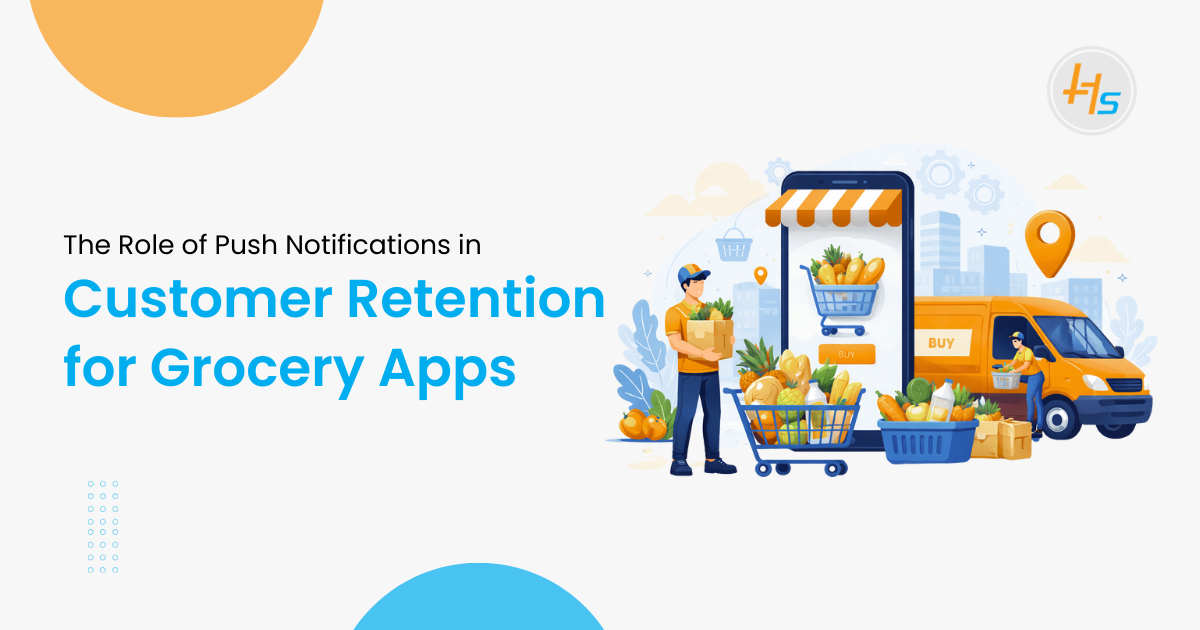
Customer retention defines success in grocery apps. Competition grows each year. Users switch apps fast when value drops. Data supports this trend. Studies show that 65% of grocery app users uninstall within 30 days if engagement stays low. Another report states that apps using push notifications increase retention by up to 30%. In India, grocery apps send over 12 billion push notifications yearly. Open rates range between 7% and 12%, higher than email. Grocery apps with real-time alerts show 20% higher repeat orders. These numbers highlight one fact. Push notifications play a major role in user retention.
A Grocery Delivery App Development Company designs push systems as a core feature. Notifications guide users, drive repeat use, and improve loyalty. This article explains how push notifications support retention from a technical view.
Table of Contents
Understanding Customer Retention in Grocery Apps
Customer retention measures how effectively an app converts one-time users into repeat customers, directly impacting lifetime value (LTV)—often calculated as
LTV=Average Order Value×Order Frequency×Average Lifespan
LTV=Average Order Value×Order Frequency×Average Lifespan. Grocery apps thrive on high-frequency purchases: urban Indians order 2-4 times weekly for essentials, per RedSeer Consulting.
High retention slashes customer acquisition costs (CAC) by up to 95% and stabilizes revenue amid seasonal fluctuations like monsoons or festivals. Core metrics include:
- Daily Active Users (DAU): Percentage of users opening the app daily; top apps aim for 20-30%.
- Monthly Active Users (MAU): Tracks long-term stickiness; DAU/MAU ratio above 20% signals strong retention.
- Order Frequency: Average orders per user per month; push-driven apps hit 8-12 vs. 4-6 for others.
- Churn Rate: Users lost monthly; below 5% is elite (industry average: 10-15%).
- Session Duration: Time spent per visit; 5-10 minutes correlates with higher conversions.
Push notifications directly lift these by interrupting inertia—e.g., a simple “restock reminder” can spike DAU by 15%, as seen in Instacart’s campaigns.
What Are Push Notifications in Grocery Apps
Push notifications are real-time, server-initiated messages delivered to users’ lock screens via OS services like Firebase Cloud Messaging (FCM) for Android or Apple Push Notification service (APNs) for iOS. They bypass app closure, appearing as banners, sounds, or badges to prompt immediate action.
Key types tailored for grocery apps:
- Transactional: Confirm business events
- Promotional: Drive sales
- Behavioral: Triggered by user actions
- System: App updates or maintenance
Development companies use SDKs like OneSignal or FCM, with backend servers (Node.js/Go) firing messages via APIs. Events queue in tools like AWS SQS, ensuring 99.9% delivery even at scale (e.g., 1M+ notifications during Diwali rushes).
How Push Notifications Improve Customer Retention
Timely Order Updates Build Trust
Users expect clarity after placing orders. Push alerts confirm actions.
Examples include:
- Order placed
- Order packed
- Rider assigned
- Order delivered
These alerts reduce anxiety. They keep users informed. Apps with order tracking alerts show 25% higher retention.
From a technical side, systems use event-driven triggers. Each order status change sends a push event. Webhooks and message queues manage delivery.
Personalized Offers Increase Repeat Orders
Generic messages fail fast. Personal messages work better.
Apps track user behavior:
- Past orders
- Search history
- Preferred brands
- Order time
Using this data, apps send targeted offers. For example, a user who orders milk weekly gets a reminder on day six.
Data shows that personalized push notifications raise conversion rates by 3x. Retention improves because users feel relevance.
Backend systems use user profiles and segmentation logic. AI models predict the right time and offer.
Cart Abandonment Alerts Recover Lost Sales
Cart abandonment stays high in grocery apps. Rates reach 60% in urban markets.
Push notifications reduce this loss. A message sent within 30 minutes works best.
Examples:
- “Items in your cart may go out of stock”
- “Complete your order in 2 clicks”
These alerts recover up to 20% of abandoned carts. That recovery improves retention and revenue.
Technically, cart events trigger timers. If checkout fails, the system sends a push after delay.
Re-Engagement Messages Reduce Churn
Inactive users increase churn. Push notifications bring them back.
Re-engagement messages include:
- “We miss you” alerts
- Special discounts
- Seasonal reminders
Apps sending re-engagement pushes reduce churn by 15%. Timing matters here. Sending too many alerts increases opt-outs.
A smart Grocery Delivery App Development Services sets frequency limits. Rate control avoids spam behavior.
Push Notification Types Used in Grocery Apps
Push notifications play a key role in user engagement and retention for grocery delivery apps. Different notification types serve different purposes, and each must be designed carefully to maximize impact without overwhelming users.
1. Transactional Notifications
Transactional notifications confirm user actions and provide critical updates. These messages are time-sensitive and non-promotional, making them highly trusted by users.
Common Examples:
- Payment success or failure confirmation
- Refund processed updates
- Order placed and order delivered alerts
- Address or payment method updated notifications
These alerts often achieve nearly 100% open rates because users actively expect them. Reliability and instant delivery are essential, as delays can reduce user trust and cause confusion.
2. Promotional Notifications
Promotional notifications are used to inform users about offers, discounts, and marketing campaigns. When used correctly, they drive sales and repeat purchases.
Common Examples:
- Flash sales and limited-time offers
- Festival and seasonal discounts
- Free delivery promotions or cashback deals
However, promotional messages require strict frequency control. Studies show users typically tolerate only 3–4 promotional notifications per week. Overuse leads to notification fatigue, opt-outs, and app uninstalls. Successful grocery apps personalize these messages based on shopping behavior and preferences.
3. Behavioral Notifications
Behavioral notifications are triggered by specific user actions or inactions. These messages are highly personalized and relevant, making them the most effective notification type.
Common Examples:
- Low stock or out-of-stock reminders for saved items
- Repeat purchase alerts for frequently bought products
- Search-based offers and cart abandonment reminders
Behavioral notifications deliver up to 40% higher engagement compared to generic messages. They feel helpful rather than intrusive because they align with the user’s immediate needs and habits.
4. Location-Based Notifications
Location-based notifications use GPS and location services to deliver context-aware alerts based on the user’s physical position.
Common Examples:
- Promotions for nearby stores or warehouses
- Local product availability alerts
- Area-specific delivery time updates
Accuracy is critical for success. Most grocery apps use geofencing with a 2–3 km radius to ensure relevance. At the same time, privacy compliance remains essential. Users must explicitly consent to location tracking, and data must be securely stored and processed.
Technical Architecture Behind Push Notifications
Behind every successful push notification system is a scalable and reliable technical architecture that ensures real-time delivery, personalization, and analytics.
1. Backend Event Handling
Push notification systems are driven by backend events. Every user action—such as placing an order, searching for a product, or abandoning a cart—creates an event.
Core Components Include:
- Event listeners to capture user actions
- Message queues to manage high volumes of events
- Notification services to format and send messages
Technologies like Apache Kafka or RabbitMQ handle high traffic efficiently. They ensure notifications are not lost during peak hours, such as weekends or festival sales.
2. User Segmentation Engine
User segmentation determines which users receive specific notifications. This helps deliver relevant messages instead of mass broadcasts.
Common User Segments:
- New users
- Active users
- Inactive or churn-risk users
- High-value or frequent buyers
Segmentation rules are stored in databases and executed through optimized queries. To reduce latency, tools like Redis are often used for caching segments, enabling real-time message delivery without performance issues.
3. Notification Scheduling Logic
The timing of notifications has a direct impact on engagement and retention. Sending messages at inappropriate times can reduce open rates and increase opt-outs.
Best Practices Include:
- Morning alerts for daily staples and essentials
- Evening alerts for quick or last-minute orders
- Weekend alerts for bulk purchases or family shopping
Scheduling is managed through cron jobs and task schedulers. Advanced grocery apps use AI-driven models to predict optimal send times based on user behavior and past engagement patterns.
4. Analytics and Feedback Loop
Every push notification generates valuable data that helps improve future campaigns and system performance.
Key Metrics Tracked:
- Open rate
- Click-through rate
- Conversion rate
- Uninstall and opt-out rate
Analytics platforms such as Firebase Analytics, Mixpanel, or Amplitude track these metrics in real time. The feedback loop enables continuous optimization by identifying which messages, timings, and segments perform best.
Common Mistakes That Hurt Retention
1. Sending Too Many Notifications
Users dislike noise. Over-notification causes opt-outs.
Data shows 60% of users disable notifications after spam alerts. Frequency caps prevent this issue.
2. Poor Message Content
Vague messages fail. Clear calls to action work better.
Bad example:
- “Check our app now”
Better example:
- “Milk at 10% off till 9 PM”
3. Ignoring User Preferences
Users want control. Apps must allow opt-in choices.
Settings should include:
- Notification categories
- Time preferences
- Silence periods
Respecting choices improves trust and retention.
Top Programming Languages Dominating Software Development in 2026
Role of a Grocery Delivery App Development Company
A skilled Grocery Delivery App Development Company designs push systems with care. Teams focus on scale, speed, and relevance.
Key responsibilities include:
- Push strategy design
- Backend integration
- User segmentation setup
- Analytics tracking
- Compliance support
Developers ensure messages reach users within seconds. Latency stays under 300 milliseconds in good systems.
Grocery Delivery App Development Services and Push Strategy
Grocery Delivery App Development Services cover full push lifecycle.
Services include:
- Push notification architecture design
- Real-time event integration
- AI-based personalization
- Campaign management dashboards
- Performance monitoring tools
These services help grocery brands retain users long term. Push systems become growth drivers, not just alerts.
Case Example: Push Notifications Driving Retention
A mid-size grocery app in Delhi faced 35% monthly churn. The company added smart push logic.
Steps included:
- Cart abandonment alerts
- Weekly reorder reminders
- Location-based offers
Results after three months:
- Retention rose by 22%
- Order frequency increased by 18%
- Churn dropped to 24%
This case shows how technical push strategies improve results.
Security and Compliance Considerations
Push notification systems in grocery delivery apps manage sensitive user data such as device identifiers, location signals, order behavior, and communication preferences. Because of this, security must remain a top priority throughout the app lifecycle.
1. Encrypted Payloads
All push notification data should be encrypted both in transit and at rest. Using secure protocols such as HTTPS and TLS prevents data interception and protects against man-in-the-middle attacks.
2. Secure Tokens and Authentication
Push services rely on device tokens to deliver messages. These tokens must be securely generated, stored, and refreshed regularly. Proper authentication mechanisms ensure that only authorized systems can send notifications to users.
3. GDPR and DPDP Compliance
Grocery apps operating globally or in India must follow data protection laws such as GDPR and the Digital Personal Data Protection (DPDP) Act. This includes limiting data collection, maintaining transparency, and ensuring user rights like data access and deletion.
4. Consent Management
Users should have full control over notification preferences. Clear opt-in and opt-out options, category-based permissions, and easy settings management help maintain compliance and build trust.
5. Secure Backend Infrastructure
A trusted Grocery Delivery App Development Company designs secure architectures from day one. This includes regular security audits, role-based access control, API protection, and continuous monitoring to prevent vulnerabilities.
Future Trends in Push Notifications for Grocery Apps
Push notification technology is advancing rapidly, offering smarter and more personalized user engagement.
1. AI-Driven Timing Prediction
Artificial intelligence helps analyze user behavior to determine the best time to send notifications. This improves open rates and reduces user annoyance by avoiding unnecessary alerts.
2. Rich Push Notifications
Modern notifications now support images, action buttons, and interactive elements. Grocery apps can showcase product images, discounts, and quick reorder options directly within notifications.
3. Voice-Based Alerts
Voice-enabled notifications are gaining popularity, especially with smart devices and voice assistants. These alerts can notify users about order status, delivery updates, or personalized offers hands-free.
4. Cross-Device Synchronization
Users often access grocery apps across multiple devices. Cross-device synchronization ensures notifications stay consistent, preventing duplicate alerts and improving the overall user experience.
5. Predictive and Context-Aware Messaging
Future push systems will leverage location, weather, and shopping history to send context-aware messages, such as reminders when users are near a store or alerts for frequently purchased items.
Apps that adopt these innovations early gain a strong competitive advantage by delivering timely, secure, and highly relevant notifications that improve user retention and satisfaction.
Enhance Customer Retention in Grocery Apps with HashStudioz
Want to keep your grocery app users engaged and coming back for more? Smart push notifications help deliver timely updates, personalized offers, and order alerts that customers actually value. At HashStudioz, we design intelligent notification systems that improve user engagement and build long-term loyalty.
Our grocery app solutions include behavior-based alerts, location-driven offers, and real-time order notifications—built to support high retention in competitive urban markets.
Partner with HashStudioz to strengthen customer relationships, increase repeat orders, and create a reliable grocery app experience powered by effective push notification strategies.
Conclusion
Push notifications play a critical role in grocery app retention. They guide users, drive repeat orders, and reduce churn. Success depends on relevance, timing, and control.
From order alerts to personalized offers, push systems shape user experience. A strong technical setup makes the difference. Partnering with an expert Grocery Delivery App Development Company ensures scalable and effective push strategies. With the right Grocery Delivery App Development Services, grocery apps can build loyal user bases and sustain growth in competitive markets.