


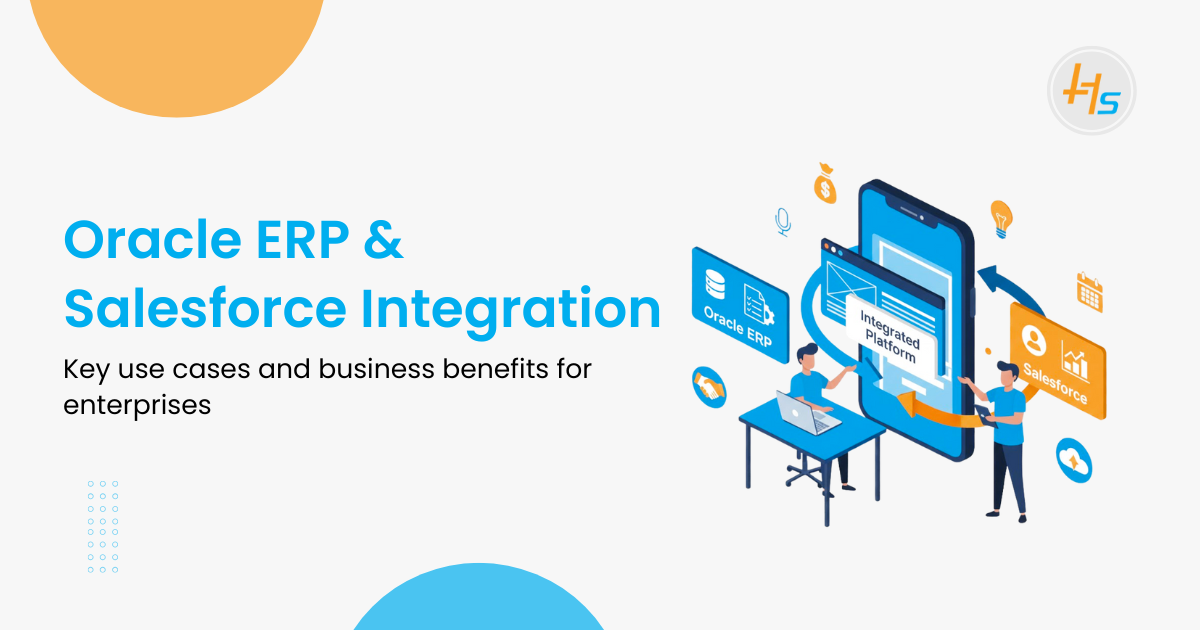
In most enterprise environments, ERP and CRM systems are already part of everyday work. Teams usually depend on Oracle ERP for handling finance, procurement, and supply chain tasks, while Salesforce supports sales, service, and marketing activities. From what we often observe in real-world projects, these systems are not always interconnected. As a result, teams end up sharing updates through emails, spreadsheets, or manual reports, which slowly turns into a bottleneck.
When organizations start integrating ERP and CRM platforms, the difference becomes noticeable. Many businesses report efficiency improvements of 30% to 40%, primarily because data no longer needs to be updated in multiple locations. Once Oracle ERP and Salesforce are connected, sales and finance teams work with the same information, which reduces confusion and delays.
Over time, this integration creates a more connected way of working. Business data and customer information stay aligned, reporting becomes more reliable, and teams spend less time fixing mismatches. For growing enterprises, integrating Oracle ERP with Salesforce is less about technology and more about building systems that can scale without adding manual effort.
Table of Contents
What Is ERP and Why Integrate with Salesforce
ERP systems help businesses manage their core operations efficiently. Below, we will look at Oracle ERP, what it is, and how it works.
What Is Oracle ERP
Oracle ERP refers to a group of business applications used to manage daily operations within an organization. Companies use it to handle finance records, purchasing activities, project tracking, workforce data, and production planning. Instead of maintaining separate systems, Oracle ERP brings these functions into one platform. This setup helps teams work with the same data, follow compliance rules, and maintain clear audit trails. As a result, businesses gain better control over internal processes and reporting accuracy.
Why Integrate Salesforce with Oracle ERP
Salesforce is a CRM designed for sales, service, and customer engagement. Integrating Oracle ERP with Salesforce brings operational and customer data together. A unified architecture reduces duplicated efforts across systems and enables real‑time visibility into key business metrics.
For example:
- Sales teams can view inventory levels before promising delivery dates.
- Finance teams can access sales orders without manual reconciliation.
- Service teams can review payment history while handling support cases.
Integrating these systems gives a full business view that extends beyond what each system provides on its own.
Core Use Cases for Oracle ERP and Salesforce Integration
Integrating Oracle ERP with Salesforce has many practical benefits for businesses. Here are some ways how this integration is used in real operations.
1. Unified Customer and Order Data
Many teams connect Salesforce with Oracle ERP to keep customers and order data in one place. When someone adds a customer or creates an order in Salesforce, the ERP system receives the same information right away. There is no need to re-enter the data later. That alone removes a lot of small but common mistakes.
When account and contact details stay aligned, sales and finance teams refer to the same records during their work. Billing issues happen less often. Reports make more sense. Teams also spend less time checking which system has the “right” data.
2. Quote-to-Cash Automation
In most companies, the quote-to-cash process starts with Salesforce. Sales teams build quotes, review pricing, and send them for approval. Once a quote gets approved, the order moves into the ERP system automatically. No manual transfer is required.
From there, the ERP system handles inventory checks, production planning, and invoice creation. When those steps finish, the order status and financial details are updated back in Salesforce. This gives teams a clear view of the entire process, from the first quote to final payment.
This setup reduces delays between sales approval and invoicing. It also makes revenue tracking more reliable since fewer steps depend on manual updates.
3. Inventory and Order Status Visibility
Sales and support teams rely on accurate order and inventory information. Without system integration, reps often switch between tools or work with data that is already outdated. This can lead to wrong delivery promises and customer frustration.
When Salesforce stays connected to backend systems, it shows current stock levels, production progress, shipping updates, and delivery timelines. With this information available, teams can respond faster and give customers realistic answers instead of estimates.
4. Financial and Forecast Reporting
Salesforce’s CRM data and Oracle ERP financial transactions can be combined for richer reporting and forecasting. A consolidated data environment supports:
- Revenue forecasting accuracy
- Real‑time budgeting insights
- Expense tracking
- Profitability analysis
Finance teams no longer need to export data manually for combined reports, which reduces errors and saves time.
5. Enhanced Service Delivery
Service teams gain by having order history, invoice details, and customer interactions in one place. For technical support or service request agents, this consolidated view speeds issue resolution and reduces internal handoffs.
Technical Architecture for Integration
To make Oracle ERP and Salesforce work together, a clear technical setup is needed. Here’s a look at how the integration is structured.
1. Middleware and Integration Platforms
Integration often uses middleware or integration platforms that translate data between Oracle ERP and Salesforce. Tools like MuleSoft or Oracle Integration Cloud provide connectors that handle communication, data transformation, and event orchestration. These platforms also manage error handling and data validation.
In technical terms:
- ERP systems expose data through APIs or adapters.
- Middleware receives events or data from Salesforce.
- Middleware transforms this data into a format compatible with Oracle ERP.
- Transactions are synced across systems in real time or batch processes.
This pattern ensures robust error reporting and consistent messaging.
2. Real‑Time vs Batch Sync
Integrations usually follow two approaches. Some systems exchange data in real time, which helps keep details like inventory and order status updated. Other systems use batch updates at fixed times, such as during nightly invoice processing. The right approach depends on how often the data changes and how important immediate updates are for the business.
3. API‑First Integration
Salesforce provides REST and SOAP APIs for external integrations. Oracle ERP has web services and adapter interfaces. A Salesforce Development Company uses API gateways to manage secure communications and ensure data integrity.
Benefits of Oracle ERP and Salesforce Integration
Bringing Oracle ERP and Salesforce together can make business processes smoother and faster. Here are the main benefits companies can gain from this integration.
1. Single Source of Truth
When systems are connected, teams stop working with different versions of the same data. Customer details, orders, inventory, billing information, everything stays aligned across platforms. This makes reports easier to trust and avoids confusion over which system holds the correct numbers.
In real projects, we’ve seen this significantly reduce back-and-forth between sales, finance, and operations teams when questions come up about customer or order data.
2. Higher Operational Efficiency
Manual data entry slows teams down and often leads to small but repeated errors. With integration in place, information entered once in Salesforce flows into the ERP system without extra steps. Teams no longer spend time copying data or fixing mismatches later.
Over time, this saves hours of routine work and reduces the need for manual checks across systems.
3. Faster Sales Cycles
Sales processes move faster when systems share data automatically. Quote approvals no longer get stuck waiting for manual updates, and orders move into fulfillment without delay. This helps deals progress smoothly instead of stalling between tools.
In practice, this helps reduce the gap between customer agreement and order execution.
4. Better Decision Making
When data stays consistent across platforms, leadership gains a clearer view of business performance. Sales, finance, and operations teams work from the same figures during reviews and planning discussions, which reduces misalignment.
This shared visibility makes decision-making more practical and less dependent on assumptions.
5. Improved Resource Utilization
By reducing repetitive data entry, teams can focus on work that actually adds value. Instead of correcting records or chasing updates, they spend more time on analysis, planning, and customer communication.
We’ve seen teams become noticeably more productive once manual tasks are removed from their daily workflow.
Challenges and How Companies Address Them
Integrating Oracle ERP with Salesforce isn’t always easy. Here’s a look at the common challenges and how companies tackle them.
1. Data Mapping Complexity
Data structures differ between Salesforce and Oracle ERP. Mapping fields, objects, and relationships requires careful analysis. A Salesforce Development Company typically conducts a detailed data audit before integration.
2. Managing Legacy Systems
Older ERP systems may lack modern APIs. In such cases, teams implement middleware adapters or API gateways that support legacy interfaces. Tools like Oracle SOA Suite can expose legacy functionality as web services.
3. Synchronization and Performance
Integration must handle large volumes without delays. Real‑time sync requires robust infrastructure and error handling. Companies often implement event‑driven architecture and message queues to avoid bottlenecks.
4. Security and Compliance
When sensitive data is coordinated between systems, exposure risk increases. Integration designs must include encryption, access controls, and logging to meet compliance standards, especially when customer or financial data is involved.
Real‑World Examples of Oracle ERP and Salesforce Integration
Seeing the integration in action helps understand its value. Here are a few real-world examples of Oracle ERP and Salesforce working together.
High‑Tech Services Integration Case
In one case, a global services provider integrated Oracle ERP with Salesforce to improve data visibility across sales and supply chain operations. Post‑integration results included higher productivity and better decision-making.
Operational Improvements in Order Processing
One use case shows that combining Salesforce and enterprise systems significantly reduced manual activities, improved accuracy, and reduced operational costs. The company has reported having fewer errors and faster customer service response times.
These examples validate the value of ERP‑CRM integration beyond theoretical benefits.
Best Practices for Successful Integration
1. Plan Data Models First
Before coding, clearly define the data model and relationships between systems. This reduces rework after development.
2. Use Integration Platforms
Platforms like Oracle Integration Cloud, MuleSoft, or similar services help reduce custom code and provide standard connectors.
3. Monitor and Test Continuously
Integration impacts multiple teams. Continuous testing and monitoring prevent data drift and sync failures.
4. Document Workflows and Exceptions
Proper documentation helps support teams understand how integration works and how to address failures.
Conclusion
Integration between Oracle ERP and Salesforce delivers measurable business value. It connects front‑office teams with back‑office systems, creating a unified data environment that supports operational efficiency, faster workflows, and better decision making. A Salesforce Development Company that understands the technical nuances of ERP–CRM integration can help organizations tailor solutions that fit existing infrastructure, future‑proof business processes, and improve cross‑department collaboration.
With careful planning, robust integration design, and ongoing maintenance, businesses can fully realise the advantages of integrated systems. Integration is not just technical work; it is a strategic enabler for digital transformation.
FAQs
1. What is Oracle ERP and Salesforce integration?
It means ERP systems and Salesforce share data automatically. For example, orders entered in one system show up in the other without anyone typing them again.
2. Why should my business integrate Salesforce with Oracle ERP?
Because it helps teams avoid mistakes. Data stays accurate, and people don’t have to chase updates manually.
3. What are common use cases for this integration?
Usually, it’s used to track orders, manage quotes, check inventory, create invoices, and keep reports current. Sometimes companies use it in other areas too.
4. What benefits does the integration provide?
It saves time and reduces errors. Staff can respond faster, and managers get a clearer picture of what’s happening in the business.
5. How can businesses implement this integration?
Some use connectors that come with the software. Others use special tools or hire a company to set it up. How it’s done depends on the business.