


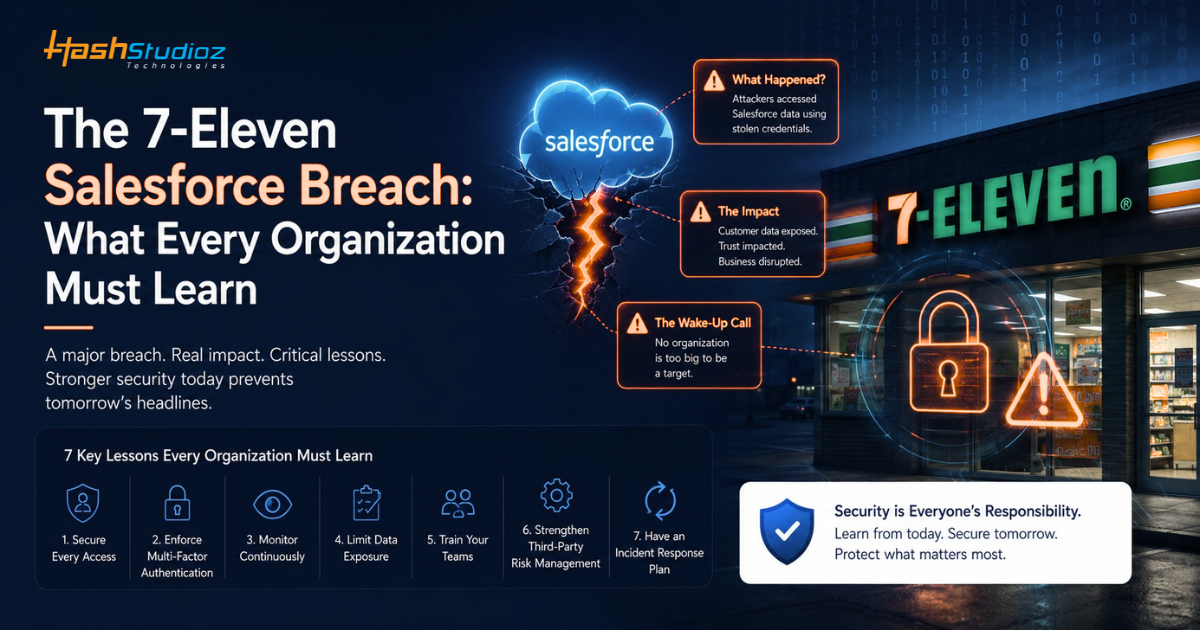
For nearly a century, 7-Eleven has been one of the world’s most recognizable retail brands. What started as a small ice dock operation in Dallas in 1927 grew into a global convenience-store giant built on customer trust, operational efficiency, and franchise partnerships.
In April 2026, that trust suffered a major blow when cybercriminals breached 7-Eleven’s Salesforce environment, stealing over 600,000 records tied to franchise application systems. The breach exposed highly sensitive personally identifiable information (PII) belonging to approximately 185,300 franchise applicants, including Social Security numbers, driver’s license details, and background verification documents.
What makes this incident particularly alarming is that it was not caused by a sophisticated zero-day exploit in Salesforce’s platform. Instead, the attack exploited misconfigured permissions and vulnerabilities in the public-facing portal, risks that Salesforce had publicly warned customers about weeks before the breach.
This article breaks down exactly what happened, who was responsible, and most importantly, what every Salesforce organization must do to protect itself from similar attacks.
Table of Contents
The 7-Eleven Salesforce Breach: What Happened?
On April 8, 2026, 7-Eleven detected unauthorized access to systems storing franchise-related documents. Shortly afterward, the cybercriminal group ShinyHunters claimed responsibility for exfiltrating more than 600,000 Salesforce records and demanded payment in exchange for not publishing the data.
When ransom negotiations failed, the attackers released a 9.4 GB archive containing stolen information around late May 2026. The breach affected individuals connected to 7-Eleven’s franchise operations. While ShinyHunters claimed over 600,000 records were stolen, 7-Eleven stated in their breach notification that ‘the total number of impacted individuals is still unclear’.
Unlike traditional ransomware incidents, there was no system encryption. The attack followed a modern “steal first, extort later” model focused entirely on data theft and public exposure. 7-Eleven began notifying affected individuals on May 1, 2026, five weeks after the initial breach was detected.
Important clarification: While ShinyHunters claimed responsibility and 7-Eleven confirmed a breach occurred, the company has not publicly attributed the incident to ShinyHunters. Additionally, 7-Eleven has not confirmed the exact number of affected individuals or itemized all exposed data types.
Who Are ShinyHunters?
ShinyHunters is a well-known cybercriminal group linked to multiple high-profile data breaches involving cloud platforms, SaaS applications, and customer databases.
In recent campaigns, the group has targeted Salesforce environments by exploiting misconfigurations, compromised identities, excessive permissions, and insecure integrations. Rather than deploying traditional ransomware, ShinyHunters typically focus on stealing sensitive data and threatening to publish it unless a ransom is paid.
The group has reportedly targeted hundreds of organizations as part of its broader Salesforce-focused campaign.
Timeline of the 7-Eleven Salesforce Breach
| Date | Key Event |
| Early 2026 | Salesforce warns customers about security risks affecting public-facing Experience Cloud environments. |
| January–March 2026 | Threat actors reportedly scan Salesforce portals for exposed endpoints and permission misconfigurations. |
| April 8, 2026 | 7-Eleven detects unauthorized access to franchise application systems. |
| May 1, 2026 | The company begins notifying affected franchise applicants about the breach. |
| Late May 2026 | Stolen data is leaked publicly, and approximately 185,300 affected individuals are confirmed. |
The timeline highlights how a known security risk evolved into a major data breach. Within weeks, thousands of individuals were impacted by the exposure of sensitive information.
How ShinyHunters Stole 600,000 Salesforce Records
While 7-Eleven has not publicly disclosed every technical detail. But evidence suggests the attack combined multiple vectors of attack within ShinyHunters’ broader Salesforce campaign.
1. Public Salesforce Experience Cloud Exposure
Salesforce Experience Cloud allows organizations to create portals for customers, partners, franchisees, vendors, and applicants. Many of these portals are intentionally accessible from the internet to facilitate external interactions.
Threat actors spent months scanning public-facing Experience Cloud environments searching for exposed endpoints and improperly configured access controls. These public portals became the initial entry point for the attack.
2. Guest User Profile Misconfiguration
Guest users are anonymous visitors who access public Salesforce pages without logging in. They’re commonly used for forms, public knowledge bases, and application portals.
The critical vulnerability emerged when administrators accidentally granted excessive permissions to guest user profiles. If guest users are given broad access, they may gain visibility into Salesforce objects they should never see, including:
- Contact records
- Application forms
- Uploaded documents
- Lead information
- Case records
Salesforce explicitly stated that its alerts targeted organizations where guest-user profiles had been configured with overly broad permissions, allowing anonymous access to restricted data.
3. Aura Endpoint Exploitation
Salesforce Experience Cloud sites often use Aura components for dynamic user interfaces. These Aura endpoints can be accessed from the internet and may return data based on user permissions.
Attackers reportedly used a modified Aura Inspector tool to enumerate data through these endpoints. Because requests appeared to originate from publicly accessible portals, traditional security controls often failed to detect suspicious activity.
Organizations where Aura endpoints returned sensitive data to guest users were particularly vulnerable to large-scale data extraction.
4. Data Enumeration and Extraction
Once vulnerable portals were discovered, attackers used specialized tools to:
- Enumerate records – Systematically query Salesforce objects to identify what data was accessible.
- Bypass visibility restrictions – Exploit permission misconfigurations to access records beyond normal limits
- Extract data at scale – Use Bulk API and report exports to download hundreds of thousands of records.
The result was large-scale extraction of CRM data directly from Salesforce-connected systems, with attackers collecting sensitive franchise application records containing PII.
5. Extortion and Data Leak
After collecting sensitive records, ShinyHunters issued an ultimatum to 7-Eleven: pay the ransom or the data becomes public. When payment negotiations reportedly failed, the attackers leaked the stolen information online.
This reflects a growing trend where cybercriminals no longer need to encrypt systems to create significant business damage. Data exposure alone can trigger regulatory investigations, class-action lawsuits, and severe reputational harm.
Could Your Salesforce Environment Have the Same Hidden Risks?
The 7-Eleven breach highlights how a single Salesforce misconfiguration can expose sensitive business data. HashStudioz helps organizations identify security gaps, secure Experience Cloud portals, and strengthen access controls before attackers exploit them.
What Data Was Compromised?
Reports indicate the compromised systems contained franchisee and franchise-applicant documentation. The exposed information included highly sensitive personal and business data:
| Data Type | Sensitivity Level |
| Full names | High |
| Home addresses | High |
| Phone numbers | Medium-High |
| Email addresses | Medium-High |
| Dates of birth | High |
| Social Security numbers | Critical |
| Driver’s license information | Critical |
| Background verification documents | Critical |
| Business application records | High |
For attackers, this type of data is significantly more valuable than simple email lists. The combination of SSNs, driver’s licenses, and background documents enables:
- Identity theft
- Financial fraud
- Targeted phishing campaigns
- Future social-engineering attacks
- Credential stuffing against other services
While ShinyHunters claimed 600,000+ records were stolen, 7-Eleven has not confirmed the exact number of affected individuals.
Why This Attack Succeeded
The 7-Eleven breach was not the result of a sophisticated zero-day vulnerability. Instead, it stemmed from a combination of security misconfigurations and operational oversights that created an opportunity for attackers to access sensitive data.
1. Excessive Guest User Permissions
The attack reportedly exploited guest user profiles with permissions that allowed access to data that should not have been publicly available. Even a single overly permissive setting can expose large volumes of sensitive information.
2. Lack of Security Configuration Reviews
Salesforce environments often evolve, and permissions can accumulate as new projects and requirements are introduced. Without regular audits, outdated or unnecessary access rights may remain active.
3. Public-Facing Portal Risks
Experience Cloud portals are accessible from the internet by design, making them a common target for threat actors. Misconfigurations in these environments can significantly increase an organization’s exposure.
4. Delayed Security Remediation
Salesforce had issued guidance regarding guest user security before the breach occurred. Delays in reviewing and applying recommended security changes can leave organizations vulnerable to known attack techniques.
The Business Impact on 7-Eleven
The consequences of the breach extend beyond data loss, affecting customers, operations, finances, and brand reputation.
1. Customer and Franchise Applicant Exposure
The exposed records reportedly included highly sensitive personal information, increasing the risk of identity theft and fraud for affected franchise applicants.
2. Legal and Regulatory Risks
The breach could trigger regulatory investigations, compliance reviews, notification requirements, and potential legal action from affected individuals.
3. Financial Consequences
Organizations facing similar incidents often incur significant costs related to incident response, forensic investigations, legal support, customer notification, and ongoing remediation efforts.
4. Reputational Damage
Data breaches can erode trust among customers, franchisees, partners, and investors. Rebuilding confidence after a public security incident often takes years.
Understanding Salesforce Guest User Security
To understand how the 7-Eleven breach occurred, it’s important first to understand the role of guest users and how their permissions are managed within Salesforce.
What Are Guest Users?
Salesforce guest users are anonymous visitors who can access public-facing Experience Cloud sites without logging in. Organizations commonly use them for contact forms, application portals, support pages, and knowledge bases.
A Guest User Profile controls what these users can access and do within the site. Since guest users do not authenticate their identities, administrators should grant only the minimum permissions required for their intended tasks.
Common Misconfiguration Mistakes
Several frequent errors lead to guest user vulnerabilities:
- Granting Read Access to Sensitive Objects – Allowing guest users to view Contact, Account, or custom objects containing PII
- Enabling Create/Edit on Application Objects – Permitting guest users to modify records beyond form submission
- Exposing Custom Fields – Making sensitive fields visible to guest users when only internal fields are needed
- Unnecessary Apex Class Access – Granting guest users access to Apex classes that query sensitive data
- Public File Access – Allowing guest users to download files from Salesforce Files or CRM Content
- Permission Set Accumulation – Assigning multiple permission sets that collectively grant excessive access
Salesforce Security Recommendations
Salesforce has issued multiple security advisories regarding guest user configurations:
- Audit guest user profiles quarterly – Review all Experience Cloud sites and verify object/field permissions.
- Follow the principle of least privilege – Grant only the minimum permissions required for specific functionality.
- Test portals from an external perspective – Regularly scan public sites as an attacker would
- Enable Event Monitoring – Track guest user activity and detect unusual access patterns.
- Document permission justifications – Maintain records of why specific permissions exist.
- Use validation rules – Restrict what guest users can submit through forms.
Warning Signs Your Salesforce Org May Be Vulnerable
Organizations should watch for these indicators that their Salesforce environment may be exposed to similar attacks:
- Guest user profiles with Read/Write access to Contact, Account, or custom objects containing PII
- Experience Cloud sites are accessible without authentication for sensitive business functions
- Aura or Lightning endpoints returning more data than necessary for public pages
- No Event Monitoring_enabled or limited logging of guest user activity
- Permission sets assigned to guest users that weren’t explicitly reviewed for necessity.
- Public file repositories containing documents accessible to anonymous users
- Custom objects with no sharing rules restricting guest user access
If any of these conditions exist, your organization should prioritize security remediation immediately.
Don’t Wait for a Breach to Expose Your Weaknesses
Proactive security reviews are far less costly than recovering from a data breach. Let HashStudioz assess your Salesforce environment and identify hidden risks before they become business problems.
How to Protect Your Salesforce Environment
The 7-Eleven breach highlights how a single security oversight can lead to large-scale data exposure. The following best practices can help organizations strengthen their Salesforce security posture and reduce similar risks.
1. Audit Guest User Profiles
Review guest user access across all Experience Cloud sites, including object-level, field-level, and record-level permissions. Guest users should only have the minimum access required for their intended function.
2. Secure Experience Cloud Sites
Inventory all public-facing Experience Cloud sites, disable unused portals, require authentication for sensitive functions, and regularly test sites for security weaknesses.
3. Monitor Public-Facing Endpoints
Review publicly accessible endpoints to ensure they do not expose unnecessary data. Regular testing and monitoring can help identify misconfigurations before attackers do.
4. Enable Event Monitoring
Use Salesforce Event Monitoring to detect unusual API activity, large data exports, abnormal record access patterns, and other indicators of potential data exfiltration.
5. Implement Continuous Security Reviews
Conduct regular access reviews, monitor permission changes, maintain security documentation, and perform periodic security assessments to reduce configuration drift over time.
Salesforce Security Checklist for Administrators
Use this checklist to strengthen your Salesforce security posture:
Access & Permissions
✓ Audit guest user profiles across all Experience Cloud sites
✓ Remove unnecessary access to sensitive objects and fields
✓ Apply the principle of least privilege
Experience Cloud Security
✓ Disable unused Experience Cloud sites
✓ Require authentication for sensitive business functions
✓ Review public-facing pages for exposed data
Monitoring & Detection
✓ Enable Salesforce Event Monitoring
✓ Monitor unusual API activity and large data exports
✓ Set alerts for suspicious user behavior
Governance & Testing
✓ Conduct quarterly permission reviews
✓ Document and approve access changes
✓ Perform regular security assessments and penetration testing
Lessons Every Organization Should Learn from the 7-Eleven Breach
The 7-Eleven breach offers several critical lessons for every organization using Salesforce or any SaaS platform:
1. Configuration Security Equals Platform Security
Salesforce remains one of the most secure enterprise platforms available, but platform security and configuration security are not the same thing. A single misconfigured permission can expose hundreds of thousands of records even when the platform itself has no vulnerabilities.
2. Guest Users Are High-Risk by Design
Anonymous access inherently carries more risk than authenticated access because you cannot verify user intent or track accountability. Treat guest user configurations with extreme caution and assume attackers will actively probe for misconfigurations.
3. Public-Facing Portals Are Attack Surfaces
Experience Cloud sites are intentionally accessible from the internet, making them primary targets for attackers. Organizations must treat these portals as high-risk environments requiring stricter security controls than internal systems.
4. Security Warnings Require Immediate Action
Salesforce issued warnings about guest user misconfigurations weeks before the 7-Eleven breach. Organizations that delay remediation after receiving security alerts are essentially inviting exploitation.
5. Identity and Access Management Is Critical
The 7-Eleven incident highlights that identity systems, not just software vulnerabilities, are the new attack surface. Credential compromise, OAuth abuse, and excessive permissions are increasingly common attack vectors.
The Growing Threat of SaaS and Cloud Misconfigurations
The 7-Eleven breach is not merely a Salesforce story—it is a cloud-security story that reflects broader trends in cyber threats.
Modern attackers increasingly target:
- Identity systems – Compromising credentials and abusing legitimate access
- SaaS platforms – Exploiting misconfigurations in cloud applications
- Public-facing portals – Targeting internet-accessible interfaces
- Integration endpoints – Abusing OAuth and API connections
According to recent security research, ShinyHunters’ broader Salesforce campaign has targeted 400+ organizations, with 7-Eleven being one of the most significant breaches.
The most dangerous vulnerabilities often result from configuration decisions that administrators made months or years earlier, creating security gaps they never intended to introduce.
Legacy network security tools are completely blind to lateral movement inside SaaS apps. When configuration drift or credential compromise hits your Salesforce environment, you simply cannot defend what you cannot see.
Organizations that treat SaaS security as a continuous process are better positioned to defend against modern data-extortion campaigns. This includes implementing SaaS Security Posture Management (SSPM), maintaining automated backups, and conducting regular permission audits.
Final Thoughts
The 7-Eleven breach demonstrates how a simple Salesforce misconfiguration can escalate into a major security incident. The attack was not driven by a platform vulnerability but by excessive permissions and weaknesses in a public-facing environment.
For Salesforce administrators, security teams, and business leaders, the lesson is clear: regularly audit guest-user access, review Experience Cloud configurations, and continuously monitor your environment for unusual activity.
As organizations increasingly rely on SaaS platforms, configuration security has become just as important as platform security. Those who treat security as an ongoing process, not a one-time setup, will be far better prepared to defend against future data-extortion campaigns.