


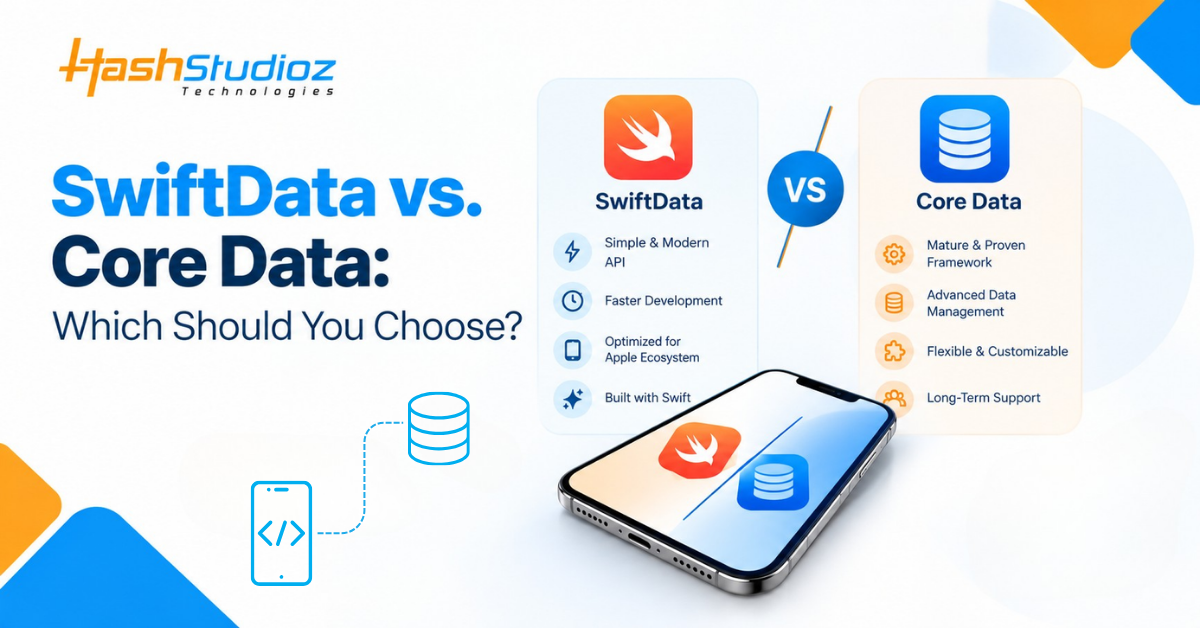
Your persistence framework outlives most of your UI code. Pick badly, and you pay later through painful migrations, sync bugs, or a rewrite.
The OS numbers now favor the newer option. Apple’s June 2026 App Store data shows 79% of active iPhones on iOS 26, 14% on iOS 18, and 7% on older releases. SwiftData needs iOS 17, so at most 7% of active iPhones sit below its floor. Apple also reports that 86% of devices introduced in the last four years run iOS 26.
OS reach is only one factor. iOS 27 launched publicly on September 14, 2026, with more SwiftData features, yet Core Data still fills gaps SwiftData doesn’t. This guide compares both on the points that matter for real projects.
The Short Answer
Choose SwiftData for a new SwiftUI app targeting iOS 17 or later and syncing through a private iCloud database. Choose Core Data for shared or public CloudKit data, very large datasets, older OS targets, or a mature UIKit codebase. Many teams run both, and Apple documents how to do it.
Table of Contents
What Each Framework Does
Both frameworks manage an object graph and persist it to SQLite by default. They differ in API design and tooling.
Core Data arrived in 2005 with Mac OS X Tiger. You draw the model in an .xcdatamodeld editor, then work through NSManagedObjectContext, NSFetchRequest, and NSPersistentContainer.
SwiftData arrived with iOS 17. You mark a Swift class with @Model and read data with @Query in SwiftUI. It is not a new database. SwiftData sits on Core Data, which sits on SQLite.
swift
@Model
class TodoItem {
    var title: String
    var isCompleted: Bool

    init(title: String, isCompleted: Bool = false) {
        self.title = title
        self.isCompleted = isCompleted
    }
}
SwiftData vs Core Data at a Glance
This table covers the differences that change architecture decisions.
| Area | Core Data | SwiftData |
| Introduced | 2005 | 2023 (iOS 17) |
| Minimum OS | Runs on much older iOS versions | iOS 17 |
| Model definition | .xcdatamodeld editor or code | Swift classes with @Model |
| SwiftUI integration | @FetchRequest | @Query |
| Migrations | Lightweight, staged, and custom | VersionedSchema and SchemaMigrationPlan, lightweight and custom |
| Model inheritance | Entity inheritance | Class inheritance on iOS 26 and later |
| CloudKit sync | Private, shared, and public databases | Private database only |
| Bulk operations | Batch insert, update, and delete requests | Writes go through the model context |
| Grouped results | NSFetchedResultsController | sectionBy in @Query on iOS 27 |
| Best fit | Large, long-lived, sync-heavy apps | New SwiftUI apps with private sync |
Where SwiftData Wins
SwiftData removes most of the setup a typical SwiftUI app needs. You skip the model editor and the container boilerplate. @Query keeps views current when data changes. The #Predicate macro catches predicate errors at compile time, where Core Data’s string predicates fail at runtime. In-memory stores for tests are also simpler.
Migrations follow a clear pattern. You version each schema with VersionedSchema, then order the versions in a SchemaMigrationPlan. Custom stages handle data changes such as deduplication. For a small team shipping a new app, this speed matters most.
Where Core Data Still Wins
Core Data holds the advantage in five areas. The first one supports more projects than any other.
- CloudKit sharing. NSPersistentCloudKitContainer can mirror the shared CloudKit database, a capability added in iOS 15. Developer Fatbobman’s June 2026 review notes that SwiftData still lacks public and shared sync.
- Bulk work. Batch requests write straight to SQLite without loading objects into memory, while SwiftData routes writes through the model context.
- Older OS targets. SwiftData starts at iOS 17, so an iOS 16 target rules it out.
- Threading maturity. Developer Matt Massicotte reported in June 2026 that ModelActor still sometimes runs code on the main thread.
- Scale. A February 2026 test found near-identical behavior on small datasets, but SwiftData loaded more into memory at scale with a naive eager-loading setup. Profile your own data with the Data Persistence instrument in Instruments before trusting any benchmark.
What Changed in iOS 26 and iOS 27
SwiftData gains features every year. Two releases matter for this decision.
iOS 26 added class inheritance, so models can share a base class. Apps that support earlier versions need availability checks around it.
iOS 27 adds sectioned queries through a sectionBy parameter, a codable attribute option, ResultsObserver, and HistoryObserver. Enum values and compound predicates now work in queries too. Codable attributes cannot filter or sort results, so treat them as storage only.
These are useful fixes, and none closes the sharing gap. Ask which missing feature would hurt your app, not which release is newer.
Migrating an Existing Core Data App
You do not need to rewrite everything at once. Apple documents a full conversion and a gradual one, and both keep user data.
Xcode’s Managed Object Model Editor assistant generates SwiftData classes from your Core Data model. For gradual adoption, run one Core Data stack and one SwiftData stack against the same persistent store, and turn on persistent history tracking in Core Data. Apple’s coexistence sample namespaces the classes so the two stacks do not collide. Keep both models identical, because a change to one must appear in the other.
- Generate the SwiftData classes, then remove the optional Xcode adds where you can.
- Point both stacks at one store file.
- Build new features on SwiftData first.
- Move stable entities one at a time during planned refactors.
- Keep entities that need CloudKit sharing on Core Data.
Choosing by Project Type
Use this table as a starting point, then test your riskiest requirement first.
| Project | Pick | Reason |
| New SwiftUI app, iOS 17 minimum | SwiftData | Less code, native @Query |
| Startup MVP with private iCloud sync | SwiftData | Faster first release |
| Multi-user data shared through CloudKit | Core Data | Shared and public database support |
| Large UIKit app with years of data | Core Data, add SwiftData gradually | Migration risk outweighs benefit |
| Import-heavy or very large datasets | Core Data | Batch requests |
| App that supports iOS 16 or older | Core Data | SwiftData needs iOS 17 |
| Widget added to a Core Data app | SwiftData through coexistence | Apple’s sample covers this pattern |
Measuring the Decision
A framework choice should show up in numbers. Track these before and after you commit.
- Developer hours to ship the first data-backed feature
- Users whose store fails to open after an update
- CloudKit sync error rate in the CloudKit console
- Fetch and cold-launch times on realistic data volumes, captured in Instruments
Public evidence points the same way. Apple’s own SampleTrips project runs a Core Data app with a SwiftData widget on one store. Developer Tony Arnold noted in October 2025 that serious sharing projects often end in a conversion to Core Data with CloudKit sharing, after talks with Apple Developer Technical Support. Treat these as signals, not proof, and validate against your own metrics.
Final Thoughts
Start new SwiftUI apps on SwiftData when iOS 17 is your floor, and private sync is enough. Stay on Core Data, or add SwiftData beside it, when sharing, bulk imports, or an older OS target drive the requirements. Prototype the riskiest requirement first, because a wrong choice costs the most there.
If you want an architecture review before committing, HashStudioz’s Swift developers can assess your data model and sync needs. You can also contact the team to start the conversation.

FAQs
1. Is SwiftData ready for production apps?
Yes, for many apps. Reviewers credit iOS 27 with smoothing many early problems. Threading and sharing gaps remain, so test your hardest requirement first.
2. Will Apple deprecate Core Data?
Apple has not deprecated Core Data. Michael Tsai noted that Core Data received no new features at WWDC26, so expect maintenance rather than growth.
3. Can SwiftData and Core Data share one store?
Yes. Apple describes coexistence as two separate stacks talking to the same persistent store.
4. Does SwiftData support migrations?
Yes. It supports lightweight and custom migration stages through SchemaMigrationPlan.
5. Does SwiftData support CloudKit sharing?
Not yet. It syncs to the private database only. Use NSPersistentCloudKitContainer for shared or public data.