


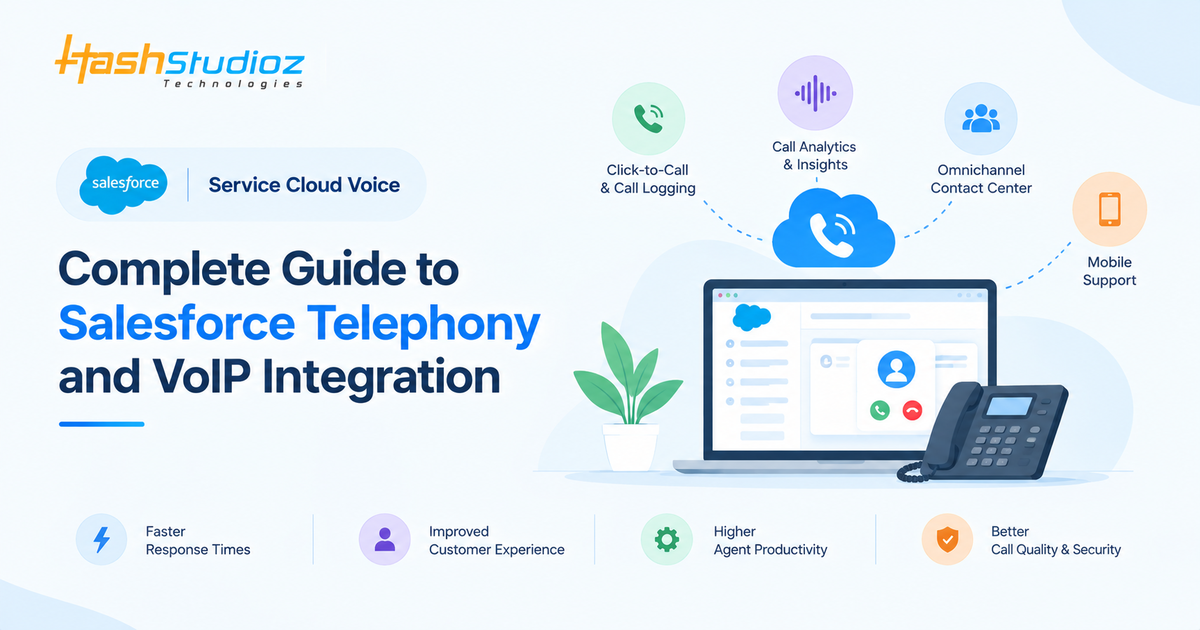
If your customer service team still switches between a CRM screen, a phone system, call notes, and separate customer records every time the phone rings, there is probably a better way to connect those pieces. Salesforce Service Cloud Voice was designed around that exact problem: bringing voice interactions into the Salesforce environment so service representatives can work with customer information and conversations in a more connected workspace. Today, however, Salesforce has evolved its Voice portfolio, so understanding the current terminology is just as important as understanding the technology itself.
Salesforce now positions Salesforce Voice with Telephony Providers, formerly known as Service Cloud Voice, within Partner Contact Center, while its native telephony offering sits within Agentforce Contact Center. This naming evolution can make online searches confusing because businesses may encounter Service Cloud Voice, Salesforce Voice, Salesforce Voice with Telephony Providers, Partner Contact Center, Agentforce Contact Center, and Salesforce VoIP while researching essentially related voice and contact-center capabilities. This guide explains how the pieces fit together, how Salesforce telephony works, where VoIP fits into the architecture, and how businesses can approach a Salesforce voice implementation without getting lost in product terminology.
Table of Contents
What Is Salesforce Service Cloud Voice?
Salesforce Service Cloud Voice is a term many businesses still use when searching for Salesforce’s integrated voice capabilities for customer service. It connects Salesforce with a telephony or contact-center environment, allowing representatives to handle calls while accessing CRM records, customer information, cases, and other relevant data. Salesforce’s current terminology refers to Salesforce Voice with Telephony Providers as the successor to Service Cloud Voice, with this functionality now associated with Partner Contact Center. Therefore, businesses researching Service Cloud Voice should understand the current Salesforce terminology rather than treating it as a separate, unchanged product.
The core idea remains simple: Salesforce telephony makes phone conversations part of the customer’s broader CRM journey. Representatives can answer calls, access customer records, link interactions to cases, review previous activity, and complete follow-up tasks without constantly switching between systems. Depending on the telephony model and configuration, Salesforce can also support features such as call controls, Voice Call records, transcription, recording, click-to-dial, and call routing. This makes Salesforce Voice particularly useful for service organizations where phone conversations are an important part of customer engagement.
Why Has the Salesforce Voice Terminology Changed?
One of the first things readers should understand is that Service Cloud Voice is both a historical Salesforce product name and a legacy search term. Salesforce updated its Voice terminology in August 2026, introducing clearer distinctions between its current contact-center offerings. Agentforce Contact Center is now positioned as Salesforce’s native contact-center solution with built-in voice, while Partner Contact Center is designed for organizations using third-party telephony or CCaaS providers. Salesforce Voice with Telephony Providers, formerly known as Service Cloud Voice, now falls under the Partner Contact Center model. As a result, businesses searching for “Salesforce Service Cloud Voice” may be researching functionality that Salesforce now describes differently. This also creates an SEO opportunity to target the established search term while explaining the current product structure.
The same distinction applies to Salesforce VoIP, which describes a technology rather than a standalone Salesforce product. A modern article should explain how VoIP providers, cloud telephony, Salesforce Voice, Partner Contact Center, Agentforce Contact Center, and CRM data can work together. This helps readers understand the current Salesforce voice ecosystem while naturally covering both older and newer search terminology.
What Is Salesforce Telephony?
Salesforce telephony connects phone interactions with Salesforce CRM data and customer-service workflows. Instead of keeping the phone system and CRM separate, Salesforce telephony integration brings calls, customer information, routing, and follow-up activities into a connected workspace. Salesforce Voice allows representatives and supervisors to interact with voice functionality from Salesforce while the underlying telephony architecture handles the actual communication according to the selected model.
Depending on the selected architecture, Salesforce Voice can work with native or third-party telephony providers. Supported configurations may also provide features such as call recording, transcription, voicemail, click-to-dial, call transfers, and AI-powered conversation insights.
How Salesforce Voice Fits Into the Contact Center?
Salesforce currently provides two major contact-center approaches: Agentforce Contact Center and Partner Contact Center. Agentforce Contact Center includes Salesforce-provided contact-center infrastructure and built-in Voice, while Partner Contact Center connects Salesforce with an external telephony or CCaaS platform. This gives organizations flexibility without requiring them to replace an existing telephony environment. The right model depends on factors such as existing technology, geographic requirements, compliance, call volumes, desired functionality, and contact-center strategy. Salesforce’s current architecture also supports voice across different contact-center models, making terms such as Salesforce Voice integration, Salesforce cloud telephony, and Salesforce contact center related concepts rather than identical products.
How a Customer Call Moves Through Salesforce?
A useful way to understand Salesforce CRM phone integration is to follow a typical customer call. When a customer calls a business number, the telephony system receives the call and applies the configured routing logic. Depending on the architecture, the call may be handled through a telephony provider, Amazon Connect, or Salesforce’s native voice infrastructure.
The call can then appear in the representative’s Salesforce workspace, along with relevant customer and CRM information. Representatives can use controls such as answering, muting, holding, transferring, and ending the call while reviewing customer records. Depending on the configuration, Voice Call records can also be associated with cases, contacts, leads, accounts, and other Salesforce objects.
After the call, the interaction data can support follow-up activities, reporting, coaching, transcription, and other workflows. In this way, VoIP integration with Salesforce turns a phone conversation into a connected CRM interaction rather than an isolated call.
Planning a Salesforce Voice integration for your business? Get expert support with architecture, telephony integration, configuration, testing, and optimization.
Key Features of Salesforce Voice
- Omni-Channel and CRM Integration: Connects voice interactions with Salesforce CRM and Omni-Channel, allowing representatives to manage calls alongside other service channels while accessing customer records, cases, contacts, and account information.
- Inbound and Outbound Calling: Enables representatives to receive and make calls directly through Salesforce, with features such as softphones, click-to-dial, caller identification, call transfer, and voicemail where supported.
- Intelligent Call Routing: Routes incoming calls to the appropriate representative, queue, or department based on configured rules, availability, skills, priorities, and customer context.
- Call Recording and Transcription: Supports call recording and real-time transcription in eligible configurations, helping teams review conversations, train representatives, and capture important customer information.
- Conversation Intelligence and Analytics: Uses call data, transcripts, and supported AI capabilities to provide conversation insights, call history, performance analytics, and reporting for service teams and supervisors.
- AI-Powered Voice Assistance: Integrates voice interactions with Salesforce’s Agentforce capabilities, enabling AI-powered assistance and, in supported scenarios, AI agents to understand customer requests and perform relevant actions.
- Telephony, VoIP, and CCaaS Integration: Connects Salesforce with third-party telephony, Salesforce VoIP, Amazon Connect, and other supported CCaaS platforms, allowing businesses to integrate existing calling infrastructure with Salesforce workflows.
- Security and Customer Data Management: Helps organizations manage voice-related customer data through Salesforce records, permissions, access controls, recording policies, data retention, and compliance requirements.
Salesforce VoIP Integration: Where Does VoIP Fit?
Salesforce VoIP is best understood as a technology and search term for connecting Voice over Internet Protocol calling with Salesforce, rather than as a specific Salesforce product. VoIP enables voice communication over internet-based networks, allowing cloud calling systems to connect with business applications. When integrated with Salesforce, representatives can make and receive calls while accessing relevant CRM information, depending on the telephony provider and integration architecture.
A Salesforce VoIP integration can support features such as click-to-dial, caller identification, call routing, call logging, recordings, transcripts, and customer context. However, capabilities vary between providers, so businesses should evaluate the available connector, APIs, call controls, routing, security, supported Salesforce objects, and reporting features. Salesforce supports multiple telephony models, including partner telephony and Amazon Connect-based approaches, giving organizations alternatives to a basic VoIP plugin.
The key question is not simply whether a provider offers VoIP, but whether it can deliver the required VoIP integration with Salesforce while maintaining customer context and supporting the organization’s workflows.
Salesforce Voice Telephony Models
Salesforce offers several voice telephony models through Agentforce Contact Center and Partner Contact Center. Businesses can use Salesforce’s built-in voice capabilities, connect a preferred third-party telephony provider, use Amazon Connect, or integrate an existing Amazon Connect contact center. The right model depends on factors such as existing infrastructure, costs, phone numbers, routing, integrations, AI capabilities, compliance, and scalability.
Amazon Connect With Salesforce Voice
- Amazon Connect integration: Salesforce Voice can connect Salesforce service operations with Amazon Connect telephony and contact-center capabilities.
- Existing Amazon Connect environments: Organizations that already use Amazon Connect can integrate their existing environment with Salesforce Voice, depending on the supported architecture.
- Useful for AWS-based businesses: This model can be relevant for organizations that already have AWS infrastructure or prefer Amazon Connect for contact-center operations.
- CRM-connected calling: The integration can connect call activity with Salesforce records and service workflows.
- Call routing: Depending on the implementation, businesses can use routing capabilities to direct customer calls to the appropriate service resources.
- Transcription: Supported configurations can provide voice transcription and related conversation capabilities.
- Voice workflows: Organizations can connect telephony interactions with Salesforce service processes and customer records.
- Separate cost components: Salesforce and Amazon Connect-related costs may need to be evaluated separately.
- Usage-based charges: Salesforce billing documentation distinguishes relevant Salesforce Voice minutes and telephony minutes in Amazon Connect models, so organizations should not rely only on a simple per-user cost comparison.
- Total cost evaluation: Consider Salesforce licenses, Amazon Connect usage, telephony charges, phone numbers, transcription, implementation, integrations, and ongoing administration.
- Best-fit consideration: Amazon Connect can be particularly relevant when an organization wants Salesforce CRM integration while continuing to use Amazon Connect for its contact-center infrastructure.
Partner Telephony With Salesforce Voice
- Third-party telephony: Salesforce Voice with Partner Telephony allows organizations to connect Salesforce with a preferred external telephony provider.
- Existing investments: Businesses can potentially retain their current telephony or contact-center investment while bringing voice interactions into Salesforce.
- CCaaS integration: This model can connect Salesforce with third-party CCaaS platforms and contact-center technologies.
- Partner ecosystem: Salesforce supports integrations with various telephony and contact-center providers, with available features and commercial terms varying by provider.
- Examples of providers: Salesforce’s ecosystem includes solutions from providers such as Vonage, Talkdesk, Five9, and NICE, among others.
- Global coverage: Partner telephony can be useful for organizations that require specific international calling capabilities or regional telephony coverage.
- Specialized functionality: Businesses can select a provider based on specific requirements such as advanced routing, workforce management, analytics, AI, or contact-center functionality.
- Existing vendor relationships: Organizations with established contracts or preferred telephony vendors may benefit from an integration-based approach instead of replacing their existing platform.
- Integration requirements: Before selecting a provider, verify support for call controls, routing, transcription, recordings, analytics, APIs, AI capabilities, and Salesforce CRM objects.
- Customer context: Evaluate how effectively the telephony platform connects calls with Salesforce customer records, cases, contacts, accounts, and other relevant data.
- Long-term complexity: A low-cost connector may not always result in a simpler architecture if it creates limitations in customer context, reporting, automation, or service workflows.
- Best-fit consideration: Partner telephony is particularly relevant when an organization wants to maintain its existing telephony platform while extending Salesforce into its contact-center operations.
Salesforce Voice and Agentforce
The connection between Salesforce Voice and Agentforce is expanding voice beyond traditional customer-to-representative calls. Agentforce Contact Center combines voice, digital channels, CRM data, and AI to support more connected customer-service experiences.
With Agentforce Voice, AI agents can understand spoken customer requests, access relevant information, perform supported actions, and hand conversations to human representatives when needed. This adds an AI layer to Salesforce telephony, while businesses can still decide which interactions should be automated and which require human support.
For organizations exploring Agentforce customer service, voice can become an important channel for delivering AI-assisted and AI-driven service experiences.
Benefits of Salesforce Telephony for Customer Service
- Centralized Customer Information: Connects customer calls with Salesforce CRM records, cases, contact details, and interaction history, giving representatives customer information in one place.
- Faster Customer Support: Provides customer context during calls, reducing time spent searching for records and helping representatives resolve issues more efficiently.
- Improved Agent Productivity: Features such as click-to-dial, in-app calling, call controls, and automatic logging reduce repetitive tasks and minimize switching between applications.
- Intelligent Call Routing: Routes customers to the appropriate representative, queue, or department based on configured rules, availability, skills, or customer context.
- Connected Omnichannel Service: Integrates voice with supported digital service channels, helping teams manage customer interactions as part of a connected service journey.
- Better Call Monitoring and Insights: Call recordings, transcripts, and conversation intelligence can help supervisors review interactions, coach representatives, and identify recurring customer concerns.
- Improved Customer Experience: Better routing, faster access to information, and connected workflows can create smoother and more personalized customer interactions.
- AI-Powered Customer Service: Salesforce telephony can work with Agentforce capabilities to support AI-assisted service, conversation analysis, intelligent workflows, and voice interactions where supported.
- Integration With Existing Telephony: Businesses can connect Salesforce with third-party telephony, Salesforce VoIP, Amazon Connect, and supported CCaaS platforms instead of necessarily replacing their existing phone infrastructure.
- Scalable Service Operations: A well-designed Salesforce telephony integration can support growing teams, additional users, queues, channels, workflows, and integrations as customer-service requirements evolve.
How to Implement Salesforce Service Cloud Voice?
Implementing Salesforce Service Cloud Voice involves more than connecting a phone system to Salesforce. The implementation should align telephony architecture, CRM workflows, customer-service processes, security, and user experience. A practical approach includes the following steps:
1. Assess Your Existing Telephony Environment
Document your current phone infrastructure, provider, numbers, queues, call flows, routing rules, recording policies, and integrations. This helps determine what should be retained, replaced, or connected to Salesforce.
2. Choose the Right Telephony Model
Decide between Agentforce Contact Center with native Salesforce voice capabilities and Partner Contact Center with a third-party telephony or CCaaS provider. Consider your infrastructure, call volume, geographic coverage, and required capabilities.
3. Define Your Call Routing Strategy
Determine how incoming calls should reach representatives. Depending on the architecture, routing may be handled through Salesforce Unified Routing or the external telephony provider. Configure queues, users, statuses, and routing rules carefully.
4. Prepare Salesforce and Network Requirements
Review technical prerequisites such as Salesforce configuration, network connectivity, browser and device requirements, identity settings, permissions, and Omni-Channel configuration before implementation.
5. Configure Salesforce Voice
Set up the required voice and contact-center components, including users, queues, phone numbers, call controls, statuses, routing, and other features based on your selected architecture.
6. Connect Telephony With Salesforce
Establish the Salesforce telephony integration with the selected telephony or CCaaS platform. This connects relevant call events, customer information, routing data, and other information between the systems.
7. Connect Calls With CRM Records
Configure how calls should be associated with contacts, accounts, leads, cases, and other Salesforce records. A properly designed Salesforce CRM phone integration helps representatives access customer context and maintain interaction history.
8. Configure Recording and Transcription
If required, enable call recording or transcription based on your solution. Establish consent procedures, permissions, retention policies, privacy controls, and compliance requirements before activation.
9. Test the Complete Call Journey
Test inbound and outbound calls, transfers, queues, missed calls, routing, caller identification, logging, CRM associations, recordings, transcription, and failure scenarios. Verify that Salesforce and the telephony system remain synchronized throughout the interaction.
10. Train Service Representatives
Train users on answering calls, accessing customer records, transferring customers, documenting interactions, and using available voice features. User adoption is essential for a successful Salesforce VoIP implementation.
11. Monitor and Optimize the System
After launch, monitor call performance, routing, adoption, customer feedback, and system issues. Use these insights to improve workflows, address routing problems, identify training needs, and enhance the overall service experience.
Salesforce Service Cloud Voice Pricing
Salesforce Service Cloud Voice pricing depends on the contact-center model, provider, licenses, usage, and required capabilities, so there is no single generic Salesforce VoIP price. Salesforce’s current pricing lists Agentforce Contact Center at $125 USD/user/month and Partner Contact Center at $50 USD/user/month. Partner Contact Center options using Amazon Connect are listed at $75, $125, and $200 USD/user/month, based on 750, 2,000, and 5,000 included minutes respectively.
These are Salesforce-published list prices and may change based on contracts, region, taxes, provider charges, and commercial terms. Additional costs can include phone numbers, call usage, international calling, transcription, telephony-provider services, implementation, integration, and ongoing administration. Therefore, a realistic Salesforce cloud telephony budget should consider both software licenses and implementation requirements.
Businesses should evaluate pricing based on user count, expected call volume, countries served, telephony model, AI requirements, and integration needs rather than comparing license prices alone. Salesforce also notes that its pricing pages are subject to change and recommends contacting sales for detailed pricing.
Conclusion
Salesforce Service Cloud Voice remains a valuable search term, but Salesforce’s terminology has evolved. Salesforce Voice with Telephony Providers, formerly Service Cloud Voice, is now part of Partner Contact Center, while native telephony is included in Agentforce Contact Center.
The goal remains the same: connect Salesforce telephony, phone conversations, CRM data, customer history, routing, and service workflows in one connected experience. Salesforce VoIP, Salesforce Voice integration, and VoIP integration with Salesforce describe related technologies and integrations rather than separate Salesforce products.
The right approach depends on whether a business needs native Salesforce telephony, Amazon Connect, or another third-party telephony or CCaaS provider. As Agentforce expands AI-powered contact-center capabilities, businesses can also use voice interactions to provide richer context for both human representatives and AI agents.
FAQs
1. Is Salesforce Service Cloud Voice still available?
Service Cloud Voice is the former name for Salesforce Voice with Telephony Providers. Salesforce now positions this functionality under Partner Contact Center, while native voice is part of Agentforce Contact Center.
2. Is Salesforce VoIP the same as Salesforce Service Cloud Voice?
No. Salesforce VoIP refers broadly to internet-based calling integrated with Salesforce, while Service Cloud Voice was a specific Salesforce voice offering.
3. Can Salesforce integrate with third-party telephony providers?
Yes. Salesforce supports Partner Contact Center, allowing businesses to connect Salesforce with third-party telephony and CCaaS providers.
4. Does Salesforce Voice support call recording and transcription?
Yes, supported configurations can provide call recording and transcription. Availability depends on the telephony model, provider, configuration, and licensing.
5. Can Agentforce work with Salesforce voice interactions?
Yes. Agentforce Contact Center and Agentforce Voice support AI-powered voice interactions, including understanding customer requests and performing supported actions.