


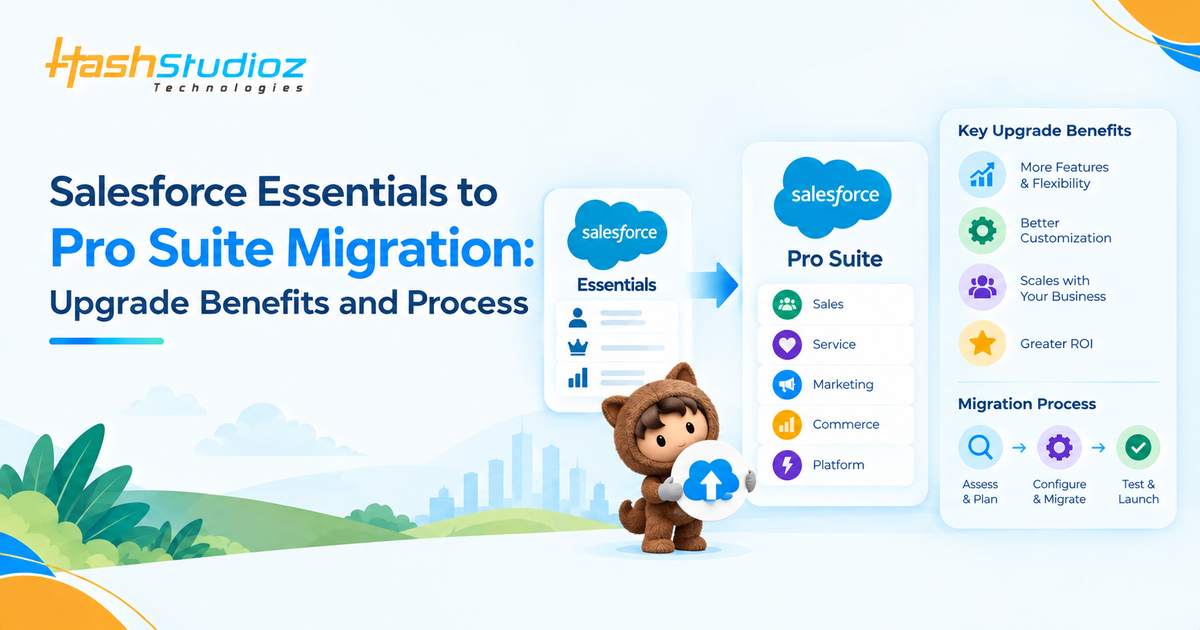
Salesforce is retiring the Essentials edition, and existing Essentials customers are being moved toward Pro Suite. For businesses that have relied on Essentials for sales, service, reporting, and basic CRM operations, the transition raises practical questions: What changes after the upgrade? Will existing data and customizations remain intact? What happens to pricing? And what does the Salesforce Essentials to Pro Suite migration process actually involve?
Salesforce has designed the transition as an automated upgrade. Customers provide consent through their Salesforce org, after which Salesforce handles the technical migration. Existing data, customizations, reports, and configurations are intended to be preserved. The upgrade also introduces capabilities such as enhanced customization, Flow automation, forecasting, quoting, AI capabilities, Marketing and Commerce functionality, and AppExchange access.
This guide explains what businesses need to know about the transition, the benefits of Pro Suite, the migration process, pricing considerations, and the steps to take before and after the upgrade.
Table of Contents
Why Is Salesforce Essentials Being Retired?
Salesforce Essentials was designed as a simplified CRM edition for small businesses that needed core sales and service functionality without the complexity of higher Salesforce editions.
Salesforce is now retiring Essentials and moving customers toward Pro Suite, which is built on the broader Salesforce platform. The goal is to provide small and growing businesses with more advanced capabilities while giving them a platform that can support additional customization, automation, integrations, AI, sales, service, marketing, and commerce requirements.
For existing customers, this means the transition is not simply a traditional edition upgrade that they can postpone indefinitely. Salesforce’s migration documentation directs Essentials organizations toward Pro Suite.
What Is Salesforce Pro Suite?
Salesforce Pro Suite is a more capable Salesforce edition that expands beyond the core CRM functionality available in Essentials.
The platform combines CRM capabilities with additional Salesforce customization, automation, sales, service, marketing, commerce, collaboration, and AI features.
Some of the capabilities Salesforce highlights for Pro Suite include:
- Custom objects and additional custom fields
- Process automation using Flow
- Sales forecasting
- Quoting capabilities
- Omni-Channel support routing
- Marketing functionality
- Commerce and payment capabilities
- Agentforce and generative AI capabilities
- Slack integration
- AppExchange access
- Additional scalability and storage
- More flexibility for future integrations
Salesforce also describes Pro Suite as being built on the full Salesforce platform, allowing businesses to expand their CRM capabilities without having to move to another edition simply because their requirements have grown.
Salesforce Essentials vs Pro Suite: What Changes?
The biggest difference is the level of functionality and flexibility available after the migration.
| Capability | Salesforce Essentials | Pro Suite |
| Core CRM | Yes | Yes |
| Reports and dashboards | Yes | Yes |
| Customization | Basic | Advanced |
| Custom objects | Limited/not available | Available |
| Custom fields | Available with limits | Higher allocation |
| Flow automation | More limited | Expanded capabilities |
| Forecasting | Limited | Available |
| Quoting | Limited | Available |
| AI capabilities | More limited | Agentforce and generative AI |
| Slack integration | Limited | Available |
| AppExchange | Not available | Available |
| Marketing capabilities | Limited | Expanded |
| Commerce capabilities | Limited | Expanded |
| Scalability | Designed for smaller requirements | Designed for growth |
Salesforce’s current suite documentation lists Pro Suite with 50 custom objects, 100 custom fields per object, sandbox access, AppExchange access, and unlimited users, while Starter Suite and Free Suite have more restricted allocations.
The exact features and allocations available to an individual organization should still be checked against Salesforce’s current edition documentation and contract.
Key Benefits of Migrating to Pro Suite
The Salesforce Essentials to Pro Suite migration is more than a change in the edition name. It gives businesses access to capabilities that can support more complex CRM requirements.
1. Advanced Customization and Automation
Pro Suite gives businesses more flexibility to tailor Salesforce around their specific processes. You can use custom objects, additional custom fields, page layouts, and Flow automation to build workflows that go beyond the basic capabilities of Essentials. This can help reduce repetitive manual work, standardize processes, and make Salesforce better suited to growing operational requirements. Salesforce currently lists up to 50 custom objects and 100 custom fields per object in Pro Suite.
2. More Powerful Sales and Service Capabilities
Pro Suite adds capabilities that can support more advanced sales and customer-service operations. These include sales forecasting, quote creation and management, Omni-Channel routing, macros, and enhanced messaging capabilities. Instead of using Salesforce primarily for basic customer and pipeline management, businesses can build more structured sales and service processes as they grow.
3. AI, Marketing, and Commerce in One Platform
The upgrade also opens the door to broader AI, marketing, and commerce capabilities. Businesses can use Agentforce and generative AI for tasks such as surfacing information, preparing for meetings, and generating content. Pro Suite also supports email campaigns and Commerce capabilities such as direct payment links and D2C shopping experiences, although Marketing and Commerce features require additional setup after migration.
4. Greater Scalability and Integration Options
Pro Suite is built on the broader Salesforce platform, giving businesses more room to expand their CRM as their needs change. It supports AppExchange access, custom applications, additional integrations, sandbox capabilities, and expanded storage. This means organizations can extend Salesforce with third-party applications and build more sophisticated processes without needing another edition migration simply because their requirements have increased.
5. More Value Without Losing Existing CRM Data
The migration is designed to preserve the existing Salesforce environment while adding Pro Suite capabilities. Salesforce states that data, customizations, reports, and configurations are preserved during the automated migration, with no expected data loss or downtime. Existing eligible Essentials customers also receive pricing protection under Salesforces migration terms, while Pro Suite capabilities become available after the upgrade.
How Does the Salesforce Essentials to Pro Suite Migration Work?
Salesforce has designed the migration process to be largely automated.
The overall process can be summarized in four stages:
Notification → Consent → Automated Migration → Pro Suite Setup
Step 1: Review the Upgrade Notification
Salesforce displays an upgrade notification inside the Essentials organization.
The notification provides information about the Pro Suite transition and gives the administrator an opportunity to review the upgrade details.
The migration rollout began in phases during 2026, with Salesforce stating that all Essentials organizations would receive the upgrade notification by the end of July 2026.
Step 2: Review and Provide Consent
After selecting the upgrade notification, the administrator can review the migration information and terms.
The administrator then requests the upgrade to Pro Suite.
Consent is an important part of the process because Salesforce requires the organization to accept the transition before the automated migration can proceed.
Step 3: Salesforce Performs the Migration
Once consent has been provided, Salesforce handles the technical migration.
According to Salesforce, the automated process preserves existing:
- Data
- Customizations
- Reports
- Configurations
Salesforce says the migration can take approximately a week, with one migration article specifying up to seven calendar days. Customers can continue working in their Essentials organization while the migration is being processed.
Step 4: Turn On Pro Suite Features
After the migration, the administrator will see a Welcome to Pro Suite experience.
Salesforce instructs administrators to turn on the Pro Suite features to keep the organization up to date with future upgrades.
The administrator may need to sign out and sign back in to refresh the Salesforce interface and display the new Pro Suite navigation experience.
Step 5: Enable Marketing and Commerce
Marketing and Commerce capabilities require additional setup.
For Marketing, administrators need to enable the relevant features and configure email and consent settings.
For Commerce, administrators can enable Pay Now and use the Store Setup Assistant when creating a D2C online store.
Step 6: Give Users Access to Pro Suite Apps
Migration does not automatically mean every user has access to every new Pro Suite application.
Administrators should review permission sets and assign the appropriate Pro Suite apps to users.
Salesforce’s migration instructions reference permission sets for Sales, Service, Marketing, Commerce, and Email Builder Lite.
What Happens to Your Salesforce Essentials Data?
One of the biggest concerns during any Salesforce edition migration is data preservation.
Salesforce states that existing data, customizations, reports, and configurations are preserved during the automated Essentials-to-Pro Suite migration.
Salesforce also states that there is no expected data loss or downtime during the upgrade.
That does not mean administrators should skip preparation.
Before migration, it is still sensible to document critical configurations, review integrations, identify important reports, and make sure administrators understand which users need access to the new Pro Suite apps.
Will Salesforce Essentials Pricing Change After the Migration?
One of the biggest questions about the Salesforce Essentials to Pro Suite migration is whether businesses will have to pay the standard Pro Suite price after upgrading.
For existing Essentials customers with an active Salesforce subscription, Salesforce says it will honor their existing Essentials pricing, including applicable uplifts or discounts, for up to 10 users. This pricing protection continues for as long as the customer maintains their Salesforce subscription.
However, there is an important user-seat distinction:
- Users 1–10: Existing Essentials pricing applies, subject to the customer’s existing pricing terms, uplifts, and discounts.
- User 11 and onward: Pro Suite pricing applies to additional users.
- Adding users before or after the migration: Salesforce says additional seats can be purchased either before or after the upgrade. The same 10-user pricing protection applies, with Pro Suite pricing beginning from the 11th user.
What Does This Mean for Your Business?
If your organization currently has, for example, 8 Essentials users, the move to Pro Suite does not automatically mean that all eight seats will suddenly be charged at the standard Pro Suite rate. Salesforce’s current policy protects the existing Essentials pricing for those users while the subscription continues.
If you later expand to 12 users, the first 10 users remain subject to the protected Essentials pricing, while the additional users from the 11th seat onward are charged at the applicable Pro Suite rate.
The exact amount you pay can still depend on your existing contract, discounts, uplifts, billing terms, and any additional products or add-ons. Businesses should therefore review their Salesforce agreement and account-specific pricing before adding seats or making contract changes.
What Happens to Existing Customizations?
Existing customizations are intended to remain available after migration.
Salesforce states that customizations, reports, configurations, and data are preserved.
There can, however, be some differences in how particular older Essentials features work. Salesforce notes that functionality is largely preserved but that a limited number of older Essentials tools have been replaced with newer Pro Suite equivalents.
For example, Salesforce documents replacements for certain older Essentials functionality, including Basic Sales Setup and Basic Service Setup with Quick Setup.
This makes a post-migration review important even when the technical migration itself is automated.
Planning Your Salesforce Essentials Upgrade?
HashStudioz can help you assess your Salesforce setup and plan a smooth transition to Pro Suite.
What Should Businesses Do Before the Migration?
Although Salesforce handles the technical migration, businesses should still prepare their CRM environment.
Review Your Salesforce Configuration
Create an inventory of:
- Custom fields
- Reports and dashboards
- Automations
- Email templates
- User permissions
- Integrations
- Connected applications
- Important workflows
- Service processes
This gives your team a reference point when reviewing the migrated organization.
Audit Your Integrations
If Salesforce Essentials is connected to other systems, review those connections before the transition.
Pay particular attention to:
- Marketing platforms
- Accounting systems
- Customer portals
- Data synchronization tools
- Email platforms
- Payment systems
- Third-party applications
An edition migration may preserve Salesforce data while still requiring attention to permissions, connected apps, or downstream processes.
Review User Access
Create a list of active users and document what each team needs from Salesforce.
After migration, review Pro Suite permission sets and make sure users have access to the appropriate Sales, Service, Marketing, Commerce, and other applications.
Document Important Reports
Identify the reports and dashboards that your business relies on most.
After migration, compare the important reports with their previous versions and verify that filters, fields, permissions, and expected results remain correct.
Plan User Training
Even when data and customizations are preserved, the Salesforce interface and available capabilities can change.
Users may see new navigation, applications, settings, and functionality.
A short training session can help sales, service, and administrative teams understand the changes before they affect daily workflows.
What Should You Do After Moving to Pro Suite?
The migration should not be treated as the end of the process.
It is an opportunity to review how your organization uses Salesforce and identify capabilities that were previously unavailable in Essentials.
Revisit Automation
Look for repetitive tasks that can now be automated through Flow.
Review Sales Processes
Evaluate whether forecasting, quoting, and additional sales capabilities can improve your existing process.
Explore AI Capabilities
Assess where Agentforce and generative AI could assist with routine CRM activities, information retrieval, meeting preparation, or content generation.
Review Service Routing
If your organization handles a growing volume of cases, evaluate whether enhanced routing and service capabilities can improve how work reaches your support team.
Evaluate AppExchange
Review whether third-party applications can fill current functionality gaps or improve existing workflows.
Reassess Your CRM Roadmap
Finally, use the move to Pro Suite as an opportunity to review your broader Salesforce roadmap.
Your CRM requirements six months from now may be different from what they were when you initially adopted Essentials.
Salesforce Essentials Migration Timeline
Salesforce’s official documentation currently contains different published dates for parts of the Essentials retirement timeline.
One Salesforce migration timeline lists:
- February 11, 2026: Official retirement announcement
- End of July 2026: Upgrade notifications available to all organizations
- August 18, 2026: End of renewal
- August 18, 2026 or earlier contract end: Consent deadline
- September 18, 2026: End of support
- Mid-October 2026: Essentials Help retirement
However, a separate Salesforce migration article published July 28, 2026 lists September 24, 2026 as the consent deadline and October 23, 2026 as the end of auto-renewal.
Because these official Salesforce pages currently do not show identical dates, businesses should not rely on a generic date from a third-party article. Instead, check the upgrade notification inside the relevant Salesforce organization, review the contract, and contact Salesforce if the dates shown by different Salesforce resources do not match.
Final Thoughts
The Salesforce Essentials to Pro Suite migration marks a significant change for businesses that have built their CRM processes around Essentials.
The good news is that Salesforce has designed the transition as an automated migration and states that existing data, customizations, reports, and configurations are preserved. Pro Suite also expands the platform with capabilities such as custom objects, Flow automation, forecasting, quoting, AI, Marketing, Commerce, Slack integration, and AppExchange access.
Review your current Salesforce integration, configuration, users, reports, and workflows before migration. After the upgrade, verify critical processes and take advantage of the additional capabilities that Pro Suite makes available.
FAQs
1. Is Salesforce Essentials being replaced by Pro Suite?
Yes. Salesforce is retiring the Essentials edition and directing existing Essentials organizations toward Pro Suite.
2. What happens to my data when I migrate from Essentials to Pro Suite?
Salesforce states that existing data, customizations, reports, and configurations are preserved during the automated migration.
3. How long does the Salesforce Essentials to Pro Suite migration take?
Salesforce says the automated migration can take approximately a week, with its migration documentation specifying up to seven calendar days.
4. Will my Salesforce Essentials pricing stay the same?
Salesforce says existing Essentials pricing is honored for active subscribers for as long as the subscription continues. Its FAQ specifies pricing protection for up to 10 users; Pro Suite pricing applies from the 11th user onward.
5. Do I need to manually migrate my Salesforce Essentials data?
No. Salesforce handles the technical migration automatically after the required consent is provided. Businesses should still review their configuration, integrations, permissions, and critical workflows before and after the transition.