


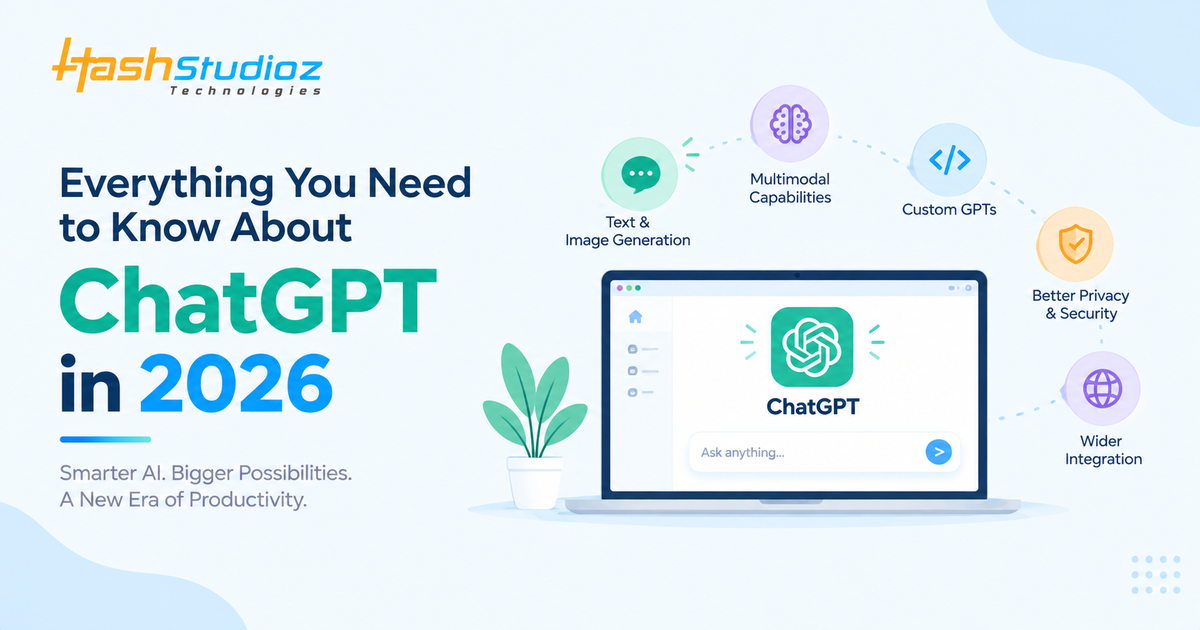
ChatGPT is an AI assistant developed by OpenAI that can understand natural-language instructions and generate responses across a wide range of tasks. People use it for writing, research, learning, brainstorming, coding, planning, data analysis, and other everyday work. It can also work with files and images in supported experiences, making it more than a traditional text-based chatbot.
Since its public launch, ChatGPT has evolved significantly. What began as a conversational AI experiment has developed into a broader AI assistant with increasingly capable models, multimodal features, web search, voice interactions, image generation, and tools designed for different types of work.
This article explains what ChatGPT is, how it works, what you can use it for, its key features, how to get better results, and what to know about its paid plans.
Table of Contents
What Is ChatGPT?
ChatGPT is an AI assistant designed to understand instructions and respond conversationally. Instead of requiring users to interact with software through rigid commands or menus, it allows them to describe what they need in everyday language.
For example, you can ask ChatGPT to summarize a document, explain a difficult concept, brainstorm content ideas, analyze information, write code, or help organize a project. The response depends on the instructions, context, available tools, and model being used.
ChatGPT is powered by OpenAI’s AI models. The underlying models have evolved considerably since ChatGPT was first introduced, with newer generations designed to improve reasoning, coding, writing, multimodal understanding, and complex task execution. OpenAI’s current ChatGPT ecosystem includes advanced model options and tools for different use cases.
Who Created ChatGPT?
ChatGPT was developed by OpenAI, an artificial intelligence research and technology company. OpenAI introduced ChatGPT publicly on November 30, 2022.
The original version quickly attracted attention because users could interact with an AI system through natural conversation rather than traditional software interfaces. Since then, OpenAI has continued developing the models and tools behind ChatGPT.
The technology has progressed from primarily conversational text generation toward broader capabilities involving reasoning, coding, images, voice, research, files, and task-oriented workflows.
Why Did ChatGPT Become So Popular?
One major reason for ChatGPT’s popularity is its conversational interface. Users do not necessarily need to understand programming or specialized software commands to get started. They can simply describe a problem or request in natural language.
ChatGPT can also maintain context within a conversation, allowing users to ask follow-up questions and refine previous responses. This makes the interaction feel more like a collaborative exchange than a traditional search or software workflow.
Another important factor is the range of tasks ChatGPT can support. A single AI assistant can help with writing, learning, brainstorming, coding, planning, research, and data-related tasks rather than being limited to one specific function.
At the same time, ChatGPT should not be treated as an infallible source of information. AI-generated responses can contain errors, so important facts, decisions, and professional information should be verified against reliable sources.
How Did ChatGPT Start?
ChatGPT was publicly launched in November 2022 as a conversational AI system from OpenAI. Its launch demonstrated how large language models could be used through a simple conversational interface.
The initial version was based on OpenAI’s GPT family of models and quickly became widely used for tasks such as answering questions, generating text, brainstorming ideas, and assisting with coding.
Since then, ChatGPT has gone through multiple generations of model and product improvements. OpenAI introduced GPT-5 in August 2025 and continued expanding its model family in 2026, including GPT-5.6.
This evolution means older articles that describe GPT-4 as the current version of ChatGPT no longer accurately represent the product today.
How Does ChatGPT Work?
At a high level, ChatGPT uses AI models trained to process and generate language based on patterns learned from large amounts of data.
When you enter a prompt, the system processes your instructions and conversation context before generating a response. Depending on the task and available capabilities, ChatGPT may also use tools such as web search, file analysis, image capabilities, or other connected functionality.
The quality of the result depends partly on the information and instructions provided by the user. Clear context, specific requirements, examples, and desired output formats can help produce more useful responses.
However, generating a fluent answer does not automatically mean that every statement is correct. Users should verify important claims, especially when working with current, technical, financial, legal, medical, or business-critical information.
ChatGPT Key Features
Advanced Reasoning: Newer models support more complex reasoning, coding, research, science, and professional knowledge-work tasks.
Conversational AI: Understands natural-language prompts and maintains context across follow-up questions.
Writing & Content Creation: Helps draft, rewrite, summarize, edit, and organize emails, articles, reports, scripts, and other content.
Coding Assistance: Generates and explains code, identifies potential bugs, and supports developers with technical problem-solving.
Image Understanding & Creation: Analyzes uploaded images and supports image-generation capabilities for creative and visual tasks.
Web Search & Research: Searches the web for current information and provides cited sources in supported experiences.
File Analysis: Analyzes, summarizes, and transforms supported documents, spreadsheets, presentations, reports, and datasets.
Voice Conversations: Allows users to interact with ChatGPT through spoken conversations in supported experiences.
What Can You Use ChatGPT For?
ChatGPT can support a wide range of personal, educational, and professional activities.
1. Writing and Editing
You can use ChatGPT to:
- Draft emails and reports
- Rewrite or improve existing content
- Create outlines
- Summarize long documents
- Brainstorm headlines and ideas
- Adjust tone and readability
- Create social media content
2. Learning and Education
Students and professionals can use ChatGPT to explain difficult topics, create study materials, generate practice questions, and break complex concepts into simpler explanations.
Instead of simply asking for an answer, users can ask ChatGPT to explain the reasoning, provide examples, or quiz them on a subject.
3. Research
ChatGPT can help organize research questions, summarize information, compare sources, and identify areas that require further investigation. When current information is needed, web search can provide access to recent sources in supported experiences.
4. Coding and Development
Developers can use ChatGPT for code generation, debugging, explanation, documentation, and technical brainstorming. Newer models have also improved performance on complex coding and software-development tasks.
5. Business Productivity
Businesses can use ChatGPT for tasks such as drafting documents, analyzing information, brainstorming strategies, preparing presentations, and organizing workflows.
For more complex business workflows, OpenAI has also introduced tools designed to work across files, applications, and connected workflows.
How to Use ChatGPT Effectively?
Getting better results from ChatGPT is not only about using a powerful model. The quality of your instructions also matters.
1. Write Clear Prompts
Instead of saying:
Write a blog.
Give the assistant useful context:
Write a 1,500-word SEO blog about Salesforce Voice for B2B customer-service teams. Use a conversational tone and include FAQs.
Specific instructions reduce ambiguity.
2. Provide Context
Tell ChatGPT who the content is for, what you are trying to achieve, and what information it should consider.
For example, a marketing team might provide its target audience, brand tone, primary keyword, secondary keywords, and desired content format.
3. Specify the Output Format
If you need a table, bullet list, email, outline, JSON, report, or article, say so directly.
4. Refine the Response
You do not need to accept the first response. Ask ChatGPT to shorten, expand, rewrite, fact-check, reorganize, or change the tone based on your requirements.
5. Verify Important Information
Use reliable sources to confirm important facts. This is particularly important for current product information, pricing, technical specifications, legal matters, medical information, and business decisions.
6. Use the Right Tools
Depending on your task and account, ChatGPT may offer capabilities such as web search, file analysis, voice, image generation, and other tools. Using the appropriate capability can produce better results than relying on text generation alone.
ChatGPT Pricing and Plans
ChatGPT is available through different plans, and available features and usage limits vary by plan and can change over time.
OpenAI currently lists Free, Go, Plus, Pro, Business, and Enterprise options across its ChatGPT ecosystem, with different levels of access to models, tools, limits, and organizational features.
For example, OpenAI’s current documentation lists ChatGPT Plus at $20 per month, while ChatGPT Go is a lower-cost plan designed to provide expanded access to popular ChatGPT capabilities. Pricing and availability can vary by market and plan.
Because ChatGPT features and model availability change over time, businesses and individuals should check OpenAI’s current pricing and plan information before making a purchasing decision.
ChatGPT Limitations
Despite its capabilities, ChatGPT has limitations.
AI-generated responses can contain factual errors, misunderstand user intent, or provide incomplete information. A response can also sound confident even when the underlying information is incorrect.
ChatGPT should therefore be treated as an assistant rather than an unquestionable authority.
For important tasks, users should:
- Verify critical facts
- Review generated code before deploying it
- Check cited sources
- Avoid sharing sensitive information unnecessarily
- Use professional advice when a situation requires qualified expertise
These practices become especially important when ChatGPT is used for business, legal, financial, medical, or other high-impact decisions.
ChatGPT vs Traditional Search
ChatGPT and traditional search engines serve different purposes.
A search engine primarily helps users discover webpages and sources. ChatGPT can instead provide a conversational response, summarize information, help organize ideas, and continue the discussion through follow-up questions.
The two approaches can also work together. For example, you can use ChatGPT to structure a research question and then use web search to find current sources and verify specific claims.
The Future of ChatGPT
The development of ChatGPT is moving beyond simple question-and-answer interactions toward AI systems that can assist with increasingly complex tasks.
OpenAI’s recent model development has focused on reasoning, coding, tool use, research, and professional knowledge work. OpenAI has also introduced ChatGPT Work for longer, more involved tasks across connected applications and files.
This suggests that the role of conversational AI is expanding from generating individual responses toward helping users complete multi-step workflows.
Conclusion
ChatGPT has evolved considerably since its 2022 launch. What began as a conversational AI chatbot has become a broader AI assistant that can support writing, learning, coding, research, file analysis, images, voice, and other workflows.
The biggest change from the original ChatGPT experience is not simply that the models have become more capable. The product itself has expanded to support different types of interaction and increasingly complex tasks.
For users, the most effective approach is to combine clear instructions with appropriate tools and human judgment. ChatGPT can accelerate many tasks, but important information should still be reviewed and verified.
FAQs
1. What is ChatGPT?
ChatGPT is an AI assistant developed by OpenAI that can help with tasks such as writing, learning, coding, planning, research, and data analysis.
2. Who created ChatGPT?
ChatGPT was developed by OpenAI and publicly launched on November 30, 2022.
3. What can ChatGPT do?
ChatGPT can help with writing, coding, research, learning, brainstorming, planning, file analysis, image-related tasks, and other supported workflows.
4. Is ChatGPT always accurate?
No. ChatGPT can produce incorrect or incomplete information. Important facts should be verified using reliable sources.
5. Is ChatGPT free?
Yes. OpenAI provides a Free plan, alongside paid options with different features and usage limits.
6. Is ChatGPT the same as GPT?
No. GPT refers to OpenAI’s family of generative AI models, while ChatGPT is the product through which users interact with OpenAI’s models and tools.
7. Can ChatGPT browse the internet?
Yes. ChatGPT can search the web and cite sources in supported experiences when current information is required.