


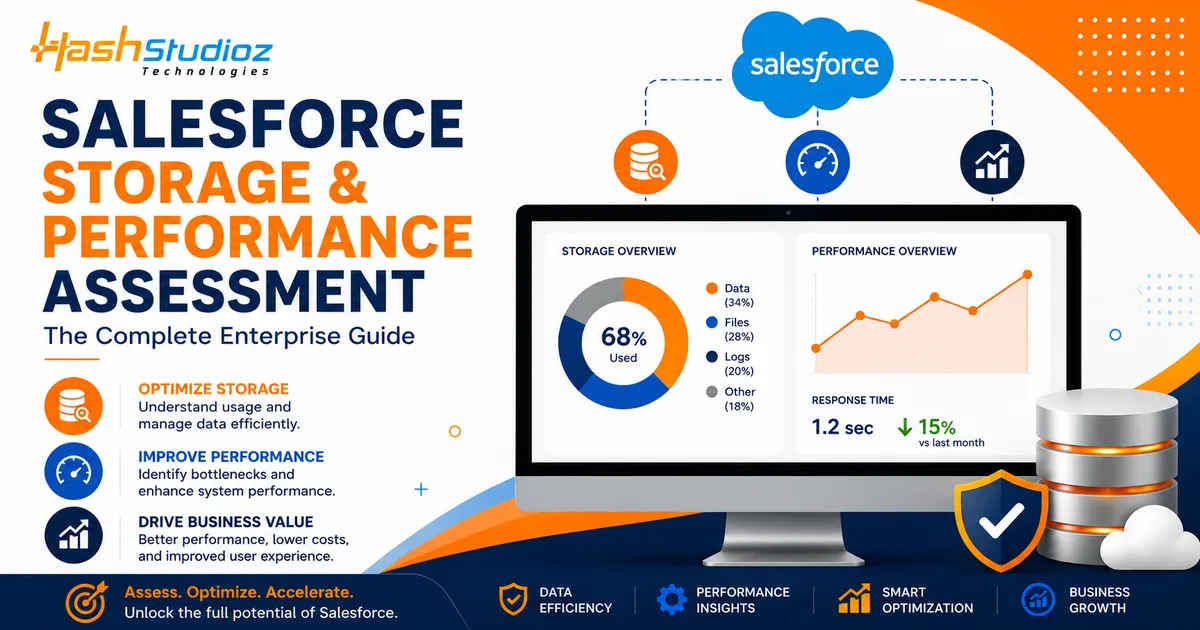
As organizations scale on Salesforce, data volumes grow rapidly, customizations become more complex, and system performance can gradually decline. What begins as a highly efficient CRM can turn into a slow, cluttered, and costly system if storage and performance are not actively managed.
A Salesforce storage and performance assessment helps enterprises identify inefficiencies, optimize data usage, and ensure the platform continues to deliver speed, scalability, and reliability. This guide explores how to evaluate your Salesforce environment and implement best practices to maintain peak performance.
Table of Contents
Why Storage & Performance Matter in Salesforce?
As organizations increasingly depend on Salesforce to manage customer relationships, operations, and analytics, maintaining optimal storage and performance becomes essential. Over time, as data accumulates and business processes evolve, the system can become overloaded with unnecessary records, complex automations, and heavy customizations. Without proper management, this can lead to slower performance, higher costs, and reduced efficiency across teams.
A poorly optimized Salesforce environment doesn’t just affect the system-it impacts the entire business. Slow load times, delayed reports, and cluttered data can frustrate users and hinder productivity. More importantly, it can limit your ability to make timely, data-driven decisions, which is critical in a competitive business landscape.
Key reasons why storage and performance matter:
- System Speed & User Experience: Faster load times and smooth navigation improve daily productivity and user satisfaction.
- Data Accuracy & Reliability: Clean, well-managed data ensures better reporting and decision-making.
- Cost Management: Efficient storage usage helps avoid unnecessary expenses related to data overages.
- Operational Efficiency: Optimized workflows and reduced system lag enable teams to work more effectively.
- Scalability: A well-maintained system can easily support business growth without performance degradation.
In addition, managing storage effectively helps prevent data sprawl, where outdated or duplicate records consume valuable space. Salesforce performance optimization, on the other hand, ensures that automations, reports, and integrations run efficiently without slowing down the system.
Ultimately, focusing on storage and performance is not just a technical necessity-it’s a strategic priority. A well-optimized Salesforce environment empowers organizations to operate efficiently, deliver better customer experiences, and scale confidently as business demands evolve.
Understanding Salesforce Storage Types
To effectively manage your Salesforce environment, it’s important to understand how storage is structured. Salesforce primarily offers two types of storage-data storage and file storage-and both play a critical role in overall system performance and cost management. As your organization grows, keeping track of how these storage types are used becomes essential to avoid inefficiencies and limitations.
The two main storage types include:
- Data Storage:
This includes all structured records such as accounts, contacts, leads, opportunities, cases, and custom object records. As business operations expand, this type of storage grows rapidly due to continuous data creation and updates. - File Storage:
This covers attachments, documents, images, emails, and files uploaded or generated within Salesforce. File storage can increase quickly, especially with frequent file sharing, integrations, and communication tracking.
Beyond these core types, storage usage is also influenced by factors like large data imports, integrations with external systems, and historical data retention. Without proper monitoring, both data and file storage can reach limits, leading to additional costs or system constraints.
Understanding these storage types allows organizations to implement better data management strategies. By regularly reviewing usage, archiving outdated records, and optimizing file handling practices, businesses can strengthen their Salesforce Storage & Performance Assessment efforts and maintain a balanced, efficient environment that supports long-term performance and scalability.
Key Indicators You Need a Storage & Performance Assessment:
If your Salesforce environment is showing signs of strain, it may be time for a detailed evaluation.
Watch for these indicators:
- Reports and dashboards take too long to load
- Users experience delays in record updates
- Storage limits are nearing capacity
- Duplicate or outdated data is increasing
- Complex workflows and automations slow down processes
Identifying these early can prevent larger issues down the line.
Core Areas of a Salesforce Assessment
A comprehensive assessment focuses on multiple aspects of your Salesforce ecosystem.
1. Data Quality and Volume Analysis
Evaluate the accuracy, relevance, and volume of your data. Identify duplicate records, inactive data, and unnecessary fields that consume storage.
2. Object and Field Usage
Analyze which objects and fields are actively used. Unused or redundant fields increase complexity and slow down system performance.
3. Automation and Workflow Efficiency
Review workflows, process builders, and flows. Overlapping or inefficient automations can significantly impact system speed.
4. Integration Performance
Assess how external systems interact with Salesforce. Poorly optimized integrations can create delays and data inconsistencies.
5. Reporting and Dashboard Optimization
Complex reports with excessive filters and joins can slow down performance. Streamlining reports improves speed and usability.
Best Practices for Optimizing Salesforce Storage
Efficient storage management reduces costs and improves system performance.
Key strategies include:
- Data Archiving: Move old or inactive data to external storage systems.
- Regular Data Cleanup: Remove duplicate and outdated records.
- Attachment Management: Limit large file uploads and store files externally when possible.
- Field Optimization: Delete unused fields and reduce unnecessary data capture.
- Retention Policies: Define how long data should be stored and when it should be archived.
These practices help maintain a lean and efficient database.
Improving Salesforce Performance
Beyond storage, performance optimization ensures a smooth and efficient user experience across your Salesforce environment.
- Optimize Page Layouts
Reduce the number of fields and components on each page to improve load times and enhance usability. - Streamline Automations
Replace outdated workflows with optimized flows and eliminate redundancies to ensure faster processing. - Use Indexing and Selective Queries
Ensure that queries and filters are properly optimized for quicker data retrieval and better performance. - Limit Heavy Customizations
Avoid excessive custom code and ensure Apex logic is efficient to prevent system slowdowns. - Monitor System Performance
Use Salesforce tools to track performance metrics and identify bottlenecks for continuous optimization.
Is Your Salesforce Slowing Down?
A quick Salesforce Storage & Performance Assessment
is all you need to identify performance gaps
The Role of Data Governance
Data governance plays a crucial role in maintaining long-term performance. Establishing clear policies ensures that data remains clean, relevant, and secure.
Key governance practices:
- Define data ownership and accountability
- Standardize data entry processes
- Implement validation rules
- Schedule regular audits
A strong governance framework prevents data sprawl and maintains system integrity.
Leveraging Automation for Efficiency
Automation can improve performance when implemented correctly. However, poorly designed automation can have the opposite effect.
Best practices:
- Consolidate multiple workflows into a single flow
- Avoid unnecessary triggers and actions
- Test automation thoroughly before deployment
- Monitor performance impact regularly
Balanced automation enhances efficiency without compromising speed.
Scaling Salesforce for Enterprise Needs
As enterprises grow, their Salesforce environment must evolve to handle increased complexity.
- Adopt a Modular Architecture
Break down systems into manageable components for better scalability. - Use External Data Storage
Leverage external systems for large datasets to reduce Salesforce storage usage. - Implement Advanced Analytics
Use tools like Einstein Analytics for deeper insights without overloading the system. - Plan for Future Growth
Design your Salesforce architecture with scalability in mind from the start.
Common Mistakes to Avoid
Many organizations unintentionally degrade their Salesforce performance due to poor practices.
Avoid these pitfalls:
- Storing unnecessary or duplicate data
- Overloading the system with excessive automations
- Ignoring regular system audits
- Using inefficient reports and dashboards
- Neglecting user training and adoption
Addressing these issues early can save time and resources.
Benefits of a Salesforce Storage & Performance Assessment
Conducting a thorough assessment delivers measurable business value.
- Improved system speed and reliability
- Reduced storage costs
- Enhanced user productivity
- Better data accuracy and insights
- Scalable and future-ready architecture
An optimized Salesforce environment supports long-term business success.
When to Consider Professional Assistance?
While internal teams can handle basic optimization, complex environments often require expert guidance. Salesforce consulting services can provide:
- In-depth system audits
- Customized optimization strategies
- Advanced performance tuning
- Seamless data migration and integration
Partnering with experts ensures that your Salesforce ecosystem is aligned with your business goals.
Conclusion
Salesforce is a powerful platform, but its effectiveness depends on how well it is managed. Without proper storage and performance optimization, even the best systems can become slow and inefficient.
A comprehensive Salesforce storage and performance assessment helps organizations identify issues, implement best practices, and maintain a high-performing environment. By focusing on data quality, efficient storage usage, and optimized processes, businesses can unlock the full potential of Salesforce and drive sustainable growth.
FAQs
1. What is a Salesforce Storage & Performance Assessment?
A Salesforce Storage & Performance Assessment evaluates how data is stored, managed, and accessed to identify inefficiencies and improve system speed and scalability.
2. How does Salesforce Storage & Performance Assessment improve system performance?
It helps optimize data usage, remove redundancies, improve query efficiency, and streamline automations-resulting in faster load times and better user experience.
3. What are the best practices to optimize Salesforce performance?
Key practices include reducing page complexity, optimizing queries, indexing critical fields, cleaning unused data, and streamlining workflows.
4. How can I reduce Salesforce storage usage effectively?
You can reduce storage by archiving old records, deleting unused data, managing file storage efficiently, and leveraging external storage solutions.
5. What are common causes of slow Salesforce performance?
Major causes include excessive data volume, unoptimized automation, heavy customizations, inefficient queries, and lack of regular system monitoring.