


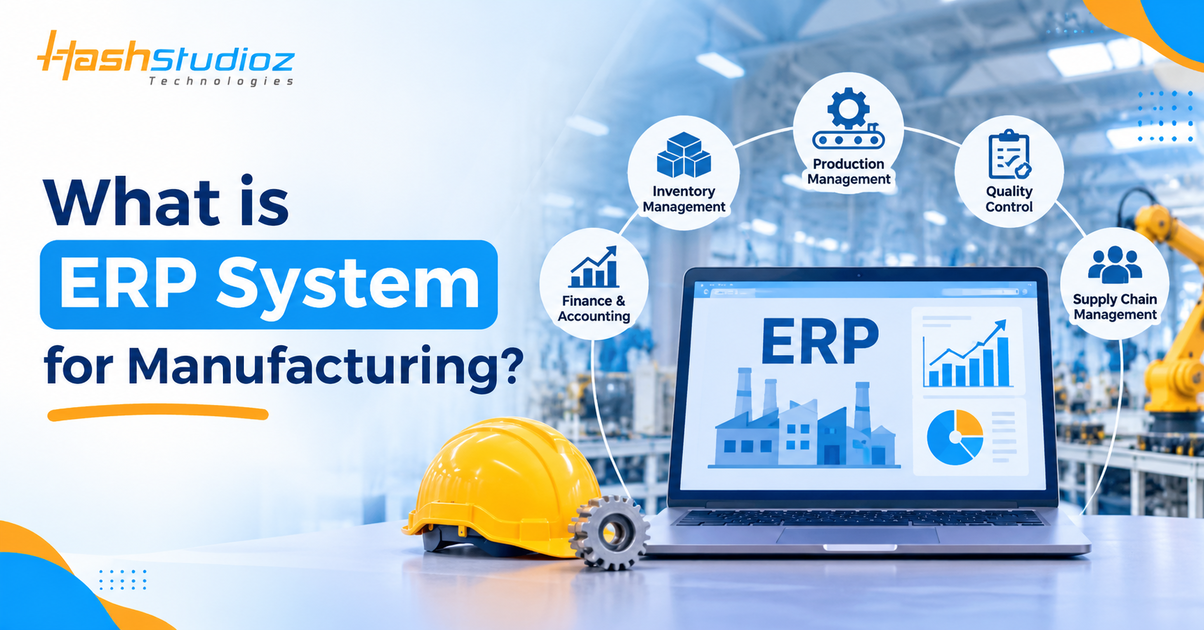
Manufacturing businesses manage several connected activities to turn raw materials into finished products. These activities include production planning, inventory management, procurement, quality control, order processing, and financial management. When these operations are handled through separate systems or manual processes, it can become difficult to maintain consistent information and coordinate daily activities.
This is where ERP systems for manufacturing become useful. They bring important business functions together within an integrated software environment, helping manufacturers manage resources, monitor operations, and coordinate activities across departments.
Manufacturing ERP software is designed to support the specific requirements of production-based businesses. It can help organizations plan manufacturing activities, manage bills of materials, track work orders, monitor inventory, and maintain information about production costs.
However, ERP is not simply a production management tool. It connects manufacturing activities with other business functions, such as purchasing, sales, accounting, and supply chain management. This article explains what manufacturing ERP software is, how it works, its essential features, its role in manufacturing operations, and the benefits and challenges businesses should understand.
Table of Contents
Understanding ERP Systems in the Manufacturing Industry
An Enterprise Resource Planning (ERP) system is software that integrates and manages important business processes through a shared system. It helps organizations maintain and use business information across different departments rather than relying entirely on disconnected applications.
So, What is an ERP system in the manufacturing context?
A manufacturing ERP system is an enterprise platform designed to coordinate activities such as production planning, material procurement, inventory control, manufacturing operations, order management, and financial reporting. An ERP system can connect these activities through shared records and workflows. This allows relevant teams to work with consistent information and coordinate their responsibilities.
How Does a Manufacturing ERP System Work?
A manufacturing ERP system typically works by collecting business information, processing it through relevant modules, and making it available to authorized users.
Consider a furniture manufacturer receiving an order for 100 office desks.
- Order management: The customer order is recorded in the system.
- Production planning: The production team reviews the required quantity and manufacturing schedule.
- Material planning: The system uses the bill of materials to identify the required wood, hardware, and other components.
- Inventory management: Available stock is checked to determine whether additional materials are needed.
- Procurement: Purchase requirements can be created for materials that are unavailable.
- Production execution: Manufacturing orders and work orders are used to organize production activities.
- Quality control: The finished desks are checked against defined quality requirements.
- Financial management: Relevant material, labor, and production costs can be recorded and reviewed.
This example demonstrates how Manufacturing ERP software can connect different activities involved in fulfilling a manufacturing order.
What Is an ERP System Used For in Manufacturing?
The purpose of an ERP system is to help manufacturers coordinate resources and business processes. Depending on the software and its configuration, it may be used for:
- Managing production plans and manufacturing orders.
- Tracking raw materials and finished goods.
- Monitoring purchasing and supplier information.
- Managing bills of materials and product components.
- Scheduling production activities and work centers.
- Recording quality inspections and production results.
- Tracking operational and manufacturing costs.
- Managing sales orders and financial information.
- Generating reports for business analysis.
The exact capabilities depend on the ERP product, selected modules, and implementation.
Example of an ERP System
Examples of ERP platforms with manufacturing capabilities include SAP Cloud ERP, Microsoft Dynamics 365 Supply Chain Management, Oracle NetSuite, and Odoo.
These platforms provide different capabilities for manufacturing and related business processes. For example, manufacturing functions may include production planning, bills of materials, work orders, inventory management, and production reporting. The modules and functionality available can vary by product edition, configuration, and licensing.
Key Features to Look for in Manufacturing ERP Software
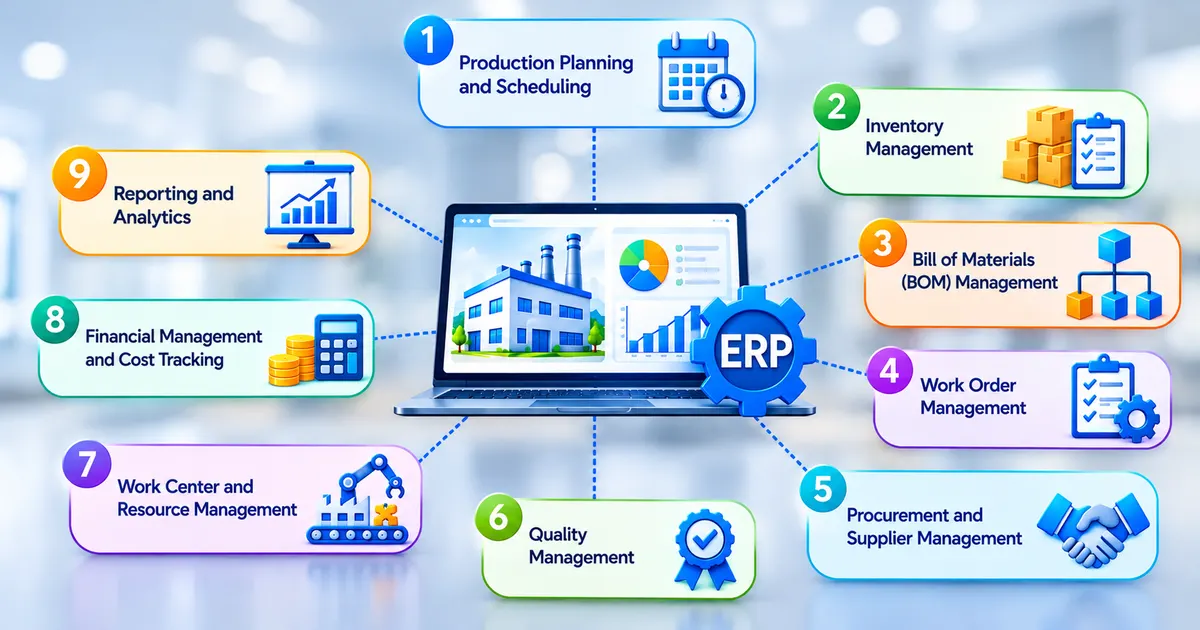
1. Production Planning and Scheduling
Production planning helps manufacturers determine what needs to be produced, how much should be produced, and when manufacturing activities should take place.
A manufacturing ERP system can use information such as demand, material availability, production requirements, and resource capacity to support planning.
Scheduling capabilities help organize production activities and allocate work to available resources or work centers. This is particularly relevant for businesses that manage multiple products, production stages, or manufacturing orders.
2. Inventory Management
Inventory management is an important part of manufacturing because production depends on the availability of the required materials and components.
An ERP system can help track different inventory categories, including:
- Raw materials.
- Work-in-progress inventory.
- Finished goods.
- Components and spare parts.
- Purchased materials.
Inventory records can help teams review available quantities and identify material requirements. Depending on the system, inventory features may also support stock movements, warehouse operations, and replenishment processes.
3. Bill of Materials (BOM) Management
A Bill of Materials (BOM) is a structured list of the materials, components, and quantities required to manufacture a product.
For example, a manufacturer producing a wooden chair may require a specific quantity of wood, screws, adhesive, and finishing material.
A manufacturing ERP system can store BOM information and connect it with manufacturing orders and material planning. For products with multiple variants or production stages, businesses may need more detailed BOM structures to represent different components and subassemblies.
4. Work Order Management
Work orders provide information about manufacturing tasks that need to be completed. They may include details such as the product to manufacture, required quantity, components, operations, and relevant production instructions.
ERP systems can help create and track work orders, allowing production teams to monitor manufacturing activities and record progress.
5. Procurement and Supplier Management
Manufacturers depend on suppliers for raw materials, components, equipment, and other resources. Procurement features help businesses manage purchasing activities, purchase orders, supplier information, and material requirements.
When connected with inventory and production planning, these functions help purchasing teams understand which materials are required for upcoming manufacturing activities.
6. Quality Management
Quality management helps manufacturers define and monitor quality requirements throughout production.
Depending on the ERP system, quality-related capabilities may include:
- Defining inspection criteria.
- Recording inspection results.
- Monitoring product quality.
- Tracking quality issues.
- Maintaining inspection records.
These functions help organizations document quality checks and identify products or processes that require attention.
7. Work Center and Resource Management
Work centers represent locations or resources where manufacturing operations are performed. An ERP system may support work-center scheduling, capacity planning, work-order allocation, and production tracking.
For example, a manufacturing facility may have separate work centers for cutting, assembly, finishing, and packaging. Planning these resources helps organize production activities.
8. Financial Management and Cost Tracking
Manufacturing involves different costs, including raw materials, labor, equipment usage, and overhead expenses. ERP financial and costing capabilities can help businesses record relevant transactions and review manufacturing-related costs.
When production information is connected with financial records, organizations can analyze the financial impact of manufacturing activities.
9. Reporting and Analytics
Reporting capabilities help managers review operational information and make decisions based on available business data. Manufacturing reports may cover production quantities, inventory levels, work-order status, purchasing activity, and costs.
The information available depends on the ERP system, data quality, reporting configuration, and selected modules.
How ERP Software Streamlines Manufacturing Operations
Manufacturing operations involve several interconnected activities. A change in one area can affect other processes. For example, a delay in material procurement may affect production scheduling, order fulfillment, and delivery planning. ERP solutions for manufacturing help coordinate these activities by connecting information across business functions.
1. Connects Production Planning With Material Availability
Production plans depend on the availability of required materials and components.
An ERP system can connect production requirements with inventory and procurement information. This helps planners identify material requirements before manufacturing begins.
For example, if a production order requires 500 components but only 300 are available, the business can identify the remaining requirement and plan procurement accordingly.
2. Organizes Manufacturing Activities
Manufacturing operations may involve multiple work centers, production stages, and teams. ERP systems can help organize these activities through manufacturing orders, work orders, production schedules, and work-center information.
This provides a structured way to manage production tasks and review their progress.
3. Improves Coordination Between Departments
Production, procurement, inventory, sales, and finance teams often depend on the same business information. An integrated ERP environment helps connect these functions. For instance, information about a customer order can be relevant to production planning, material requirements, inventory allocation, and financial records.
This reduces the need to maintain separate records for every department, although organizations still need appropriate data governance and user processes.
4. Supports Production Monitoring
Manufacturers need to understand the status of ongoing production activities. Depending on the platform, ERP software can provide work-order status, production updates, work-center information, and operational reports.
This information helps managers review planned activities against recorded production progress.
5. Connects Manufacturing With Financial Operations
Manufacturing activities have financial implications. Material purchases, labor, production costs, and inventory movements all contribute to the organization’s financial records.
ERP integration can connect operational transactions with relevant financial processes, giving businesses a more coordinated view of their activities.
Streamline Manufacturing with Smarter ERP Solutions
Ready to optimize your manufacturing operations? Let’s build the right ERP solution for your business.
Why Is ERP Essential for Modern Manufacturing Companies?
Manufacturing businesses often operate with multiple departments, suppliers, production resources, and customer requirements. Managing these activities requires accurate information and coordination. An ERP system can provide a shared environment for managing these processes. Its importance becomes clearer when businesses face the following operational requirements.
Managing Multiple Business Processes
- A manufacturing company may need to coordinate purchasing, production, inventory, sales, and accounting. Managing these functions separately can create information gaps.
- ERP systems connect these business processes, allowing teams to work with shared operational information.
Handling Complex Production Requirements
- Manufacturers may produce multiple products with different components, production stages, and resource requirements.
- BOM management, production planning, and work-order functionality can help organize these requirements within the ERP environment.
Maintaining Inventory Visibility
- Manufacturers need information about raw materials, components, work-in-progress items, and finished products.
- ERP inventory functions help businesses maintain stock records and connect material availability with purchasing and production requirements.
Coordinating Supply Chain Activities
- Manufacturing operations depend on suppliers, purchasing activities, material availability, and order fulfillment.
- ERP systems can connect procurement, inventory, and production information to support supply chain coordination.
Supporting Business Decisions
- Managers need reliable information to review production activity, inventory positions, costs, and operational performance.
- ERP reports can bring together relevant information from different business functions. The usefulness of these reports depends on accurate records and suitable system configuration.
Benefits of ERP for Manufacturing Companies
Implementing Manufacturing ERP systems can provide several benefits when the software is selected and configured according to business requirements.
1. Better Coordination Across Departments
- ERP systems connect information from different departments through a shared environment.
- This helps reduce dependence on disconnected records and makes it easier for authorized teams to access relevant business information.
2. Improved Production Planning
- Production planning capabilities help manufacturers organize manufacturing orders, material requirements, and resource schedules.
- By connecting planning with inventory and procurement information, businesses can make more informed production decisions.
3. More Organized Inventory Management
- ERP inventory functions provide a structured way to record and monitor stock.
- Manufacturers can use these records to review raw material availability, work-in-progress inventory, and finished goods. Accurate inventory information also supports purchasing and production planning.
4. Better Visibility Into Manufacturing Activities
- Production orders, work orders, and work-center information help businesses review manufacturing activities.
- This visibility can help managers identify delays, review production progress, and investigate operational issues.
5. Improved Quality Process Documentation
- Quality management functions can help manufacturers document inspection requirements and results.
- Maintaining these records supports the review of quality-related activities and helps teams investigate issues using recorded information.
6. More Connected Financial Information
- ERP systems can connect manufacturing transactions with financial management processes.
- This helps businesses review relevant costs and understand how operational activities relate to financial records.
7. Support for Business Growth
- As a manufacturing business expands, it may need to manage more products, suppliers, users, facilities, and production activities.
- A suitable ERP system can provide a structured environment for managing these processes. However, the ability to support growth depends on the platform’s capabilities, architecture, configuration, and licensing.
8. Reduced Dependence on Disconnected Systems
- When business information is maintained across separate applications and spreadsheets, teams may need to enter or reconcile the same information in multiple places.
- An integrated ERP environment can reduce some of this duplication by connecting relevant processes. The actual improvement depends on how well the system is implemented and adopted.
Common Challenges of Manufacturing ERP Implementation
Although ERP systems can support manufacturing operations, implementing them requires careful planning. Businesses may face technical, operational, and organizational challenges during the implementation process.
1. High Implementation Complexity
Manufacturing companies may have complex production processes, multiple departments, and existing business applications.
Configuring an ERP system to support these requirements can involve significant planning and coordination.
How to address it: Document business processes, define implementation priorities, and establish a clear project scope before configuration begins.
2. Data Migration and Data Quality Issues
Existing business information may be stored in spreadsheets, databases, or legacy applications. The data may contain duplicate records, inconsistent formats, or incomplete information.
Moving such data without proper review can affect the accuracy of the new ERP environment.
How to address it: Review and clean existing data before migration. Define field mappings, validate imported records, and test data migration before production deployment.
3. Employee Training and User Adoption
Employees may be accustomed to existing processes and software. Moving to an ERP system can require changes in how they record information and perform daily tasks.
How to address it: Provide role-based training, practical demonstrations, user documentation, and ongoing support. Involve relevant employees during implementation and testing.
4. Integration With Existing Systems
Manufacturing businesses may already use separate applications for accounting, warehouse operations, customer management, or production activities.
Connecting these systems with the ERP environment can require technical configuration and data mapping.
How to address it: Identify integration requirements early, review available APIs and integration methods, and test data exchange between connected systems.
5. Customization and Configuration Requirements
A standard ERP configuration may not match every manufacturing process. Businesses may require additional workflows, fields, reports, or integrations.
However, excessive customization can make the system more complex to maintain.
How to address it: Identify essential business requirements and use standard ERP capabilities where they are suitable. Introduce custom development only when there is a clear operational need.
6. Implementation Cost and Timeline
ERP implementation involves more than software licensing. Costs may include consulting, configuration, customization, data migration, integrations, training, testing, and ongoing maintenance.
The project timeline can also change depending on the number of modules, complexity of business processes, and availability of resources.
How to address it: Prepare a realistic budget and implementation plan. Define deliverables, responsibilities, milestones, and potential risks before starting the project.
7. Business Process Disruption
Changing core business systems can affect daily activities if the transition is not managed properly.
How to address it: Test the system thoroughly, plan deployment around operational requirements, communicate changes to employees, and establish support arrangements for the transition.
Conclusion
ERP systems for manufacturing help businesses coordinate important processes such as production planning, inventory management, procurement, work-order management, quality control, and financial operations.
By connecting these activities through an integrated system, manufacturers can maintain more consistent information and gain better visibility into their operations. Features such as BOM management, production scheduling, inventory tracking, and reporting support the coordination of resources throughout the manufacturing process.
However, implementing manufacturing ERP software requires more than selecting a platform. Businesses must understand their existing processes, define system requirements, prepare accurate data, plan integrations, and support employees through the transition.
The right ERP approach depends on the organization’s production model, operational complexity, and long-term requirements. A well-planned implementation can provide a structured foundation for managing manufacturing activities as business needs evolve.
FAQs
1. What is an ERP system in manufacturing?
An ERP system in manufacturing is software that connects business processes such as production planning, inventory management, procurement, quality control, sales, and finance within an integrated environment.
2. What are the main features of manufacturing ERP software?
Common features include production planning, inventory management, BOM management, work-order tracking, procurement, quality management, work-center scheduling, financial management, and reporting.
3. What is an example of an ERP system?
Examples of ERP systems with manufacturing capabilities include SAP Cloud ERP, Microsoft Dynamics 365 Supply Chain Management, Oracle NetSuite, and Odoo. Their available manufacturing features vary by product and configuration.
4. What is the difference between ERP and manufacturing resource planning software?
Manufacturing Resource Planning (MRP II) focuses on coordinating manufacturing resources, including materials, production capacity, and scheduling. ERP extends enterprise-wide planning by connecting manufacturing with other business functions such as finance, procurement, sales, and human resources.
5. How does ERP software help manufacturing companies?
ERP software connects production, inventory, procurement, and financial information. It helps manufacturers organize production activities, monitor material availability, manage work orders, and review operational data.