


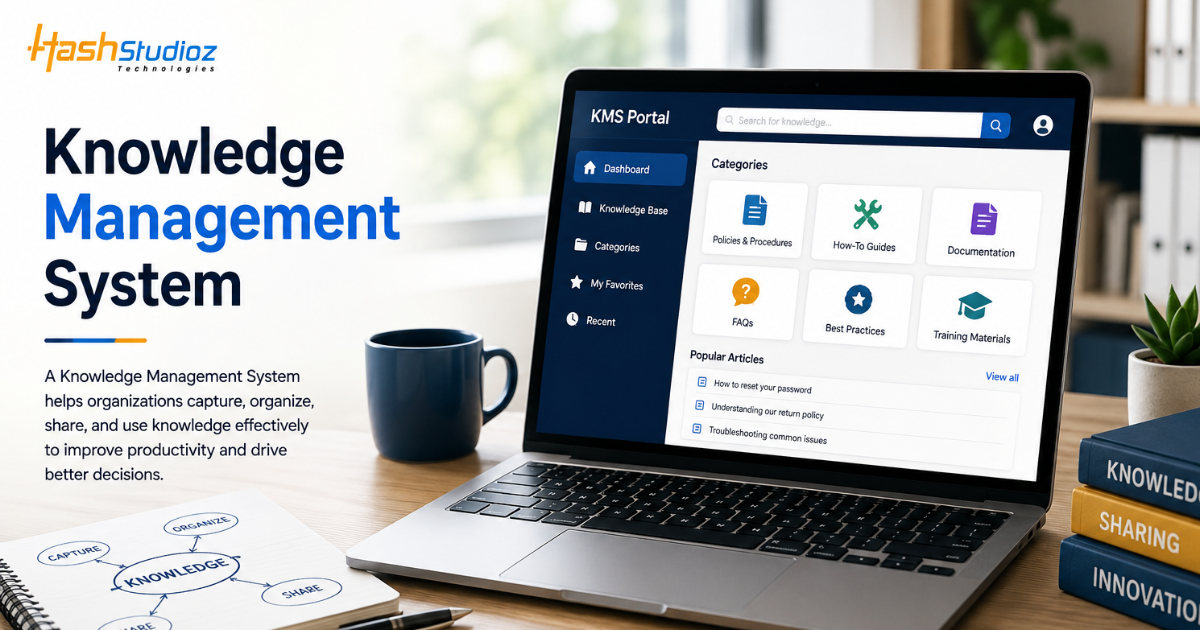
Businesses generate and use enormous amounts of information every day. Product details, internal processes, customer questions, technical documentation, training materials, and employee expertise all contribute to an organization’s knowledge.
The challenge is not simply creating this information. The bigger challenge is organizing, finding, sharing, and maintaining it effectively.
A Knowledge Management System (KMS) provides a structured environment for managing organizational knowledge. It can help employees find information faster, enable customers to solve common problems independently, and give support teams access to consistent and reliable resources.
Modern knowledge management is also evolving with artificial intelligence. AI-powered search, conversational interfaces, automated content recommendations, and tools such as Salesforce Knowledge and Agentforce can make organizational knowledge more accessible and useful.
This guide explains what a Knowledge Management System is, how it works, its benefits, common use cases, implementation process, and how Salesforce can support modern knowledge management.
Table of Contents
Knowledge Management System at a Glance
A Knowledge Management System is a technology platform used to capture, organize, store, manage, and distribute knowledge across an organization.
Instead of keeping information scattered across emails, documents, spreadsheets, applications, and individual employees’ expertise, a KMS provides a centralized way to make relevant knowledge easier to access.
A typical KMS can contain:
- Product documentation
- FAQs
- Troubleshooting guides
- Internal processes
- Training materials
- Customer support information
- Technical documentation
- Policies and procedures
- Sales resources
The goal is to ensure that the right people can access the right information when they need it.
Why Do Businesses Need a Knowledge Management System?
As organizations grow, their knowledge becomes increasingly difficult to manage. Different teams may maintain separate documents, employees may use different versions of information, and important expertise may remain locked inside individual employees’ experience.
A KMS can help address these challenges by creating a more structured knowledge environment.
1. Information Scattered Across Different Platforms
Businesses often store information across cloud drives, emails, CRM systems, documents, chat applications, and internal databases. Employees may have to search several systems before finding the information they need.
A centralized knowledge environment can make important information easier to locate and access.
2. Difficulty Finding Business Knowledge
Having information available does not necessarily mean employees can find it quickly.
A well-organized KMS can use categories, search functionality, tags, metadata, and other structures to improve information discoverability.
3. Repeated Questions and Manual Support
Support teams frequently answer the same questions repeatedly. A knowledge base can provide reusable answers for common problems and allow customers or employees to find solutions without contacting support for every issue.
4. Knowledge Loss When Employees Leave
Experienced employees often possess valuable knowledge that may not be documented.
Knowledge management helps organizations capture important processes, instructions, and expertise so that knowledge is not entirely dependent on individual employees.
5. Inconsistent Customer and Employee Information
When teams rely on different versions of documents or outdated resources, customers may receive inconsistent information.
A managed knowledge repository can provide a common source of approved information
How Does a Knowledge Management System Work?
A KMS generally follows a continuous knowledge lifecycle rather than simply acting as a document storage system.
1. Collecting Organizational Knowledge
The first step is identifying useful knowledge across the organization.
This may include information from customer service teams, sales representatives, subject-matter experts, technical teams, product managers, and existing documentation.
2. Organizing and Categorizing Information
Once knowledge is collected, it needs to be structured.
Organizations can categorize content according to products, departments, customer types, processes, regions, or other relevant classifications.
Good organization makes knowledge easier to navigate and maintain.
3. Making Knowledge Searchable
Search is one of the most important capabilities of a KMS.
Employees and customers should be able to find relevant information using keywords, filters, categories, or increasingly, natural-language questions.
Modern platforms can also use AI to understand the intent behind a question rather than relying only on exact keyword matches.
4. Sharing Knowledge With the Right Users
Not every piece of information should be available to everyone.
A KMS can use permissions and access controls to determine which users can view, edit, or manage specific knowledge.
For example, internal procedures may be restricted to employees while product FAQs can be made available to customers.
5. Reviewing and Updating Information
Knowledge changes over time.
Products are updated, policies change, and processes evolve. A knowledge management strategy should therefore include content ownership, review cycles, feedback mechanisms, and processes for updating outdated information
What Can You Store in a Knowledge Management System?
A KMS can support many different types of organizational information.
1. Product and Service Information
Organizations can maintain product specifications, service descriptions, setup instructions, feature documentation, and other relevant information.
2. Internal Processes and Documentation
Standard operating procedures, business processes, policies, and internal guidelines can be organized in one accessible environment.
3. FAQs and Troubleshooting Guides
Frequently asked questions and troubleshooting instructions can help both customers and employees resolve common issues.
4. Training and Onboarding Resources
New employees can use knowledge articles, guides, procedures, and training materials to become familiar with business processes.
5. Customer Support Knowledge
Support teams can access approved answers, troubleshooting instructions, product information, and service procedures while assisting customers
Key Capabilities of a Modern KMS
A modern Knowledge Management System goes beyond simply storing documents.
Knowledge Base Management
A structured knowledge base allows organizations to create, organize, edit, publish, and maintain articles and other resources.
Intelligent Search
Search functionality helps users find relevant information quickly. Modern systems can increasingly understand natural-language questions and user intent.
Content Creation and Editing
Knowledge contributors need tools for creating, reviewing, editing, and publishing content without unnecessary complexity.
Access and Permission Management
Organizations can control who can view, modify, approve, or publish different types of information.
Analytics and Reporting
Analytics can show which articles are being viewed, which searches are common, and where users may still be struggling to find information.
AI-Powered Knowledge Discovery
AI can help users find relevant information through conversational queries and contextual recommendations.
Instead of searching for an exact article title, users may ask a question in natural language and receive information based on available knowledge sources.
Integrations With Business Systems
For example, integrating knowledge with CRM and customer service platforms can allow support representatives to access relevant information while working on customer cases.
A KMS becomes more useful when it connects with the systems employees already use.
Salesforce Journey Builder Guide: How It Works, Features, and Use Cases
Benefits of a Knowledge Management System
Faster Access to Information
Employees do not need to rely entirely on colleagues or search through multiple disconnected sources to find routine information.
A centralized and searchable knowledge environment can reduce the time required to locate relevant answers.
Improved Employee Productivity
When employees can quickly access procedures, product information, and internal guidance, they can spend less time searching for information and more time completing their core responsibilities.
More Consistent Customer Support
Support representatives can use approved knowledge articles and standardized information when responding to customers.
This can help reduce inconsistencies between different support interactions.
Faster Employee Onboarding
New employees need to learn products, systems, policies, and processes.
A well-structured KMS gives new team members a central place to access essential information, reducing dependence on informal knowledge transfer.
Better Knowledge Sharing
A KMS allows organizations to capture and distribute knowledge across teams.
This can help make valuable expertise available beyond the employees who originally developed it.
Reduced Operational Dependency
When important knowledge is documented and accessible, organizations become less dependent on individual employees for routine information.
Improved Customer Self-Service
This can improve convenience while allowing support teams to focus on more complex issues.
Customer-facing knowledge bases can help customers find answers without opening a support case for every question.
Knowledge Management System Use Cases
Knowledge management can support different departments and business processes.
Customer Service and Support
Support teams can use knowledge articles to answer customer questions, troubleshoot problems, and resolve cases more efficiently.
A connected knowledge environment can also support customer self-service.
Employee Onboarding and Training
New employees can access company policies, process documentation, product information, and training resources from a centralized location.
IT and Technical Support
IT teams can maintain troubleshooting guides, technical procedures, system documentation, and solutions for common technical problems.
Sales Enablement
Sales representatives can access product information, pricing guidance, sales resources, FAQs, competitive information, and other materials needed during the sales process.
Product Knowledge Management
Product teams can maintain specifications, usage instructions, release information, documentation, and other product-related knowledge.
Internal Operations
Operations teams can document standard procedures, policies, workflows, and process instructions so employees can follow consistent processes.
AI and Knowledge Management Systems
Artificial intelligence is changing how employees and customers interact with organizational knowledge. Traditional knowledge systems often require users to search for an article and read through it. AI can create a more conversational experience.
AI-Powered Search and Answers
- Users can ask questions using natural language rather than searching for specific keywords.
- The system can identify relevant information and provide a contextual response based on available knowledge.
Generative AI for Knowledge Creation
- Generative AI can assist teams with drafting knowledge articles, summarizing information, creating FAQs, or transforming existing documentation into different formats.
- Human review remains important to ensure that published information is accurate and appropriate.
Conversational Knowledge Access
- Instead of navigating through categories and documents, users can interact with a conversational interface to find information.
- This can be particularly useful for customer service and employee support.
Automated Knowledge Recommendations
- AI can potentially identify relevant knowledge based on the user’s current activity.
- For example, a support representative working on a specific customer issue may receive recommendations for relevant knowledge articles.
Keeping AI-Generated Knowledge Reliable
- Organizations should establish processes for validating AI-generated content, controlling access to information, reviewing outdated content, and ensuring that responses are based on reliable sources.
- AI should not become a substitute for knowledge governance.
Knowledge Management System vs Traditional Knowledge Base
A knowledge base is generally a collection of organized information designed to answer questions or provide guidance.
A Knowledge Management System is broader. It can include the processes, technology, governance, workflows, analytics, permissions, and integrations used to manage organizational knowledge.
In simple terms:
Knowledge base = the information
KMS = the broader system for managing and using that information
A KMS may contain one or more knowledge bases as part of its overall architecture.
Knowledge Management System vs Content Management System
A Content Management System (CMS) is primarily designed to create, manage, and publish digital content.
A KMS focuses more specifically on capturing, organizing, sharing, and using organizational knowledge.
For example:
- Area KMS CMS
- Primary purpose Knowledge sharing and access Content creation and publishing
- Main users Employees, support teams, customers Content teams and website users
- Common content FAQs, procedures, documentation Web pages, articles, media
- Search Knowledge-focused Content-focused
- Collaboration Knowledge sharing Content production
- AI assistance Knowledge discovery and answers Content creation and management
There can be overlap between the two, and some modern platforms provide capabilities associated with both.
How to Implement a Knowledge Management System?
Implementing a KMS requires more than selecting software. Organizations should first understand what knowledge they need to manage and how employees or customers will use it.
1. Identify Knowledge Management Goals
Start by defining what the organization wants to improve.
Possible objectives include reducing support volume, improving employee productivity, speeding up onboarding, or creating better customer self-service.
2. Audit Existing Information
Review existing documents, knowledge bases, FAQs, support resources, internal guides, and other information sources.
Identify duplicate, outdated, missing, and inconsistent content.
3. Define Knowledge Categories
Create a logical structure for organizing content.
Categories should reflect how users actually search for and consume information.
4. Select the Right KMS Platform
- Evaluate platforms based on:
- Search capabilities
- Knowledge base functionality
- AI capabilities
- Integrations
- Access controls
- Analytics
- Scalability
- Ease of administration
5. Migrate and Organize Existing Content
Existing information can then be cleaned, consolidated, categorized, and migrated into the new environment.
This is also an opportunity to remove outdated or duplicate content.
6. Establish Access and Governance Rules
Define who can create, review, approve, publish, edit, and access different types of knowledge.
Clear ownership helps prevent knowledge from becoming outdated.
7. Train Employees and Encourage Adoption
Employees need to understand how and when to use the system.
Organizations should also encourage teams to contribute useful knowledge and provide feedback on existing content.
8. Measure and Improve Performance
Monitor search activity, article usage, feedback, support outcomes, and other relevant metrics.
Use these insights to identify gaps and continuously improve the knowledge environment.
How to Keep a Knowledge Management System Effective?
Launching a KMS is only the beginning. Its value depends heavily on how well the knowledge is maintained.
1. Establish Content Ownership
Assign responsible individuals or teams to manage specific knowledge areas.
2. Review Outdated Information
Set review schedules to ensure that important information remains accurate.
3. Monitor Search and Usage Data
Look for frequently searched topics that produce poor results. These can indicate missing or difficult-to-find content.
4. Collect User Feedback
Allow employees and customers to indicate whether an article was useful or whether additional information is needed.
5. Maintain Consistent Content Standards
Use consistent terminology, formatting, writing standards, and approval processes across knowledge articles.
How can Salesforce Support Knowledge Management?
Salesforce provides knowledge management capabilities through Salesforce Knowledge, which can be used to create and manage knowledge content within customer and service workflows.
This can be particularly useful when knowledge needs to be connected to customer interactions rather than maintained as an isolated repository.
1. Salesforce Knowledge for Centralized Information
Organizations can create structured knowledge articles covering products, services, troubleshooting instructions, FAQs, and other business information.
2. Knowledge for Customer Service Teams
Service representatives can access relevant knowledge while handling customer interactions and cases.
This can help agents find approved information without leaving their service workflow.
3. Connecting Knowledge With CRM Data
Connecting knowledge with CRM processes can provide greater context around customer interactions.
For example, a service representative may use customer and case information alongside relevant knowledge resources to provide more informed assistance.
4. AI-Powered Knowledge Experiences With Agentforce
Agentforce extends the possibilities of AI-powered customer and employee interactions within the Salesforce ecosystem.
AI agents can use available business context and authorized knowledge to assist with questions and support defined workflows.
The effectiveness of these experiences depends on the quality of the underlying knowledge, data, configuration, permissions, and governance.
Is a Knowledge Management System Right for Your Business?
A KMS can be particularly valuable when an organization:
- Has large amounts of business knowledge
- Operates across multiple teams or locations
- Handles high volumes of customer questions
- Has lengthy employee onboarding processes
- Relies heavily on subject-matter experts
- Maintains complex products or services
- Needs better customer self-service
- Wants to improve internal information discovery
Smaller organizations with limited information requirements may not need a complex enterprise KMS. A simple, well-maintained knowledge base may be sufficient.
The right approach depends on the organization’s size, processes, knowledge volume, users, technology environment, and long-term goals.
How HashStudioz Can Help With Salesforce Knowledge Management?
Implementing Salesforce-based knowledge management requires more than creating a collection of articles. Businesses need to consider their CRM architecture, existing information sources, user roles, workflows, integrations, AI requirements, and governance model.
For organizations already using Salesforce Services, connecting knowledge management with CRM and service processes can create a more unified experience for both employees and customers.
Conclusion
A Knowledge Management System provides businesses with a structured way to capture, organize, share, and maintain organizational knowledge.
Its value goes beyond storing documents. A well-designed KMS can help employees find information faster, improve customer self-service, support consistent service experiences, accelerate onboarding, and preserve valuable organizational expertise.
The rise of AI is making knowledge management even more interactive. Instead of simply searching through articles, users can increasingly ask questions conversationally and receive relevant information based on available business knowledge.
FAQs
1. What is a Knowledge Management System used for?
A Knowledge Management System is used to capture, organize, store, share, and access organizational knowledge. Common applications include customer support, employee training, internal documentation, sales enablement, and customer self-service.
2. What are the main benefits of a KMS?
A KMS can improve information accessibility, employee productivity, customer self-service, knowledge sharing, onboarding, and support consistency while reducing dependence on individual employees for routine information.
3. What information can be stored in a KMS?
A KMS can contain FAQs, product documentation, troubleshooting guides, internal procedures, policies, training resources, technical documentation, and customer support information.
4. How does AI improve knowledge management?
AI can make knowledge easier to discover through natural-language search, conversational answers, content recommendations, summarization, and assistance with knowledge creation. Organizations should still use appropriate review and governance processes for AI-generated content.
5. What is the difference between a knowledge base and a KMS?
A knowledge base is primarily a collection of organized information, while a Knowledge Management System encompasses the broader technology, processes, governance, access controls, workflows, and analytics used to manage and distribute organizational knowledge.