


Choosing a customer support platform is no longer just about managing tickets. Modern support teams need to manage conversations across channels, automate repetitive work, connect customer data, use AI effectively, and provide personalized experiences.
Zendesk remains a well-known customer service platform however, it may not be the right fit for every organization. Businesses may explore alternatives because of changing support requirements, integration needs, pricing considerations, AI expectations, or the need for a more connected CRM ecosystem.
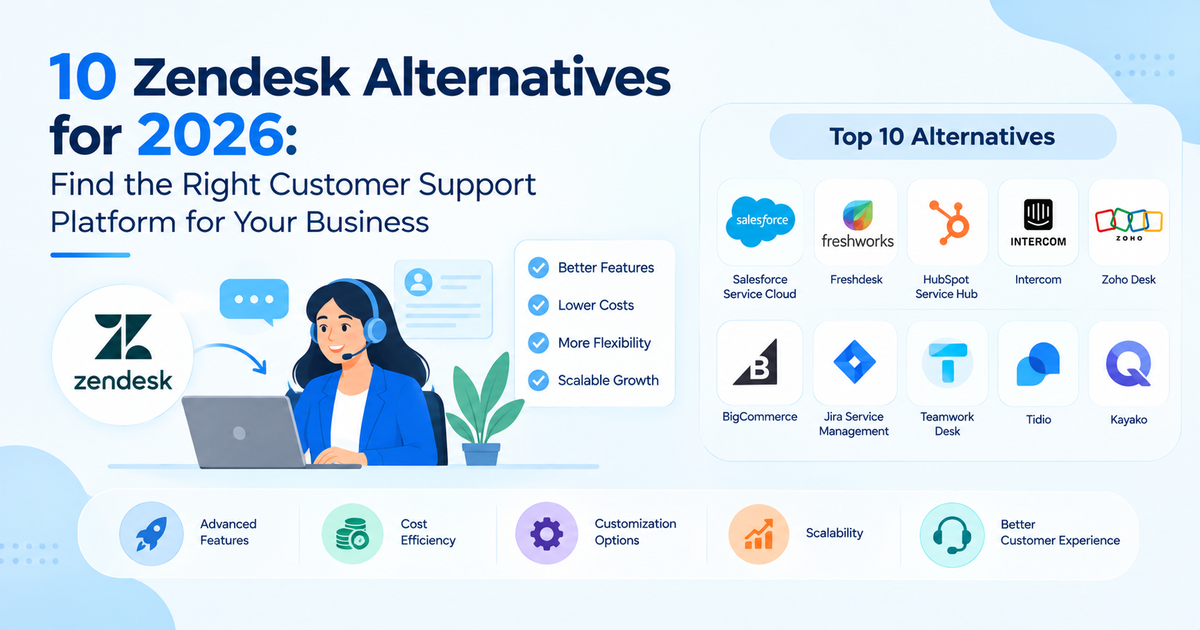
This guide compares 10 Zendesk alternatives for 2026, beginning with Salesforce Service Cloud, and explains where each platform fits best. Rather than identifying one universal winner, the goal is not to identify one universal winner but to help businesses choose a customer support solution based on their specific requirements.
Table of Contents
Why Are Businesses Looking for Zendesk Alternatives?
Zendesk can provide a strong foundation for customer support, but businesses may eventually need capabilities that go beyond traditional helpdesk functionality.
Common reasons for evaluating alternatives include:
- Increasing software and operational costs
- Need for deeper CRM integration
- More advanced AI and automation requirements
- Growing omnichannel support needs
- Complex customer service workflows
- Integration with ERP, commerce, sales, and marketing systems
- Greater customization requirements
- More advanced reporting and analytics
- Need to create personalized customer experiences
- Expanding support operations across regions or business units
For example, a company that already uses Salesforce for sales and customer data may prefer a customer service platform that works within the same broader ecosystem.
Similarly, an e-commerce company may prioritize order-related support integrations, while an IT organization may need incident and service management capabilities.
The right Zendesk alternative therefore depends on what your support operation needs to accomplish, not simply which platform has the longest feature list.
What to Consider When Choosing a Zendesk Alternative?
Before comparing individual platforms, businesses should establish the criteria that matter most to their support operations.
1. Customer Support and Ticket Management
A customer support platform should make it easy to receive, organize, prioritize, assign, and resolve customer requests.
Important capabilities can include ticket or case management, automated routing, service-level agreements, escalation workflows, queue management, and support history.
For larger teams, look beyond basic ticketing. Consider whether the platform can support complex workflows, multiple support teams, different customer segments, and regional operations.
2. AI and Automation
AI is becoming an increasingly important part of customer service.
When evaluating alternatives, consider whether the platform provides:
- AI agents
- Automated responses
- Agent assistance
- Knowledge-based recommendations
- Conversation summaries
- Workflow automation
- Intelligent routing
- Customer self-service
However, AI capabilities should be evaluated based on practical business use cases rather than marketing claims. The quality of the underlying data, knowledge base, workflows, and governance can significantly affect the value AI provides.
3. Omnichannel Capabilities
Customers may contact businesses through email, chat, phone, messaging, social channels, websites, or other digital touchpoints.
An effective omnichannel platform should help support teams maintain context as customers move between channels.
Businesses should evaluate whether the platform supports the channels their customers actually use and whether conversations can be connected to a unified customer record.
4. CRM and Business System Integration
Customer service rarely operates independently.
Support teams may need information from:
- CRM systems
- ERP platforms
- E-commerce systems
- Marketing platforms
- Payment systems
- Inventory systems
- Shipping platforms
- Internal databases
Strong integrations can give service representatives better customer context and reduce the need to switch between disconnected applications.
5. Customization and Scalability
Every business has different support processes.
Look at whether the platform supports custom fields, workflows, APIs, integrations, permissions, automation, reporting, and other configuration requirements.
Scalability also matters. A platform that works for 20 support agents may need to support hundreds or thousands of users as the organization grows.
6. Pricing and Total Cost of Ownership
Subscription pricing is only one part of the overall investment.
Businesses should also consider:
- User licenses
- AI or automation add-ons
- Implementation
- Customization
- Integration
- Data migration
- Training
- Maintenance
- Ongoing support
A platform with a lower subscription price may not necessarily be less expensive if it requires significant customization or additional tools to meet business requirements.
10 Zendesk Alternatives at a Glance
| Platform | Best For | Key Strength | AI | CRM/Integration |
| Salesforce Service Cloud | Enterprise customer service | CRM + Service + AI ecosystem | Advanced | Strong |
| Freshdesk | Growing support teams | Ease of use | Yes | Strong |
| HubSpot Service Hub | CRM-connected support | Unified CRM | Yes | Strong |
| Intercom | Conversational support | AI + messaging | Strong | Good |
| Zoho Desk | Cost-conscious businesses | Affordability and flexibility | Yes | Strong |
| Help Scout | Small support teams | Simplicity | Yes | Good |
| Gorgias | E-commerce businesses | E-commerce support | Yes | Good |
| Jira Service Management | IT and technical teams | ITSM | Yes | Strong |
| Front | Collaborative support | Shared inboxes and workflows | Yes | Good |
| Kayako | Customer-centric support | Omnichannel support | Yes | Good |
Features, plans, and pricing can change, so businesses should verify current offerings before making a purchasing decision.
10 Best Zendesk Alternatives for 2026
1. Salesforce Service Cloud – Best for Enterprise Customer Service
Salesforce Service Cloud is a strong Zendesk alternative for businesses that want customer service to operate as part of a broader CRM ecosystem.
Rather than treating support as an isolated helpdesk function, Salesforce can connect customer service with sales, customer data, automation, analytics, commerce, and AI capabilities.
Why is the Salesforce Service Cloud a Zendesk Alternative?
Salesforce can be particularly attractive to organizations that already have Salesforce investments or require highly connected customer operations.
For example, a service representative can work with customer information that is connected to account, sales, service, and other relevant business processes instead of relying on separate systems.
Key Salesforce Service Cloud Capabilities:
Important capabilities can include:
- Case management
- Omnichannel service
- Customer information management
- Service automation
- Knowledge management
- Reporting and analytics
- AI-powered service capabilities
- Customer self-service
- Workflow automation
- Integration with Salesforce applications
- Third-party integrations
Salesforce can also support AI-powered customer service through the broader Agentforce ecosystem, allowing organizations to explore AI agents and automated service experiences.
What to Consider Before Choosing Salesforce Service Cloud?
Salesforce can require more planning and implementation effort than simpler support platforms.
Businesses should consider:
- Implementation complexity
- Configuration requirements
- Licensing and product costs
- Data migration
- Integration requirements
- Need for Salesforce expertise
- User training and adoption
2. Freshdesk – Best for Growing Customer Support Teams
Freshdesk is a popular customer support platform designed to help teams manage tickets, customer conversations, automation, knowledge bases, and support operations.
Its focus on usability makes it appealing to growing support teams that want to implement a customer service platform without building an extremely complex environment.
Key Capabilities:
Freshdesk can provide capabilities around:
- Ticket management
- Automation
- Knowledge management
- Omnichannel support
- Reporting
- Customer self-service
- AI-assisted support
- Integrations
Best For:
Freshdesk may be suitable for growing companies that want a relatively straightforward customer support environment with automation and omnichannel capabilities.
Considerations:
Organizations with highly complex enterprise processes or extensive CRM requirements should evaluate whether Freshdesk’s capabilities and integrations align with their long-term architecture.
3. HubSpot Service Hub – Best for CRM-Connected Support
HubSpot Service Hub is designed to connect customer service with the broader HubSpot CRM platform.
This makes it particularly relevant for businesses already using HubSpot for marketing, sales, and customer relationship management.
Key Capabilities:
Businesses can use Service Hub for areas such as:
- Ticket management
- Customer conversations
- Knowledge bases
- Customer feedback
- Service automation
- Reporting
- Customer portals
- AI-assisted customer service
Best For:
HubSpot Service Hub can be a good option for businesses that want sales, marketing, and service information connected within one CRM ecosystem.
Considerations:
Companies with highly specialized enterprise service workflows should compare HubSpot’s capabilities against their specific customization, integration, and scalability requirements.
4. Intercom – Best for Conversational Customer Support
Intercom takes a conversation-focused approach to customer service.
The platform combines messaging, customer engagement, automation, and AI-powered support capabilities.
Key Capabilities:
Intercom is particularly known for:
- Customer messaging
- Live chat
- AI-powered support
- Automated conversations
- Customer engagement
- Help center functionality
- Support workflows
- Customer insights
Best For:
Intercom can be a strong option for SaaS businesses, digital companies, and organizations that prioritize conversational customer engagement.
Considerations:
Businesses requiring extensive enterprise CRM architecture should evaluate how Intercom fits into their broader technology environment.
5. Zoho Desk – Best for Cost-Conscious Businesses
Zoho Desk is a customer support platform within the broader Zoho ecosystem.
It can be attractive to organizations looking for support functionality alongside other business applications.
Key Capabilities:
Zoho Desk supports areas such as:
- Ticket management
- Automation
- Knowledge bases
- Analytics
- AI assistance
- Customer portals
- Omnichannel support
- Zoho integrations
Best For:
Zoho Desk can work well for businesses looking for a flexible customer support platform while maintaining a broader Zoho technology stack.
Considerations:
Companies with highly specialized enterprise requirements should evaluate customization, integrations, governance, and scalability before choosing the platform.
6. Help Scout – Best for Simple Customer Support
Help Scout focuses on creating straightforward customer support experiences.
Its approach can appeal to smaller teams that want customer communication and support management without excessive operational complexity.
Key Capabilities:
Help Scout includes capabilities around:
- Shared inboxes
- Knowledge bases
- Customer communication
- Automation
- Reporting
- Customer management
- AI-assisted support
Best For:
Help Scout can be a good fit for small and growing support teams that prioritize simplicity and ease of use.
Considerations:
Larger organizations with complex service operations should assess whether the platform can support their advanced workflows, integrations, and enterprise requirements.
7. Gorgias – Best for E-Commerce Customer Service
Gorgias is focused heavily on e-commerce customer service.
Its approach is particularly relevant for online retailers that need customer support teams to work with order and shopping information.
Key Capabilities:
Gorgias supports areas such as:
- Customer conversations
- E-commerce integrations
- Order-related support
- Automation
- Helpdesk functionality
- AI-powered assistance
- Customer service analytics
Best For:
Gorgias can be a strong option for e-commerce businesses where customer support is closely connected to orders, products, shipping, and customer accounts.
Considerations:
Businesses operating complex enterprise-wide service environments should determine whether Gorgias provides the required CRM, customization, integration, and scalability capabilities.
8. Jira Service Management – Best for IT and Technical Support
Jira Service Management is designed primarily around IT service management and technical service workflows.
It can be especially useful for organizations that already use Atlassian tools for development and project management.
Key Capabilities:
The platform supports areas such as:
- Incident management
- Service requests
- Change management
- IT workflows
- Knowledge management
- Automation
- Asset management
- Developer collaboration
Best For:
Jira Service Management can be a strong choice for IT teams, internal service desks, and technical support organizations.
Considerations:
Businesses primarily looking for consumer-focused customer service may find that its ITSM orientation is different from traditional customer support platforms.
9. Front – Best for Collaborative Customer Support
Front focuses on collaborative customer communication through shared inboxes and workflow management.
It can help teams manage customer messages while keeping internal collaboration connected to the conversation.
Key Capabilities
Front supports:
- Shared inboxes
- Email management
- Customer communication
- Team collaboration
- Workflow automation
- Integrations
- Reporting
Best For:
Front can be useful for businesses where several team members need to collaborate around customer conversations.
Considerations:
Organizations looking for a highly structured enterprise CRM and service architecture should evaluate whether Front provides the depth required for their workflows.
10. Kayako – Best for Omnichannel Customer Service
Kayako is focused on helping businesses manage customer conversations and support interactions across channels.
Its customer-centric approach makes it relevant for organizations that want to maintain context around customer interactions.
Key Capabilities:
Kayako can support:
- Customer conversations
- Ticketing
- Omnichannel support
- Automation
- Customer history
- Knowledge management
- Self-service
Best For:
Kayako can be considered by businesses looking for a customer-focused support experience with omnichannel capabilities.
Considerations:
Organizations should evaluate its current integrations, AI capabilities, scalability, and feature requirements against their specific needs before migrating from an established platform.
What Is Agentforce Sales (Salesforce Sales Cloud)? Features, Benefits, Pricing & Use Cases
Best Zendesk Alternatives by Business Need
There is no universal best Zendesk alternative. Different platforms are better suited to different business models and support requirements.
Enterprise Businesses
- Salesforce Service Cloud can be a strong option for enterprises that need customer service connected with CRM, sales, customer data, AI, automation, and other business processes.
Small Businesses
- Platforms such as Help Scout, Freshdesk, or Zoho Desk may be worth considering when ease of deployment, straightforward support workflows, and manageable operational complexity are priorities.
E-Commerce Businesses
- Gorgias can be particularly relevant for e-commerce businesses because customer service frequently needs access to order, product, and shopping information.
AI-Powered Customer Service
Businesses evaluating AI should compare platforms based on their specific requirements for:
- AI agents
- Automated resolution
- Agent assistance
- Knowledge retrieval
- Conversation summaries
- Workflow automation
- Salesforce is particularly worth considering for organizations that want to connect AI-powered service with a broader CRM and customer data ecosystem.
Omnichannel Support
- Businesses that receive customer interactions through multiple channels should compare the depth of email, chat, voice, messaging, social, and self-service capabilities offered by each platform.
Businesses Already Using Salesforce
- For organizations already invested in Salesforce, Salesforce Service Cloud can be a natural alternative because customer service can be connected with existing CRM data, sales processes, automation, analytics, and other Salesforce capabilities.
Zendesk vs Alternatives: Key Differences
The biggest differences between customer support platforms often appear in their broader ecosystem rather than their basic ticketing functionality.
CRM and Customer Data
Some platforms primarily focus on customer support, while others connect support with a broader CRM.
Salesforce, for example, can connect service operations with sales, accounts, contacts, customer data, commerce, and other business processes.
AI and Automation
Most modern platforms now provide some form of AI or automation. However, capabilities differ significantly.
Businesses should evaluate whether AI can simply suggest responses or whether it can also perform authorized actions, support workflows, retrieve knowledge, and assist with customer journeys.
Omnichannel Support
Different platforms support different combinations of channels and workflows.
Businesses should evaluate the channels their customers actually use rather than selecting a platform simply because it advertises “omnichannel” functionality.
Customization
A smaller platform may be easier to configure, while an enterprise platform may provide deeper customization.
The right balance depends on whether your business needs simple workflows or highly specialized service processes.
Integrations
Integration requirements can become more important as a business grows.
Consider whether the platform can connect with your CRM, ERP, commerce platform, marketing tools, payment systems, data platforms, and other critical applications.
Scalability
A platform should be evaluated based on where the business is going, not just where it is today.
Consider future requirements around users, channels, markets, customer volume, integrations, automation, and data.
Pricing and Total Cost
Compare the entire cost of operating the platform, including licensing, implementation, integrations, customization, training, and maintenance.
How to Choose the Right Zendesk Alternative?
Choosing a customer support platform should be a structured business decision.
1. Define Your Customer Service Requirements
Document your current support process and identify what is working and what is creating friction.
Consider ticket volumes, customer segments, support teams, channels, SLAs, escalation processes, and reporting requirements.
2. Identify Your Required Channels
Determine whether your customers primarily use email, chat, phone, messaging, social channels, or self-service.
Prioritize the channels that actually influence your customer experience.
3. Evaluate AI and Automation Needs
Identify repetitive processes that could benefit from automation or AI.
For example, you may want to automate ticket classification, provide AI-powered responses, summarize conversations, or introduce AI agents for common customer requests.
4. Check CRM and Business Integrations
Review your existing technology stack and determine which systems need to exchange information with your support platform.
This can prevent the creation of another disconnected system.
5. Compare Pricing and Total Cost of Ownership
Look beyond the advertised subscription price.
Calculate potential costs for implementation, integrations, customization, migration, training, and ongoing support.
6. Consider Scalability
Ask whether the platform can support your expected growth in customers, agents, channels, regions, and business processes.
7. Test the Platform Before Migration
Whenever possible, use demos, trials, or proof-of-concept implementations.
Test actual workflows rather than simply reviewing feature lists.
Conclusion
The right Zendesk alternative depends on what your business needs from customer service today and where you expect those requirements to go in the future.
Salesforce Service Cloud stands out for organizations looking for a broader customer service ecosystem that connects CRM, sales, customer data, automation, AI, and service operations. Freshdesk and Help Scout may appeal to teams prioritizing simplicity, while HubSpot Service Hub is relevant for businesses already invested in the HubSpot ecosystem. Intercom focuses strongly on conversational support, Gorgias is particularly relevant to e-commerce, and Jira Service Management is designed around IT and technical service workflows.
Before switching, evaluate your existing Zendesk environment, identify the problems you are trying to solve, compare total costs, and test the alternatives against real customer service workflows.
For businesses considering Salesforce as their Zendesk alternative, the next step is to evaluate how Service Cloud can fit into the existing CRM, customer data, integration, and AI architecture rather than treating the migration as a simple helpdesk replacement.
FAQs
1. What is the best Zendesk alternative in 2026?
There is no single best option for every business. Salesforce Service Cloud can be a strong choice for enterprises and organizations that need customer service connected with CRM, customer data, AI, and broader business processes. Other platforms may be better suited to smaller teams, e-commerce businesses, IT service operations, or conversational support.
2. What is the best free Zendesk alternative?
The best option depends on the number of users and features required. Businesses should compare free plans based on ticket limits, automation, reporting, integrations, AI capabilities, and the restrictions that may apply as the team grows.
3. Which Zendesk alternative is best for small businesses?
Small businesses may want to consider platforms such as Freshdesk, Help Scout, or Zoho Desk depending on their budget, support volume, required integrations, and desired level of customization.
4. Which Zendesk alternative has the best AI capabilities?
Several customer service platforms now offer AI capabilities, but “best” depends on the use case. Businesses should compare AI agents, automation, knowledge retrieval, agent assistance, customer self-service, data access, and human handoff capabilities rather than looking at AI as a single feature.
5. Is Salesforce Service Cloud better than Zendesk?
It depends on the business. Salesforce Service Cloud may be better for organizations that want customer service connected with Salesforce CRM, sales, customer data, AI, automation, and other enterprise systems. Zendesk may remain a strong option for businesses primarily looking for a dedicated customer support platform.