


Every Salesforce admin eventually hits the same wall: a red storage bar in Setup and a renewal quote that keeps climbing. Gartner estimates that enterprise data volumes grow at roughly 63% annually, and CRM platforms like Salesforce absorb a large share of that growth through activity logs, attachments, and historical records that nobody deletes but almost nobody uses either.
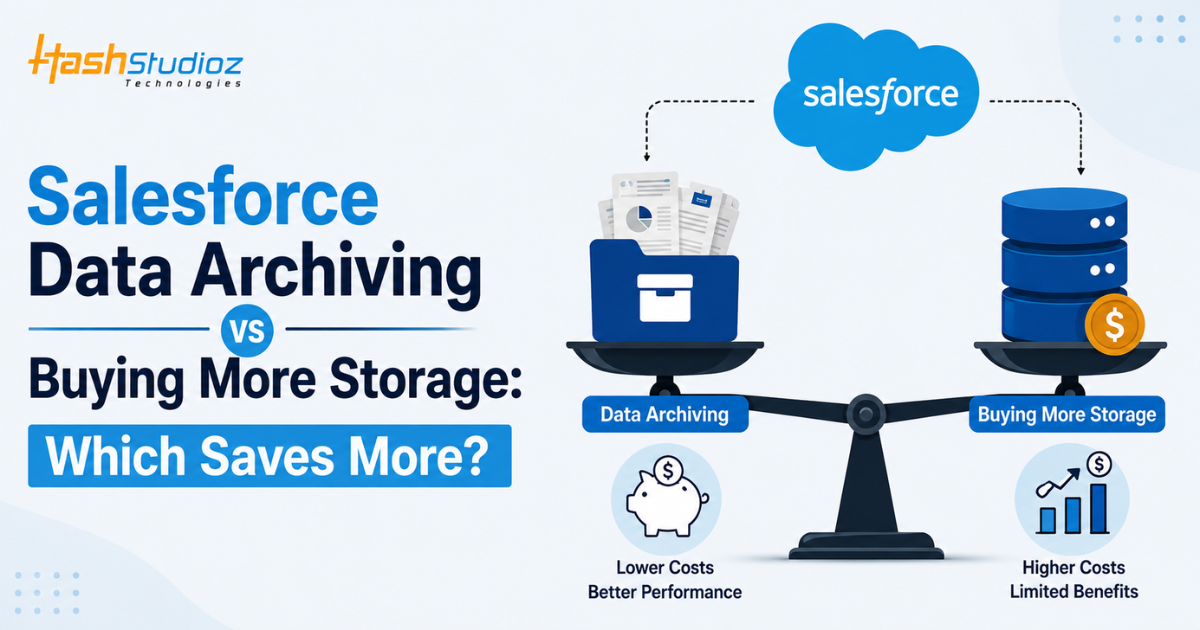
The instinctive fix is to buy more storage. It is one click in the Salesforce order form. But it is rarely the cheapest or smartest fix. This article breaks down the real cost, performance, and compliance differences between Salesforce data archiving and simply purchasing additional storage, so you can make the call with actual numbers instead of guesswork.
Table of Contents
Why Salesforce Storage Costs Keep Increasing
Storage consumption in Salesforce rarely comes from the records your sales and service teams look at daily. It comes from the exhaust of doing business on the platform.
The usual culprits behind rising storage bills include:
- Task and event history that piles up from years of activity logging
- Old attachments and files sitting on closed cases and opportunities
- Chatter files and feeds that are rarely revisited after the first few weeks
- Integration-created records from middleware, marketing platforms, and custom objects that write data but never clean it up
Salesforce counts file storage and data storage separately, and both climb every quarter without any change in headcount or deal volume, which is why the bill keeps growing even when the sales team stays the same size.
Understanding Salesforce Data Storage Limits
Salesforce allocates storage based on edition and license count, typically starting around 10 GB of data storage per org plus a per-user allocation, with file storage tracked separately. Once an org crosses that threshold, Salesforce either blocks certain actions or bills for additional blocks of storage, usually sold in increments that get more expensive as usage scales.
The nuance most teams miss: hitting the limit does not just cost money. It can silently break integrations, delay batch jobs, and cause failed data loads during month-end reporting, exactly when reliability matters most.
What Is Salesforce Data Archiving?
Data archiving moves records that are no longer actively used out of live Salesforce objects and into a lower-cost, queryable storage layer, without deleting them. Archived records stay searchable and reportable through the archiving tool’s interface, and in most modern archiving solutions, they can be restored to Salesforce if a specific record is needed again.
This differs from a backup. A backup protects against data loss and is meant for disaster recovery, not day-to-day storage relief. Archiving is an active storage management strategy: it deliberately separates “needed now” data from “needed occasionally” data. HashStudioz frequently sets up Salesforce data archival workflows for clients specifically to solve this distinction, since teams often try to use backups as archives and end up paying twice.
What Does Buying More Salesforce Storage Mean?
Buying more storage is exactly what it sounds like: purchasing additional data or file storage blocks directly from Salesforce, billed on top of the existing license cost. It requires no architectural change, no new tooling, and no migration project. An admin raises a request, procurement approves the add-on, and the org gets more headroom, usually within a billing cycle.
The appeal is speed. The tradeoff is that the underlying problem, unmanaged data growth, is never addressed. The org simply has more room to keep accumulating the same unused records.
Salesforce Data Archiving vs Buying More Storage: A Side-by-Side Comparison
Both approaches solve the same immediate symptom, a full storage bar, but they differ sharply once you look at cost trajectory, performance, and compliance. The breakdown below compares them across the factors that actually matter for a growing Salesforce org.
| Factor | Buying More Storage | Salesforce Data Archiving |
| Cost Trend | Scales linearly with data volume, no ceiling | Largely fixed after setup, cold storage priced lower |
| Performance Impact | No improvement; bloated objects stay slow | Shrinks working data set, speeds up queries and reports |
| Compliance & Retention | Keeps everything live indefinitely, retention gaps | Built-in retention rules and audit trails |
| Reporting & Accessibility | Stays in native reports but slows as object grows | Reportable via archive platform, may need a restore step |
| Scalability | Cost rises directly with data growth | Cold tiers cost a fraction of native Salesforce storage |
| Implementation Effort | Purchase order only, no technical work | Setup project and object mapping, but a one-time effort |
A few of these factors are worth unpacking further, since they are where the real savings (or hidden costs) actually show up.
Cost. Storage add-ons are priced per block and scale with usage, so the cost curve is linear or worse. Archiving carries an upfront implementation and license cost, but that cost is largely fixed once the workflow is in place.
Performance. A bloated object with millions of rows still slows SOQL queries, list views, and report generation regardless of how much storage headroom exists. Archiving is the only lever of the two that actually shrinks the working data set.
Compliance. Buying storage keeps everything live indefinitely, which can conflict with retention requirements under regulations like GDPR. Archiving tools typically include retention rules and audit trails that make retention decisions defensible.
Hidden Costs of Continuously Purchasing More Storage
The sticker price of a storage add-on is only part of the bill. A few costs stay hidden until they show up somewhere else on the budget:
- API performance takes a hit as bloated objects increase response times, which can trigger governor limit issues in integrations built years earlier
- Sandbox refresh times slow down since sandboxes inherit full production data volumes
- Backup and disaster recovery costs rise alongside storage, since most backup tools price by data volume copied
- Admin time goes up as teams spend more hours troubleshooting slow reports and failed batch jobs instead of doing higher-value work
One unmanaged object can quietly inflate three separate line items on the IT budget at once.
Business Benefits of Salesforce Data Archiving
Archiving delivers benefits beyond a smaller storage bill:
- Faster reports and dashboards, since the platform queries a leaner data set
- Quicker sandbox refreshes, because less data needs to be copied for each environment
- A defensible, auditable retention process, instead of an ever-growing pile of records with no clear ownership
- Lower long-term storage spend, since cold data sits in cheaper tiers than premium Salesforce storage
For enterprises managing multi-year customer histories, a structured archival layer like the one HashStudioz builds through its Salesforce data archival solution turns a storage liability into an organized, retrievable historical record.
When Buying Additional Storage Makes Sense
Storage add-ons are the right call for smaller orgs, temporary spikes in data volume from a one-time migration, or teams months away from a planned archiving project who just need to avoid hitting a hard limit. If the data growth is modest and predictable, the operational simplicity of a quick purchase can outweigh the cost of a full archiving implementation.
When Salesforce Data Archiving Is the Better Choice
Archiving becomes the stronger option once an org has years of historical data, multiple objects growing at scale, compliance requirements around data retention, or a pattern of buying storage every renewal cycle without addressing the root cause. If storage costs have become a recurring budget line item rather than a one-time expense, that is usually the clearest signal that archiving will yield greater savings over a two- to three-year horizon.
How to Choose the Right Strategy for Your Business
Start by auditing which objects consume the most storage and how often that data is actually accessed. Records touched daily belong in live Salesforce. Records referenced quarterly or less belong in an archive. Map the projected storage cost over the next 24 months under a “keep buying storage” scenario against the cost of an archiving implementation plus its lower ongoing storage fees. In most mid-size and enterprise orgs, archiving crosses over as the cheaper option within 12 to 18 months.
Best Practices for Salesforce Data Management
Effective long-term storage management usually combines a few consistent habits: setting retention policies per object rather than applying one blanket rule, archiving on a schedule instead of reacting only when limits are hit, and reviewing integration-created records regularly since third-party tools are a common source of silent data growth. Regular governor limit and query performance monitoring also helps catch bloated objects before they become a compliance or performance problem.
How HashStudioz Helps Businesses Optimize Salesforce Data Management
HashStudioz works with growing Salesforce orgs to design retention and archiving strategies that match actual business usage patterns rather than generic templates. That includes auditing storage consumption by object, building automated archiving rules, and setting up ongoing data governance so the same problem does not resurface at the next renewal. Full details on the engagement model are available through HashStudioz’s Salesforce data management services, which cover everything from initial audits to long-term governance support.
Conclusion
Buying more Salesforce storage is fast, but it treats a symptom, not the cause, and the cost keeps compounding every renewal. Data archiving takes more upfront effort but addresses the actual problem: too much inactive data sitting in premium storage. For any org that has bought storage more than once, archiving is very likely the better long-term financial decision. Talk to the HashStudioz team to get a clear picture of what your org’s storage growth actually costs, and whether archiving would save you money starting this year.
Frequently Asked Questions (FAQs)
1. What is the difference between Salesforce data archiving and data backup?
A backup is a full copy of org data kept for disaster recovery, meant to be restored only if something is lost or corrupted. Archiving actively removes inactive records from live objects to reduce storage and improve performance, while keeping those records searchable and retrievable when needed.
2. Does data archiving improve Salesforce performance?
Yes. Smaller objects mean faster SOQL queries, quicker report generation, and reduced load on list views and dashboards. Performance gains are usually most noticeable in orgs with several years of accumulated historical data.
3. Is buying additional Salesforce storage expensive in the long run?
Generally, yes. Storage add-ons are priced per block with no ceiling, so costs rise every renewal cycle as data keeps accumulating. Over two to three years, that recurring cost typically exceeds the cost of a one-time archiving implementation.
4. Can archived Salesforce records still be accessed when needed?
Yes. Most archiving solutions keep records searchable and reportable through a secondary interface, and many allow individual records to be restored into Salesforce when a specific need arises.
5. How do I know whether my organization needs data archiving or more storage?
If storage purchases have become a recurring line item, or if reports and queries are slowing down as data volume grows, archiving is likely the better fit. Smaller orgs with modest, predictable growth may be fine with an occasional storage add-on for now.