


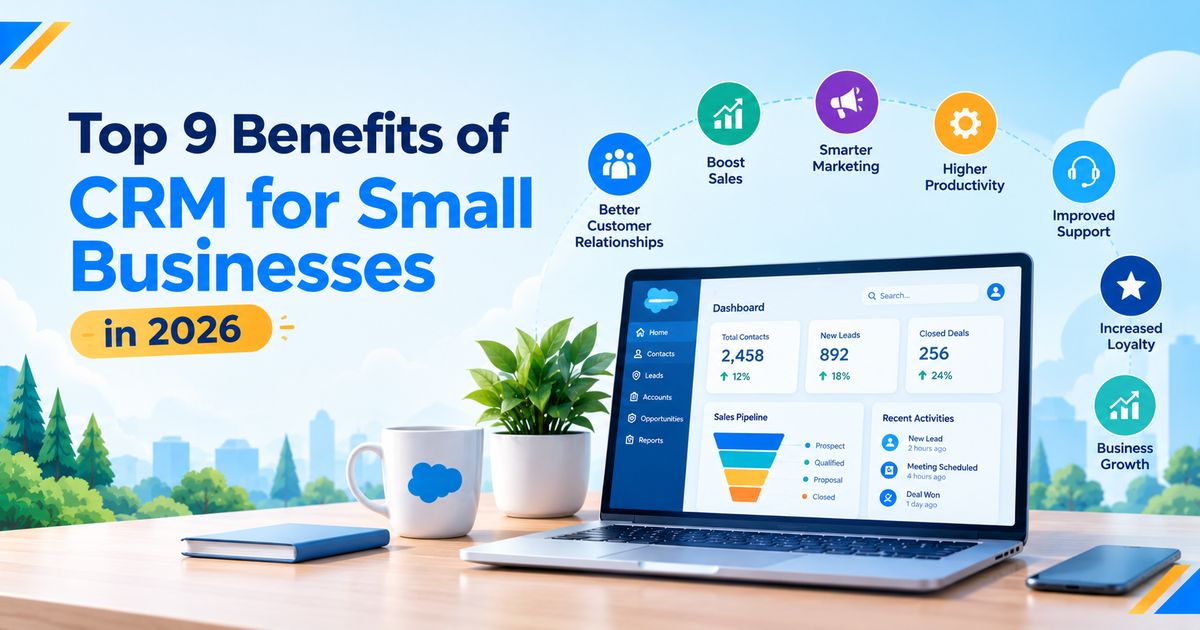
Running a small business means wearing multiple hats: managing customers, following up on leads, closing sales, and keeping daily operations on track. But what happens when customer details get lost in spreadsheets, follow-ups are missed, or your team struggles to keep track of every interaction? These small challenges can slow growth and affect customer satisfaction. This is where customer relationship management (CRM) software can make a real difference.
The benefits of CRM for small business extend far beyond organizing contact information. The right CRM system helps you manage leads more effectively, automate repetitive tasks, personalize customer communication, improve sales performance, and build stronger long-term relationships. It also gives you a clearer picture of your sales pipeline and customer behavior, helping you make smarter business decisions.
In 2026, small businesses can use CRM technology to compete more effectively, work efficiently, and deliver customer experiences that encourage loyalty. Whether you are a startup looking to organize your first leads or an established business aiming to streamline operations, choosing the right CRM software for small business can be an important step toward sustainable growth. Let’s explore the top nine benefits of CRM for small businesses and how they can help your business move forward.
Table of Contents
What Is a CRM for Small Business?
CRM software helps businesses organize customer information, manage leads, track sales opportunities, monitor communications, and coordinate customer service from a central platform. Instead of switching between spreadsheets, email inboxes, messaging applications, and separate contact lists, your team can access relevant customer information in one place. A CRM for small business can also connect sales, marketing, and customer support activities, giving employees a clearer picture of each customer’s journey. Modern CRM platforms increasingly include automation, reporting, integrations, and artificial intelligence (AI) features that help small teams manage everyday work more efficiently.
Consider a small consulting company that receives inquiries through its website, phone calls, referrals, and social media. Without a CRM, employees might record these inquiries in different places, forget follow-ups, or struggle to determine which prospects are ready to buy. With a CRM, the company can maintain a shared contact record, record previous conversations, assign follow-up tasks, and monitor opportunities as they move toward a sale. This is one of the most practical benefits of CRM for small business owners: it replaces scattered information with an organized process. You do not need a large sales department to benefit from this approach; even a founder managing customer relationships alone can use a CRM to stay organized and provide more consistent service.
Why Is CRM Important for Small Businesses in 2026?
Small businesses often operate with limited budgets, compact teams, and competing priorities. Owners may handle sales in the morning, respond to customer complaints in the afternoon, and review marketing performance after working hours. As the customer base expands, remembering every conversation and tracking every opportunity becomes increasingly difficult. A CRM provides a repeatable system for managing these responsibilities without relying entirely on memory or manual recordkeeping.
In 2026, choosing a CRM also means considering how automation and AI can support daily operations. Depending on the platform and subscription plan, businesses may be able to automate follow-up reminders, summarize customer interactions, identify sales trends, or draft personalized communications. Salesforce’s current small-business CRM resources, for example, describe tools that connect sales, service, marketing, and AI capabilities in a shared environment.
These capabilities are useful when they solve a genuine business problem rather than adding unnecessary complexity. The objective is not to purchase the most advanced software available; it is to find a system that helps your team serve customers effectively, use its time wisely, and grow sustainably.
Top 9 Benefits of CRM for Small Businesses
1. Build Stronger Customer Relationships
- Centralize customer information: Keep customer details, purchase history, preferences, and previous interactions in one place.
- Improve communication: Help employees respond with relevant information without asking customers to repeat themselves.
- Encourage customer loyalty: Use customer insights to identify repeat-purchase opportunities and provide relevant recommendations.
- Support long-term growth: Build trust through consistent, timely, and helpful customer interactions.
2. Improve Lead Management and Follow-Ups
- Organize leads: Track inquiries, customer requirements, lead sources, and sales opportunities in one system.
- Assign responsibilities: Make it clear which employee is responsible for each lead.
- Automate reminders: Schedule follow-ups after introductory calls, product demonstrations, or quotation submissions.
- Reduce missed opportunities: Help your team manage prospects systematically and maintain consistent communication.
- Prioritize promising leads: Use available customer information and engagement data to identify which prospects need attention first.
3. Increase Sales Productivity
- Reduce administrative work: Spend less time updating spreadsheets, searching for contact details, and preparing manual reports.
- Track sales opportunities: Monitor each deal from the first inquiry to qualification, negotiation, and closing.
- Improve pipeline visibility: Help sales managers review deal progress and identify opportunities that need attention.
- Identify sales bottlenecks: Analyze where prospects lose interest or deals repeatedly stall.
- Use AI-assisted features: Depending on the CRM platform, use AI to summarize interactions or help draft customer communications.
4. Personalize Marketing Campaigns
- Segment customers: Group contacts according to their interests, purchase history, engagement, and relationship with your business.
- Create relevant campaigns: Send welcome messages to new customers and targeted offers to existing buyers.
- Improve marketing efficiency: Focus limited marketing budgets on audiences that match specific campaign goals.
- Track campaign performance: Monitor lead sources, engagement, and conversions to understand which activities contribute to sales.
- Respect customer privacy: Use customer information responsibly and avoid excessive or irrelevant marketing messages.
5. Deliver Better Customer Service
- Access customer history: Review previous conversations, purchase details, and unresolved issues before responding.
- Resolve requests efficiently: Reduce unnecessary searches and repeated questions during customer interactions.
- Track support cases: Use available case management, task assignment, and response reminders to monitor customer issues.
- Identify recurring problems: Analyze complaints and service requests to find opportunities for improvement.
- Build customer confidence: Provide more consistent, informed, and helpful support across interactions.
6. Make Data-Driven Business Decisions
- Monitor key metrics: Track lead generation, conversion rates, average deal value, and sales cycle length.
- Evaluate marketing channels: Identify which sources generate qualified leads and valuable customers.
- Identify performance gaps: Investigate issues such as low proposal acceptance rates or stalled opportunities.
- Improve forecasting: Use available reports and forecasting tools to estimate potential sales performance.
- Make informed decisions: Use reliable customer and sales data to test assumptions and prioritize business improvements.
7. Automate Repetitive Tasks
- Automate routine activities: Reduce manual work involved in assigning leads, creating tasks, and updating deal stages.
- Schedule reminders: Notify employees about appointments, follow-ups, and inactive opportunities.
- Standardize workflows: Establish consistent processes so employees do not have to remember every step.
- Reduce manual errors: Minimize repetitive data entry and avoidable administrative mistakes.
- Start with high-impact tasks: Automate predictable processes first and review workflows regularly to prevent unnecessary notifications or duplicated tasks.
8. Improve Team Collaboration
- Create a shared customer record: Allow authorized team members to access relevant customer information in one place.
- Simplify handoffs: Help marketing, sales, technical, and customer service teams coordinate their responsibilities.
- Reduce duplicated work: Make customer interactions and next steps visible to the appropriate employees.
- Support remote teams: Use cloud-based CRM access and relevant integrations to coordinate work across locations.
- Establish clear ownership: Maintain accurate records, appropriate access permissions, and consistent procedures for updating information.
9. Support Business Growth and Scalability
- Manage increasing customer volumes: Organize growing numbers of contacts, opportunities, and service requests.
- Expand workflows gradually: Add processes for onboarding, renewals, referrals, and customer follow-ups as business needs change.
- Support additional employees: Help new team members follow established procedures and access relevant information.
- Improve performance visibility: Review sales and customer activity across teams or locations.
- Choose a scalable solution: Evaluate user limits, automation capabilities, integrations, security, reporting, and subscription costs before upgrading.
Explore more About : Best CRM for Small Business: Features, Pricing, Pros & Cons
How to Choose a Good CRM for Small Business?
Choosing a good CRM for small business starts with understanding your daily challenges rather than comparing software features in isolation. A freelance consultant may need contact management and appointment reminders, while a growing online retailer may require marketing automation, customer segmentation, and e-commerce integrations. A B2B company with a longer sales cycle may prioritize pipeline visibility, quotation tracking, and forecasting. The best option is the one that supports your actual workflow, fits your budget, and remains manageable for your team. Before comparing vendors, identify the main problem you want to solve and the results you expect the software to deliver.
Use the following comparison criteria when evaluating CRM platforms.
| Selection factor | What to evaluate |
| Ease of use | Can employees learn the system without extensive training? |
| Essential features | Does it include contact management, lead tracking, tasks, and reporting? |
| Automation | Can it automate your most time-consuming routine activities? |
| Integrations | Does it connect with your email, website, accounting, and marketing tools? |
| Pricing | What are the subscription, onboarding, integration, and upgrade costs? |
| Scalability | Can it accommodate additional users, records, and workflows as you grow? |
| Security | Does it provide appropriate access controls, authentication, and data protection? |
| Reporting | Can you measure the sales and customer service metrics that matter to your business? |
It is also worth comparing the total cost of ownership instead of looking only at the advertised subscription price. Some platforms provide free entry-level plans, while advanced automation, premium support, additional users, or third-party integrations may cost extra. Check the current pricing and limitations directly with each vendor before making a decision.
Finally, involve the employees who will use the software every day. Arrange a demonstration or trial, test a realistic customer journey, and see how easily the system fits into your existing processes. A feature-rich platform that employees avoid using will rarely deliver its expected value.
Tips for Successful CRM Implementation for Small Business
Successful CRM implementation for small business requires more than purchasing software and importing a contact list. Follow these practical steps to implement your CRM effectively:
- Define clear objectives: Identify two or three measurable goals, such as reducing missed follow-ups, improving response times, or increasing visibility into sales opportunities.
- Clean and organize your data: Review existing spreadsheets and contact lists, remove duplicate records, correct inaccurate information, and identify the essential customer fields your team needs.
- Configure essential workflows: Establish how leads enter the CRM, who manages them, which sales stages they follow, and when follow-up tasks should be created.
- Train your team: Provide practical training using real business scenarios so employees understand how to manage customer information and use the CRM in their daily work.
- Start with a phased rollout: Introduce the CRM to a small group first, collect feedback, make necessary improvements, and gradually expand its use across the business.
- Establish security and data governance: Set appropriate access permissions, review user access regularly, and ensure customer data is collected and managed according to applicable privacy requirements.
- Monitor adoption and performance: Track whether employees update records consistently, complete follow-ups on time, and use CRM reports to make informed decisions.
- Review and optimize regularly: Evaluate your CRM setup as your business grows and adjust workflows, features, and processes to improve efficiency.
A well-implemented CRM should simplify everyday tasks, strengthen customer relationships, and help your team focus more on serving customers than maintaining software.
Conclusion
The benefits of CRM for small business go beyond storing customer information. A well-chosen CRM helps small businesses build stronger customer relationships, manage leads, improve sales productivity, personalize marketing, automate tasks, and deliver better customer service.
By choosing the right CRM software for small business, maintaining accurate data, and establishing clear workflows, businesses can improve efficiency and support sustainable growth. Start with your most pressing needs and use CRM to strengthen customer experiences, streamline operations, and achieve long-term business success.
FAQs
1. Why Do Small Businesses Need a CRM?
Small businesses need a CRM to organize customer information, manage leads, track sales opportunities, and maintain consistent communication. It helps reduce manual work, prevent missed follow-ups, and build stronger customer relationships as the business grows.
2. How Does CRM Help Small Businesses?
A CRM helps small businesses centralize customer data, automate repetitive tasks, manage sales pipelines, personalize marketing campaigns, and improve customer service. It also provides reports and insights that help business owners track performance and make informed decisions.
3. What Are the Benefits of Using a CRM for Businesses?
The main benefits of using a CRM include improved customer relationships, better lead management, increased sales productivity, personalized marketing, efficient customer service, automated workflows, improved team collaboration, and data-driven decision-making. CRM software also helps businesses manage growth more effectively.
4. Why Is CRM Important for Small Businesses?
CRM is important for small businesses because it helps manage growing customer relationships without relying on scattered spreadsheets or manual processes. By keeping customer information organized and making follow-ups easier, a CRM helps small teams work efficiently, improve customer experiences, and identify opportunities for business growth.
5. What Is the Best CRM Software for Small Businesses?
The best CRM software for a small business depends on its budget, team size, and requirements. Salesforce is worth considering for businesses that need customizable sales, service, and automation tools. HubSpot may suit businesses looking for accessible customer management and marketing features, while Zoho CRM is another option for teams seeking sales automation and contact management. Compare current pricing, features, integrations, and ease of use before choosing a solution.