


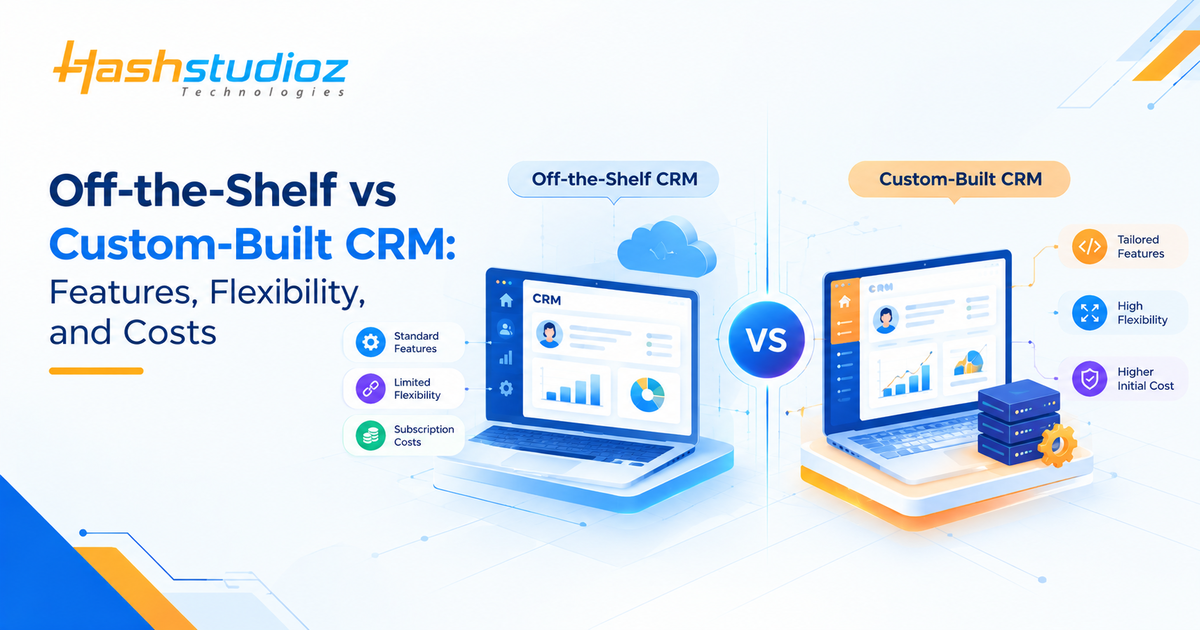
Managing customer relationships effectively requires software that aligns with your business goals and daily operations. While an off-the-shelf CRM offers ready-made features for common business needs, a custom-built CRM can be tailored to your organization’s specific workflows, processes, and requirements.
The decision is not simply about buying software versus building it. Businesses must consider feature requirements, implementation time, integration capabilities, customization options, maintenance responsibilities, and long-term costs.
Understanding the differences between off-the-shelf vs custom CRM solutions can help you select an approach that supports your business objectives without introducing unnecessary complexity.
Table of Contents
Why Choosing the Right CRM Matters for Business Growth
A CRM system helps businesses organize customer information and manage interactions throughout the customer lifecycle. However, its usefulness depends on how well it supports the team’s actual work.
A CRM that lacks essential functionality may require employees to maintain separate spreadsheets, repeat manual tasks, or switch between disconnected applications. On the other hand, an overly complex system can introduce features and costs that a business does not need.
Before choosing a CRM, identify your current challenges, document essential workflows, and establish what you expect the system to improve. These requirements provide a practical basis for comparing available solutions.
What Is an Off-the-Shelf CRM?
An off-the-shelf CRM is a commercially available software product designed to serve the needs of multiple businesses. It typically includes established functionality for managing contacts, leads, sales pipelines, customer communications, and reporting.
Businesses can purchase or subscribe to an existing platform and configure its available features according to their requirements.
Key Features of Off-the-Shelf CRM Software
Depending on the product and subscription plan, common features may include:
- Contact and lead management: Store customer information and track prospective customers.
- Sales pipeline management: Monitor opportunities as they progress through different sales stages.
- Task and activity tracking: Organize follow-ups, meetings, calls, and reminders.
- Workflow automation: Automate supported tasks using predefined rules.
- Reporting and dashboards: Review sales activity, pipeline performance, and other business metrics.
- Integrations: Connect with supported marketing, communication, accounting, and business applications.
Not every CRM includes all these features in its basic plan. Businesses should verify feature availability, usage limits, and additional charges before selecting a product.
Benefits and Limitations of Off-the-Shelf CRM
Off-the-shelf CRM software can help businesses adopt established functionality without developing an entire application from scratch.
Its main advantages include faster implementation when requirements are straightforward, access to existing features, and vendor-provided support or updates under the applicable agreement.
However, its capabilities may not match every business process. Some platforms restrict customization, while advanced automation, integrations, or reporting may require additional configuration or higher-tier plans.
When Does an Off-the-Shelf CRM Make Sense?
An existing CRM may be suitable when your business has relatively standard sales and customer service processes, needs to implement a solution quickly, and can operate within the platform’s available features.
For example, a small consulting firm may need contact management, meeting reminders, lead tracking, and basic sales reporting. If an existing CRM meets these requirements, custom development may introduce unnecessary expense and maintenance responsibilities.
What Is a Custom-Built CRM?
A custom-built CRM is developed or extensively tailored to support an organization’s specific customer management processes. Its functionality, workflows, data structures, interfaces, and integrations are determined by the project’s requirements.
Unlike a standard product, a Custom CRM can be designed around specialized business rules rather than requiring every team to follow a predefined workflow.
How Custom CRM Development Works
Custom CRM development generally involves several stages:
- Requirement analysis: Identify business challenges, user needs, workflows, and essential features.
- Solution design: Define the application structure, data model, user experience, and integration requirements.
- Development: Build the required features, workflows, interfaces, and system connections.
- Testing: Check functionality, permissions, data handling, integrations, and performance.
- Deployment and maintenance: Launch the system, support users, address issues, and implement future improvements.
The scope and duration of each stage depend on the application’s complexity, technical requirements, and available resources.
Key Features of a Tailored CRM Solution
A Custom CRM can include functionality such as:
- Business-specific workflows: Configure sales stages, approval processes, and customer handling procedures around internal requirements.
- Custom data fields: Capture information relevant to the organization’s products, services, and customer relationships.
- Specialized automation: Automate tasks according to business-specific rules.
- Tailored dashboards: Display metrics and information relevant to different roles.
- Custom integrations: Connect the CRM with existing applications where suitable technical interfaces are available.
- Role-based access: Define permissions according to employee responsibilities and security requirements.
These capabilities depend on the agreed development scope. Custom software does not automatically include every desired feature; each capability must be designed, implemented, and maintained.
Benefits and Challenges of Building a Custom CRM
Benefits of Custom CRM Development
- Greater Control: Customize functionality to match specific business workflows and requirements.
- Flexible Development Roadmap: Prioritize features that directly support business goals.
- Specialized Integrations: Connect with existing business systems when standard integration options are insufficient.
- Customized Reporting: Develop reports and analytics tailored to specific business needs.
- Reduced Unnecessary Functionality: Focus on relevant features instead of adapting business processes to unnecessary standard features.
Challenges of Custom CRM Development
- High Initial Investment: Requires investment in analysis, design, development, and testing.
- Ongoing Maintenance: Requires continuous maintenance and future enhancements.
- Security Responsibilities: Requires planning for security updates and data protection.
- Hosting and Infrastructure: Requires appropriate hosting and infrastructure management.
- Technical Support: Needs ongoing technical expertise to resolve issues and maintain performance.
Key Takeaway: Custom CRM development is most valuable when its flexibility, specialized functionality, and business benefits justify the initial investment and ongoing maintenance responsibilities.
Off-the-Shelf vs Custom CRM: Key Differences
The off-the-shelf CRM vs custom-built CRM comparison should focus on how each option supports your business requirements, rather than assuming one approach is universally better.
| Comparison Factor | Off-the-Shelf CRM | Custom-Built CRM |
| Features | Provides predefined features for common customer management tasks. | Includes features designed around specific business requirements. |
| Customization | Allows configuration within the limits of the platform. | Offers greater control over features, data fields, and business logic. |
| Workflow Flexibility | Supports standard workflows with configurable stages and automation rules. | Can accommodate specialized workflows and complex business processes. |
| Automation | Often includes built-in automation tools, depending on the vendor and plan. | Automation can be developed to match specific operational requirements. |
| Third-Party Integrations | May offer built-in connectors, APIs, and integration marketplaces. | Integrations can be developed for required systems, subject to technical feasibility. |
| Reporting and Analytics | Typically provides standard dashboards, reports, and forecasting features. | Can support organization-specific KPIs, reports, and data relationships. |
| Implementation Time | Often quicker to deploy, although configuration, migration, and training take time. | Generally requires more time for planning, development, testing, and deployment. |
| Initial Cost | Usually has a lower initial setup cost, with subscription and implementation fees depending on the product. | Typically requires a larger upfront investment for design and development. |
| Ongoing Costs | May include recurring subscriptions, add-ons, premium integrations, and support fees. | May include hosting, maintenance, security updates, technical support, and further development. |
| Ownership and Control | The vendor controls the core software and its product roadmap. | The level of ownership and control depends on the development contract and licensing terms. |
| Maintenance | The vendor generally maintains the core platform; the business manages its configuration and data. | Maintenance responsibilities depend on the hosting and support arrangements. |
| Scalability | Growth depends on the platform’s capabilities, pricing tiers, and licensing limits. | Growth depends on the system architecture, infrastructure, and available development resources. |
| Best Suited For | Businesses whose requirements align with existing CRM capabilities. | Businesses with specialized workflows or requirements that existing platforms cannot adequately support. |
Features and Business Requirements
Off-the-shelf CRM platforms provide predefined functionality for common customer management tasks. Businesses can configure available features, but some requirements may fall outside the product’s supported capabilities.
A Custom CRM can be designed around specific business rules, data fields, and operational needs. However, additional functionality also increases development scope and may require more testing and maintenance.
Workflow Customization and Flexibility
Ready-made CRMs generally allow customization within the limits of their platform. Depending on the product, users may be able to change fields, sales stages, permissions, dashboards, and automation rules.
Custom-built CRM software offers more control over how workflows are structured. This can be useful for businesses with specialized approval procedures, complex customer journeys, or unusual operational requirements.
Automation and Third-Party Integrations
Both CRM approaches can support automation and integrations, but the implementation options differ.
Off-the-shelf platforms may provide built-in connectors, integration marketplaces, APIs, and automation tools. Availability can vary by vendor, subscription plan, and third-party application.
A Custom CRM can be designed to exchange information with accounting software, e-commerce platforms, inventory systems, or other business applications. The feasibility depends on API availability, data formats, permissions, and technical constraints.
Reporting, Analytics, and Sales Forecasting
Off-the-shelf CRMs often provide standard reports and dashboards for reviewing sales pipelines, lead activity, and customer interactions. More advanced reporting or forecasting capabilities may depend on the product and plan.
A Custom CRM can be designed to track organization-specific KPIs, combine selected business data, and present reports according to management requirements.
However, customized reporting is only useful when the underlying data is accurate, consistently maintained, and suitable for the intended analysis.
Ready to Find Your Perfect CRM Fit?
Let HashStudioz Build Your CRM Advantage!
Setup Time and Implementation Costs
Off-the-shelf CRM software may be quicker to implement because the core application already exists. Nevertheless, configuration, data migration, integrations, employee training, and process changes can still require considerable effort.
Custom CRM development requires planning, design, development, testing, and deployment. The time needed depends on the number of features, integration complexity, security requirements, and project scope.
Ownership, Maintenance, and Scalability
With an off-the-shelf CRM, the vendor generally manages the core product’s updates and maintenance according to its service terms. The business remains responsible for its configuration, data practices, user administration, and any additional components it operates.
For a Custom CRM, maintenance responsibilities depend on the development and hosting arrangements. The business must establish who handles updates, security fixes, infrastructure, support, and compatibility with connected systems.
How Much Does an Off-the-Shelf CRM vs Custom-Built CRM Cost?
The cost difference depends on the required functionality, implementation effort, number of users, integrations, and ongoing support. A fair comparison should consider total cost of ownership rather than the initial price alone.
Costs Associated With Off-the-Shelf CRM
Expenses may include:
- Subscription or licensing fees.
- Additional user seats or usage charges.
- Premium features and paid add-ons.
- Configuration and implementation services.
- Data migration, integrations, and employee training.
- Support plans and contract-related expenses.
An existing CRM may have a lower initial cost than building a comparable application, but recurring fees and additional requirements should be included in the long-term budget.
Costs Associated With Custom-Built CRM
Custom CRM expenses may include:
- Business analysis and technical planning.
- Interface design and application development.
- Testing, deployment, and data migration.
- Infrastructure and hosting.
- Integration development and third-party services.
- Security updates, maintenance, support, and future enhancements.
The total investment depends on the project’s scope and technical complexity. Businesses should request a detailed estimate that separates development costs from ongoing operational expenses.
How to Compare the Long-Term Investment
Compare both approaches over the same period and include all relevant costs. For example, a three-year assessment can account for subscriptions, development, implementation, integrations, support, maintenance, and expected changes.
Also consider the operational impact of each option. A lower-priced CRM may require manual workarounds, while a Custom system may introduce additional maintenance responsibilities.
The better investment is the solution that meets essential requirements at an acceptable total cost and level of risk.
Which CRM Should a Growing Business Choose?
The right option depends on your business processes, technical resources, budget, and growth plans.
Choose Off-the-Shelf CRM When
- Your sales and customer service workflows are relatively standard.
- Existing features cover your essential requirements.
- You want to implement a solution without developing an entire application.
- Your team prefers vendor-managed product updates and support.
- The available pricing and customization options fit your budget.
Choose Custom-Built CRM When
- Essential workflows cannot be supported adequately by existing platforms.
- Specialized data structures or business rules are required.
- Important integrations are not covered by standard connectors.
- Your reporting needs require functionality beyond available configurations.
- You have the resources to fund, maintain, and improve the application over time.
Conclusion
Choosing between an off-the-shelf CRM and a custom-built CRM requires more than comparing feature lists or initial prices. Businesses should evaluate workflow fit, customization, integrations, reporting, implementation time, maintenance, and total cost of ownership.
Off-the-shelf CRM software can be practical when existing features meet business needs. Custom-built CRM software can be valuable when specialized requirements justify greater development control and ongoing responsibility.
The most effective decision begins with clearly defined requirements and a realistic assessment of available resources. Compare existing platforms first, identify any critical gaps, and invest in Custom development only where it provides meaningful business value.
FAQs
1. What is the difference between Off-the-shelf CRM and Custom-built CRM?
Off-the-shelf CRM is an existing product designed for a broad range of businesses, while custom-built CRM is developed around specific organizational requirements. The main differences involve functionality, customization, implementation, maintenance, and cost.
2. Is an off-the-shelf CRM cheaper than a Custom-built CRM?
An off-the-shelf CRM may require less initial investment because the core application already exists. However, subscriptions, add-ons, integrations, and implementation services contribute to its total cost. Custom CRM development requires upfront investment and ongoing maintenance, so both options should be compared over the same period.
3. Can an off-the-shelf CRM be customized?
Many off-the-shelf CRMs support Custom fields, dashboards, workflows, automation, and integrations. The available options depend on the product, subscription plan, and technical limitations.
4. When should a business invest in Custom CRM development?
Custom CRM development may be appropriate when essential workflows, specialized reporting, or integration requirements cannot be met adequately through existing platforms. Businesses should also have a realistic budget and plan for ongoing maintenance.
5. Which CRM is better for a growing business?
Neither option is automatically better. An off-the-shelf CRM may suit a business with standard requirements, while Custom development may be appropriate for specialized processes. A hybrid approach can also help businesses extend an existing platform where necessary.