


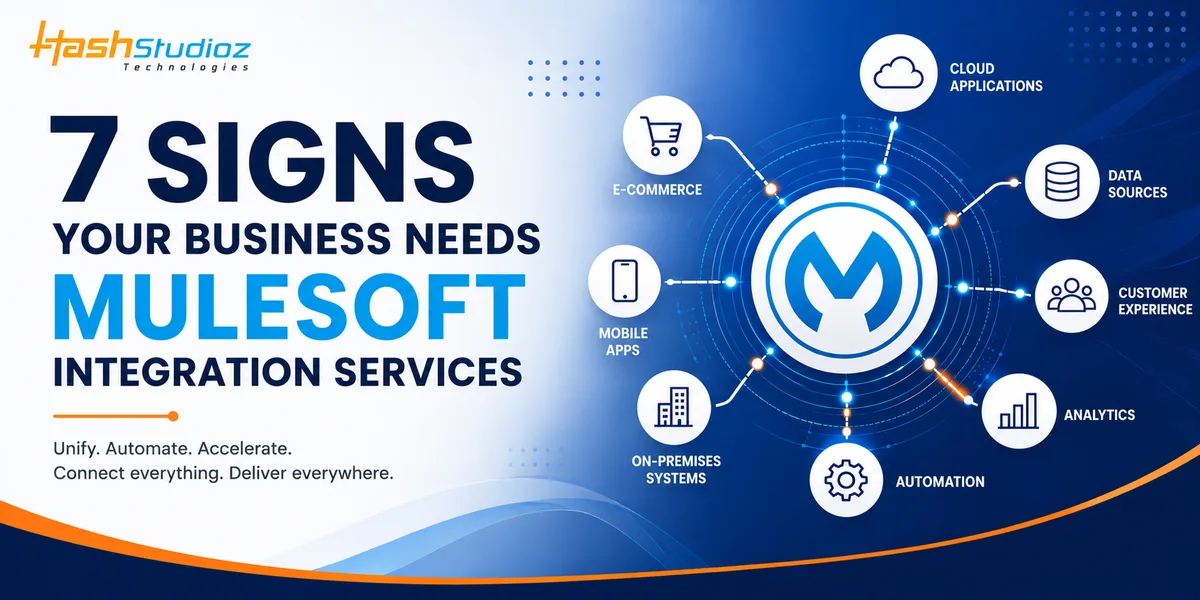
Modern businesses rely on multiple applications to manage sales, customer relationships, finance, operations, marketing, and internal workflows. While these tools improve individual business functions, managing them as disconnected systems can create data silos, repetitive tasks, and inefficient processes.
As organizations grow, the need to connect these systems becomes increasingly important. MuleSoft integration services help businesses connect applications, data, APIs, and devices through a unified integration approach, allowing information to move efficiently across the technology ecosystem.
Table of Contents
How do you know when your business actually needs MuleSoft integration services?
Here are seven signs that indicate it may be time to rethink your integration strategy.
| Sign | What It Means | Potential Impact |
|---|---|---|
| Business Systems Operate in Silos | Applications work independently without seamless data exchange. | Data silos, limited visibility, and inefficient workflows. |
| Excessive Manual Data Entry | Teams repeatedly transfer information between different systems. | Wasted time, higher error rates, and lower productivity. |
| Inconsistent Customer Data | Customer information differs across multiple platforms. | Poor data accuracy and inconsistent customer experiences. |
| Difficulty Scaling | Existing integrations struggle as the business and technology environment grows. | Higher complexity, maintenance costs, and scalability issues. |
| Salesforce and Enterprise Systems Are Not Connected | Salesforce operates separately from ERP, finance, marketing, or other applications. | Limited customer visibility and inefficient processes. |
| Existing Integrations Are Difficult to Maintain | Legacy or point-to-point integrations require frequent troubleshooting and updates. | Increased maintenance effort and technical complexity. |
| Need for Real-Time Data and Visibility | Critical business information is delayed between systems. | Slower decisions and reduced operational responsiveness. |
1. Your Business Systems Operate in Silos
One of the clearest signs that your organization needs integration is when different departments rely on disconnected applications. Sales may use Salesforce, finance may operate through an ERP system, marketing may use separate platforms, and customer service may maintain its own tools.
When these systems cannot communicate effectively, employees often have to manually transfer information from one platform to another. This creates unnecessary work and increases the possibility of errors.
MuleSoft can connect these applications and enable data to flow between them through APIs and reusable integration components.
Common symptoms include:
- Customer information stored across multiple platforms
- Employees manually moving data between applications
- Different departments working with inconsistent information
- Limited visibility across business operations
- Difficulty accessing real-time data
A connected ecosystem allows teams to work with more consistent information while reducing the dependency on manual processes.
2. Your Teams Spend Too Much Time on Manual Data Entry
Manual data entry may seem manageable when business operations are small. However, as transaction volumes increase, repetitive data entry can consume significant amounts of employee time.
For example, when a new customer is created in Salesforce, employees may need to manually enter the same information into an ERP, billing platform, support system, or marketing application. Repeating this process across hundreds or thousands of records creates inefficiency.
MuleSoft integration services can automate these data exchanges, allowing information entered in one system to be transferred to other connected applications according to predefined business rules.
This can help businesses:
- Reduce repetitive administrative work
- Minimize data-entry errors
- Improve employee productivity
- Accelerate business processes
- Maintain greater data consistency
Instead of employees acting as the connection between systems, integrations allow applications to exchange information automatically.
3. Customer Data Is Inconsistent Across Platforms
Customer data is one of the most valuable assets for any organization. However, when applications operate independently, customer information can quickly become inconsistent.
A customer may have one phone number in the CRM, another in the billing system, and an outdated address in the support platform. Such inconsistencies make it difficult for teams to understand the customer journey accurately.
Integration can help synchronize important customer information across connected systems. When data changes in one application, the integration architecture can transfer the relevant information to other systems based on defined requirements.
This creates a more consistent customer data environment and helps teams access the information they need without searching through multiple platforms.
For businesses focused on customer experience, connecting systems can also support more personalized interactions because employees have better visibility into customer activity across different touchpoints.
4. Your Business Is Struggling to Scale
Integration challenges often become more visible as businesses expand. Adding new applications, locations, departments, or services can increase the complexity of the existing technology environment.
Without a scalable integration strategy, organizations may create point-to-point connections between individual applications. Although these connections can solve immediate problems, they can become difficult to maintain as the number of systems increases.
MuleSoft supports an API-led integration approach that can help organizations create reusable connectivity between applications and data sources.
A scalable integration architecture can make it easier to:
- Connect new applications
- Support business expansion
- Reuse existing APIs and integration components
- Reduce dependency on custom connections
- Adapt to changing business requirements
Instead of rebuilding integrations every time a new application is introduced, businesses can establish a more structured framework for connecting their technology ecosystem.
5. Your Salesforce and Other Enterprise Systems Are Not Connected
Salesforce often serves as a central system for customer and sales information, but businesses typically use many other applications alongside it. These may include ERP platforms, payment systems, marketing automation tools, customer service applications, inventory systems, and data platforms.
If Salesforce operates independently from these systems, employees may not have access to complete and current information.
For example, a sales representative may need information about inventory availability or customer billing status before closing a deal. If that information exists outside Salesforce and cannot be accessed efficiently, the sales process becomes slower.
MuleSoft can help connect Salesforce with other enterprise applications, enabling organizations to exchange data and automate processes across systems.
It supports:
- Real-time or near-real-time data exchange
- Automated business workflows
- Better sales visibility
- Improved customer service
- Reduced manual system switching
For organizations already using Salesforce extensively, a well-planned integration strategy can help maximize the value of their CRM investment.
6. Your Existing Integrations Are Difficult to Maintain
Another major warning sign is an integration environment that has become difficult for IT teams to manage.
Over time, organizations may accumulate custom scripts, point-to-point connections, legacy middleware, and one-off integrations. When something changes in one application, several other integrations may need to be modified.
A modern integration strategy should focus on reusable components, centralized management, clear documentation, and scalable architecture. This creates a complex dependency structure that can increase maintenance costs and make troubleshooting difficult.
MuleSoft can help organizations move toward a more structured integration environment where APIs and reusable services reduce unnecessary duplication. This approach can make integrations easier to monitor, maintain, and adapt as business requirements change.
7. You Need Real-Time Data and Better Business Visibility
Businesses increasingly depend on timely information to make decisions. If data takes hours or days to move between systems, teams may be working with outdated information.
For example, sales teams may not have current inventory information, customer service representatives may lack the latest order status, or management may receive delayed operational reports.
Integration can help connect these systems so that relevant information becomes available faster.
Improved data connectivity can support:
- Faster decision-making
- Better operational visibility
- More accurate reporting
- Improved customer service
- Faster response to business changes
With the right integration architecture, organizations can create a more connected flow of information across their technology environment.
MuleSoft Integration Services: What Can They Help With?
MuleSoft integration services can support organizations in connecting applications, data sources, APIs, and business processes through a structured integration strategy.
Depending on business requirements, integration projects may involve:
- Salesforce and ERP integration
- CRM and marketing platform integration
- Customer data synchronization
- API development and management
- Legacy system integration
- Cloud application integration
- Data transformation and synchronization
- Workflow automation
- Enterprise application integration
The objective is not simply to connect more applications. Instead, the focus should be on creating a reliable and scalable integration architecture that supports business processes.
Is Your Business Facing Integration Challenges?
Benefits of Implementing MuleSoft Integration
Working with an experienced MuleSoft implementation partner can help businesses build a connected, scalable, and efficient integration environment. Key benefits include:
- Improved Data Consistency: Connected systems can exchange relevant information automatically, reducing discrepancies caused by manual data entry.
- Greater Operational Efficiency: Automating information exchange reduces repetitive tasks and allows employees to focus on higher-value activities.
- Better Customer Experience: Teams can access more complete customer information, helping them provide faster and more personalized support.
- Scalable Architecture: Reusable APIs and integration components make it easier to connect additional applications as the organization grows.
- Reduced Integration Complexity: A structured integration strategy can replace multiple isolated connections with a more manageable and efficient architecture.
When Should You Consider MuleSoft Integration Services?
Not every organization needs extensive integration immediately. However, if your business is experiencing multiple issues simultaneously-such as disconnected systems, manual data entry, inconsistent customer information, and difficulty scaling-it may be time to evaluate your integration architecture.
A professional assessment can help identify which systems need to be connected, what data should be exchanged, and which processes can benefit most from automation.
Businesses should focus on integration based on measurable objectives rather than simply connecting every application in their technology stack.
How to Prepare for a MuleSoft Integration Project?
Before starting an integration project, organizations should evaluate their existing technology environment and define clear objectives.
Consider the following steps:
- Audit Existing Systems– Identify applications, databases, APIs, and legacy systems currently in use.
- Map Business Processes – Determine where data moves between departments and applications.
- Identify Integration Gaps– Find manual processes, duplicate data, and disconnected workflows.
- Prioritize Integrations– Start with connections that deliver the greatest business value.
- Define Security Requirements – Establish authentication, authorization, and data protection requirements.
- Plan for Scalability – Design integrations that can accommodate future applications and business growth.
- Monitor Performance – Continuously evaluate integrations to identify errors and optimization opportunities.
Why Choose HashStudioz for MuleSoft Integration Services?
As businesses adopt more applications and digital platforms, having the right integration partner becomes essential for building a connected and scalable technology ecosystem. HashStudioz provides MuleSoft consulting services to help businesses integrate Salesforce, enterprise applications, APIs, cloud platforms, and legacy systems. Along with consulting, our MuleSoft implementation services help organizations turn integration strategies into practical solutions that improve data flow, automate processes, and enhance operational efficiency.
Why Can Businesses Consider HashStudioz?
- MuleSoft Integration Expertise – Build and manage integrations based on specific business requirements.
- Salesforce Integration – Connect Salesforce with ERP, marketing, finance, customer service, and other enterprise systems.
- Scalable Integration Architecture – Design integration solutions that can adapt as your business and technology ecosystem grows.
- API-Led Connectivity – Develop reusable APIs to simplify application connectivity and reduce integration complexity.
- End-to-End Support – Get assistance across integration planning, development, implementation, optimization, and maintenance.
With the right MuleSoft integration strategy and experienced technical support, working with a reliable MuleSoft implementation partner can help businesses reduce disconnected processes, improve data accessibility, and create a more agile digital ecosystem.
Conclusion
Disconnected systems can quietly become a major obstacle to business growth. Manual data entry, inconsistent customer information, difficult-to-maintain integrations, and limited visibility can all indicate that your organization needs a stronger integration strategy.
MuleSoft integration services can help businesses build a connected technology ecosystem by integrating applications, APIs, data, and processes through a scalable architecture. Whether you need to connect Salesforce with enterprise applications or modernize legacy integrations, the right approach can improve efficiency, data consistency, and business agility.
If your teams are spending more time moving information between systems than using that information to drive business growth, it may be time to evaluate your integration strategy.
FAQs
1. What are MuleSoft Integration Services?
MuleSoft Integration Services help businesses connect applications, APIs, databases, and systems so data can move seamlessly across their technology ecosystem.
2. When does a business need MuleSoft integration?
Businesses may need MuleSoft integration when they face disconnected systems, manual data entry, inconsistent data, difficult-to-maintain integrations, or limited real-time visibility. In such situations, choosing the best MuleSoft integration services can help connect applications, streamline data exchange, automate workflows, and create a more scalable integration environment.
3. Can MuleSoft integrate Salesforce with other business systems?
Yes. MuleSoft can connect Salesforce with ERP, marketing, finance, customer service, legacy, and other enterprise applications to enable efficient data exchange.
4. What are the benefits of MuleSoft integration for businesses?
MuleSoft integration can improve data consistency, automate processes, reduce manual work, enhance customer experiences, and create a scalable integration architecture.
5. Why choose a MuleSoft integration partner?
An experienced MuleSoft integration service partner can assess your existing systems, design the right integration architecture, develop APIs, manage implementation, and provide ongoing optimization and support.